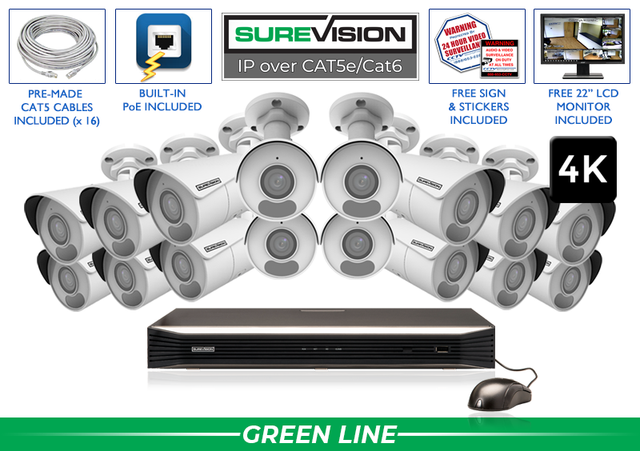
PROFESSIONAL 4K SURVEILLANCE • A PRACTICAL BUYING GUIDE Protect what you worked hard to build—with detailed video, local recording and expert help. A 4K security camera system pairs high-resolution cameras with a recorder so you can see activity, review what happened and save the video that matters. This guide helps you choose the right views, camera styles and recording capacity for your business or home. 4K UHD typically means 3840 × 2160 pixels—about 8 megapixels and roughly four times the pixel count of 1080p. More pixels can preserve more detail when you review a recording or enlarge part of the image. Start with the result you need: a broad overview of a parking area, a useful view of an entrance, or closer detail at a register. Resolution works together with the lens, distance, lighting and camera position. Digital zoom enlarges what was recorded; it cannot recover details the camera never captured. List entrances, exits, registers, loading docks, driveways and other important areas. Count camera views rather than choosing by square footage alone. Next step: Mark each view on a simple property sketch. A wide fixed lens provides an overview. A motorized zoom lens lets you adjust framing during setup. Use a dedicated view when closer detail matters. Next step: Check the lens and angle before buying. Review infrared distance, low-light performance and nearby lights. Headlights, reflective walls and backlighting can affect useful detail. Next step: Test the actual scene by day and night. Match NVR channels, camera resolution and system capacity. Choose spare channels when you expect to add views. Larger systems may use external PoE switches. Next step: Plan camera power, network connections and future coverage. Storage depends on camera count, recording quality, activity and schedule. Continuous recording offers a fuller timeline; event recording can reduce storage use. Next step: Tell our team how many days you want to keep. After installation, walk through important areas, check playback and export a short sample. Set up remote access before relying on it away from the property. Next step: Confirm that the recording shows what you need to see. Bullet cameras make a visible choice for perimeters and entrances. Turret and dome designs suit many interior and exterior positions. Motorized zoom helps you fine-tune framing; PTZ adds active pan, tilt and zoom control. Panoramic cameras can cover wide scenes, while license-plate cameras are built for a specific capture task. Use overview cameras to follow activity and dedicated views for important details. A 4K label alone does not guarantee readable plates or clear faces at any distance. Power over Ethernet carries camera power and data over one compatible Ethernet cable. Connect cameras to a PoE NVR or a properly sized PoE switch, then record locally to the NVR. Choose indoor or outdoor cable and mounting accessories for the installation location. Your cameras can record locally without an internet connection. Internet access is needed for remote viewing from outside the property. The free SureVision app lets you check live video and review recordings without a required monthly viewing subscription. These SureVision bullet-camera kits offer a straightforward starting point. Each includes 4K cameras, a recorder with local storage, camera cables, the free viewing app, and surveillance signs and stickers. Compare the current kit contents and availability on each product page. Need a different camera mix? Match wide views, motorized zoom and specialty cameras to your property. Build your system The included hard drive gives you a starting capacity, not a guaranteed number of recording days. Camera count, quality settings, frame rate, compression, scene activity and continuous versus event recording all affect retention. Check playback to see how far back your recordings reach, monitor drive status and save important clips separately before routine footage is overwritten. For a longer recording history, ask our team about compatible storage upgrades. Visible cameras can help deter unwanted activity. When an incident occurs, recorded video can provide useful context: who entered, when a delivery arrived or how an event unfolded. Useful evidence starts with the right view and a recording that captures the important details. Keep the recorder clock accurate, use clear camera names and practice exporting clips. Preserve the original recording and check the exported file before you need to share it. An 8MP camera recording around 3840 × 2160 is commonly described as 4K UHD. Check the actual camera and recorder specifications. A compatible lower-resolution display can be used for viewing, but it will not show all the detail available on a suitable 4K display. Confirm the NVR output and monitor connections. Compatible SureVision cameras can be selected by location. Confirm the recorder supports the planned camera resolutions and total system capacity. Nighttime results depend on the camera, lens, lighting, subject movement and installation. Check the night-vision specification and test the actual scene. An HD-over-coax upgrade may reuse suitable existing coax, using compatible cameras and a DVR. A PoE IP system uses Ethernet and an NVR. Let our team review the wiring and equipment before choosing the upgrade path. SureVision systems record to local storage and include the free viewing app without required monthly viewing fees. Remote access needs internet service. Explore SureVision systems from 2 to 64 cameras. Choose the views you need today and room for tomorrow. Get professional equipment and a U.S. team that helps you choose, install and use it. Tell us what you need to see, and we will help you build the right system.4K Security Camera Systems: Choose Clearer Coverage with Confidence

What does 4K mean for a security camera?
Resolution
Planning consideration
1080p / 2MP
Full HD; useful coverage depends on the size and distance of the subject.
4MP / 5MP
Additional recorded detail for many general surveillance views.
4K / 8MP
More image detail for larger scenes and closer review; plan storage accordingly.
Plan the coverage before choosing the kit
1. Name the views you need
2. Match the lens to the distance
3. Check the lighting after dark
4. Size the recorder for growth
5. Choose your recording history
6. Verify the result
Choose cameras by the job they need to do
Why wired PoE is a practical foundation
4K business system examples: 4, 8, 16 and 32 cameras
See SureVision systems in action
Choose storage for the days you want to keep
Use video to understand—and document—what happened
4K system questions, answered
Is every 8MP camera 4K?
Does a 4K system require a 4K monitor?
Can I mix camera resolutions?
Will 4K make every nighttime image clear?
Can I upgrade an existing coax system to 4K?
Are there monthly recording or app fees?
Find your complete camera system
Stay Secure with SureVision
✓ No required monthly viewing fees✓ Free remote-viewing app✓ 3-year warranty✓ Unlimited U.S. support