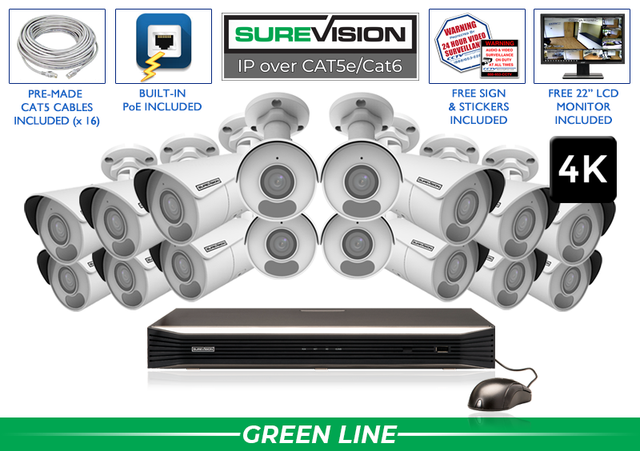
PROFESSIONAL SECURITY FOR THE PLACE YOU CALL HOME See your entrances, driveway and important outdoor areas—with professional cameras, local recording and a free viewing app. Choose a wired home security camera system around the views you need. SureVision PoE cameras connect by Ethernet to a compatible recorder or network, giving you dependable recording and remote access without required monthly viewing fees. A useful camera plan gives every view a purpose. Start with entry points and the routes people use to reach them. Add a view for a detached garage, side gate or other important area when the property calls for it. Count the views you need rather than choosing a kit by square footage alone. A wider lens can cover more of a scene, but walls, corners, landscaping and distance still affect what you can see. Give an important entrance its own clear view when closer detail matters. Position the camera for a useful view of people approaching the door. Consider porch lighting, overhead mounting and backlighting. Try this: Test a person walking toward the entrance. Cover the approach and the garage entrance. A broad overview helps you follow arrivals; a closer camera may be needed for specific details. Try this: Check headlights and shadows after dark. Look for the routes around the home and areas screened by fences or landscaping. Select outdoor-rated equipment and suitable cable. Try this: Check the view with gates open and closed. Choose a discreet position that serves your household’s purpose. Consider who will use the space and whether audio is needed. Try this: Aim the camera at the intended area and review playback. Fixed-lens cameras offer a defined view and are a practical starting point for entrances and general coverage. Motorized zoom cameras let you adjust framing during setup. PTZ cameras add active pan, tilt and zoom for larger properties; their current direction determines what they record. Turret, dome and bullet housings give you different mounting and appearance options. Choose the weather rating for the location and check the night-vision specification. For license-plate capture, ask about a dedicated camera and the driveway’s distance, angle and vehicle movement. PoE cameras: one compatible Ethernet cable carries power and video data. Cameras connect to built-in PoE ports on the recorder or to a suitably sized PoE switch. The NVR: your network video recorder stores video on its hard drive, displays camera views and gives you playback and clip-export tools. Choose enough channels for the cameras you need and any planned additions. Cables and mounting: plan the route from each camera to the recorder or network. Use suitable indoor or outdoor cabling, protect connections and confirm that the selected kit includes the cable lengths and accessories your installation needs. Remote access: the recorder can store video locally without internet. Connect it to your internet service when you want to view the system away from home through the free app. Use these SureVision 4K bullet-camera systems as starting points. Each kit includes a recorder with local storage, camera cables, the free viewing app, and surveillance signs and stickers. Match the kit to your camera plan; review current contents and availability on the product page. Want to change the cameras or storage? Our U.S. team can help you match the system to your home. Build your system The included hard drive gives you a starting capacity. How long it stores video depends on the number of cameras, recording quality, frame rate, activity and recording schedule. Continuous recording provides a fuller timeline. Supported motion or event recording can reduce storage use. Tell our team how many days you want to retain, then check playback after installation to confirm the system meets your goal. Protect the recorder in a dry, ventilated location and use a strong account password. Ask for installation help when cable routing, access or mounting needs extra care. SureVision local recording and the included viewing app have no required monthly viewing fees. Remote access needs internet service. PoE simplifies the connections, but installation still involves mounting and cable routing. A straightforward installation may suit a capable homeowner; use an installer for difficult access or a more complex property. Choose compatible SureVision cameras for each location and confirm the recorder supports the planned mix. Use the camera’s specified environmental rating to decide where it can be installed. Resolution helps, but subject distance, lens choice, lighting and motion determine useful detail. Use a dedicated view or specialty camera when you need a specific result. Wired PoE cameras use Ethernet. The recorder can connect to your home network for authorized remote access, so each camera does not need a Wi-Fi connection. Start with your entrance and approach views, then add coverage for blind spots and important areas. Choose the number of useful views your property needs, with room to expand if appropriate. Explore SureVision systems from 2 to 64 cameras. Choose the views you need today and room for tomorrow. Get professional equipment, a 3-year warranty and unlimited help from our U.S. support team. Tell us about your home and the areas you want to see—we will help you choose a practical system.Home Security Camera Systems: Plan Your Coverage with Confidence

Start with what you want each camera to see
1. Map the important views
Front entrance
Driveway & garage
Side gate & backyard
Indoor entrance or shared area
2. Match the camera to the view
3. Understand what connects the system
4. Compare real home security camera kits
5. Choose the recording history you want
6. Test the system before you rely on it
See SureVision systems in action
Home security camera questions, answered
Do I need a subscription?
Can I install a PoE system myself?
Can I combine indoor and outdoor cameras?
Does 4K guarantee clear faces or license plates?
Do the cameras need Wi-Fi?
How many cameras should I buy?
Find your complete camera system
Stay Secure with SureVision
✓ Local video storage✓ Free viewing app✓ 3-year warranty✓ Unlimited U.S. support