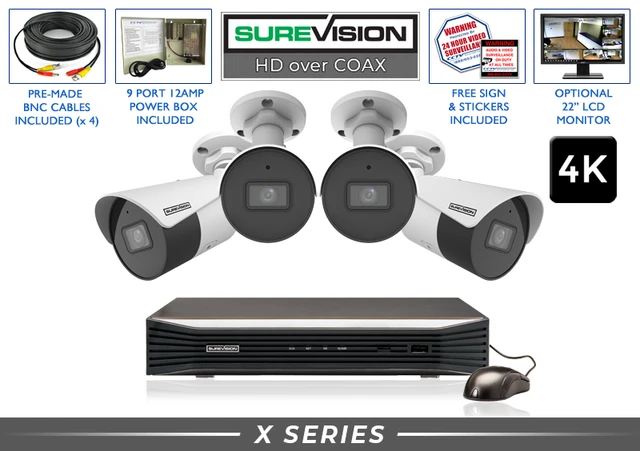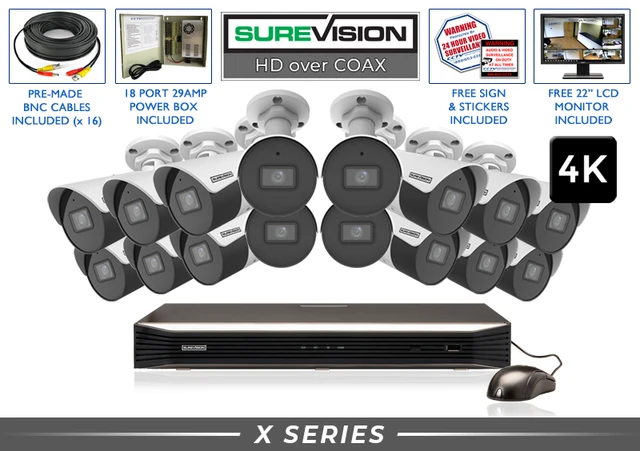
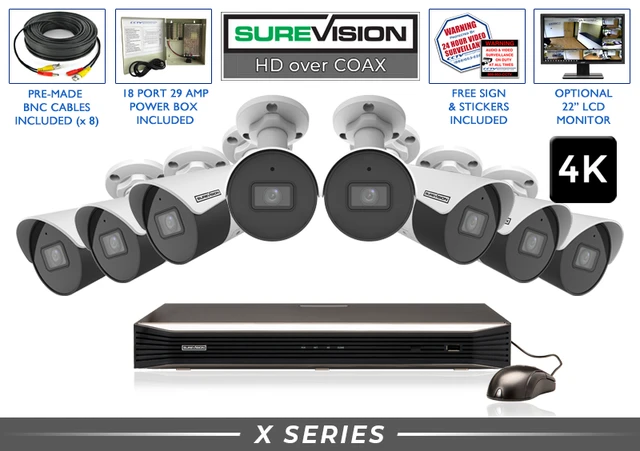
A PRACTICAL UPGRADE FOR EXISTING WIRED CCTV Get more useful video from a wired system you already invested in. Suitable existing coax cable can give you a practical path from older analog cameras to modern HD-over-coax cameras and a compatible DVR. Start by checking the wiring and equipment, then choose the resolution and camera views your property needs. Coax cabling may be one of the most valuable parts of an older installation. When the cable, connectors and power arrangement are suitable, replacing the cameras and DVR can reduce the work involved in modernizing your surveillance. Begin with a sample camera position. Confirm that the proposed camera and recorder work together over that run before committing to the full upgrade. Cable condition, length, connection quality, camera power and supported video format all matter. Record the DVR model, camera models, camera count and cable type. Note any existing picture problems and the areas where you want better detail. Next step: Photograph the recorder label, rear connections and a typical camera connection. Inspect accessible connectors and cable condition. Confirm that camera voltage, power capacity and the proposed cable runs suit the new equipment. Next step: Have damaged or questionable connections checked before replacing the cameras. Confirm the video format and recording resolution the DVR supports. A 4K display output alone does not tell you the resolution it records from each camera. Next step: Choose the cameras and DVR together, including any audio functions you need. Use a wide fixed lens for an overview or a compatible motorized lens for adjustable framing. Plan clear views of entrances, registers and important approaches. Next step: Check distance, lighting and mounting position for each camera. Choose recording capacity for your camera count and desired history. Set up the included viewing app when the recorder has internet access. Next step: Tell our team how many days of recordings you want to retain. Walk through the camera views, review daytime and nighttime recordings, and check alerts if configured. Export a short recording and open the file. Next step: Confirm the time, camera name and important details before relying on the system. Suitable coax runs, workable camera locations and a familiar wired layout. Existing power equipment can remain only when it meets the new cameras’ requirements and is in good condition. Modern camera detail, a compatible DVR, local recording, playback and remote access. Match the equipment to your needs rather than assuming every older component supports the upgrade. These SureVision 4K bullet-camera kits pair cameras with a compatible DVR, local storage, camera cables and power equipment. Review the current package options and tell us which existing cables you plan to reuse. For a new installation, consider a SureVision PoE IP system. Ethernet carries power and data to compatible cameras, and an NVR brings the recordings together. IP cameras use different connections from an HD-over-coax upgrade. Our team can help compare the work involved in keeping existing coax with the benefits of running new Ethernet. Share your camera plan, cable information and future expansion needs. NEW ETHERNET WIRING / POE IP OPTION Explore a SureVision 32-camera 4K IP system with an NVR when you are planning broader coverage and Ethernet infrastructure. Ask our team to size the cameras, PoE equipment and storage for your installation. Visible cameras can help deter unwanted activity and give people greater peace of mind. Recorded video can also provide context and evidence after an incident. Clear views, accurate timestamps and useful playback make that video easier to put to work. Keep important exported clips separately before routine footage is overwritten. Check the exported file to confirm it shows the camera, time and event you need. Suitable coax may be reusable. Inspect and test the runs, connectors and power arrangement with the proposed equipment. Replace damaged or unsuitable sections. Only when the recorder supports their video format, resolution and required functions. Older DVRs often need replacement as part of an HD or 4K upgrade. No. The camera must capture the higher-resolution image and the DVR must support recording it. A higher-resolution HDMI output does not add detail the original camera did not capture. Only if its voltage, capacity, connections and condition meet the new cameras’ requirements. Confirm this before connecting the replacement cameras. SureVision DVR systems record locally and include remote viewing without required monthly viewing fees. Off-site access requires internet service. Compare the condition and coverage of your existing wiring with your future needs. Coax can be a practical upgrade path; a new PoE IP installation can suit new wiring and broader expansion. Browse Ethernet-based SureVision IP systems from 2 to 64 cameras. These use PoE cameras and an NVR. We have helped customers choose professional wired surveillance since 2008. Tell us what is installed and what you want to improve. Our U.S. team will help you plan a practical next step.
Upgrade Your CCTV Camera System to HD or 4K
Make the most of your existing wiring
Your upgrade plan, step by step
1. Identify what is installed
2. Check the coax and power
3. Match cameras and DVR
4. Choose the views that matter
5. Plan storage and remote access
6. Test and save a clip
Keep useful infrastructure. Improve the recording.
What may stay
What moves forward
Compare complete HD-over-coax upgrade kits
Planning new cabling or a larger installation?

32-camera coverage for a larger property
Useful video when you need to understand what happened
CCTV upgrade questions, answered
Can I keep all my old wiring?
Will new 4K cameras work with my old DVR?
Does changing the DVR alone make old cameras 4K?
Can I reuse the old power supply?
Do I need a subscription?
Should I upgrade coax or move to IP?
Shop the equipment for your upgrade
HD-over-coax systemsCCTV camerasCCTV DVRsConsidering PoE? Explore complete IP systems
Stay Secure with SureVision
✓ Local video storage✓ Free remote-viewing app✓ 3-year warranty✓ Unlimited U.S. support