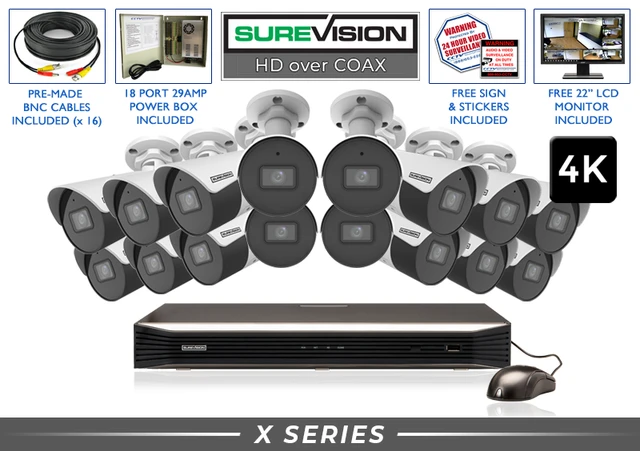
CCTV Cameras for Professional HD-Over-Coax Security
Professional CCTV cameras provide dependable wired video surveillance for businesses, homes, schools, warehouses, government facilities and other properties. Modern HD-over-coax technology can deliver clear 1080p and true 4K video through compatible coaxial cable, allowing many property owners to improve an older analog camera system without automatically replacing every usable cable run.
This guide explains how today’s CCTV security cameras work, which camera styles and resolutions fit different locations, how to verify DVR compatibility and how the newest cameras at CCTV Security Pros can strengthen an existing coax system. For a new installation, it also explains when a modern SureVision PoE security camera system may be the better long-term choice.
Explore CCTV Cameras by Type
Use these category paths to compare cameras by housing style or move directly to compatible recorders and complete systems.
What Is a CCTV Camera and How Does It Work?
CCTV means closed-circuit television. In a professional HD-over-coax system, each CCTV camera captures video and sends it through compatible coaxial cable and a BNC connection to a digital video recorder. The DVR processes and stores the footage on a local surveillance hard drive, manages playback and exports, displays cameras on a connected monitor and connects to the network when supported remote viewing is wanted.
A separate power connection normally supplies 12V DC power to each camera. Siamese cable places coax video and power conductors together in one jacket, but the video and electricity remain separate connections. This is different from a PoE IP camera, which commonly sends power and digital video through one Ethernet cable to an NVR or PoE switch.
Modern CCTV cameras are not limited to old analog-quality video. Compatible HD-over-coax equipment can support 1080p and true 8MP/4K resolution, fixed or motorized lenses, infrared and color night imaging, audio and multi-format video output. The important word is compatible: the camera, DVR, cabling, power supply and recording settings must work together.
The strongest reason is existing infrastructure. When a property already has suitable coax and power wiring, upgrading the cameras and DVR may deliver much better recorded video without rewiring every location. It also provides stable wired transmission, centralized local storage and no required monthly cloud-storage fee.
Featured New CCTV Security Cameras
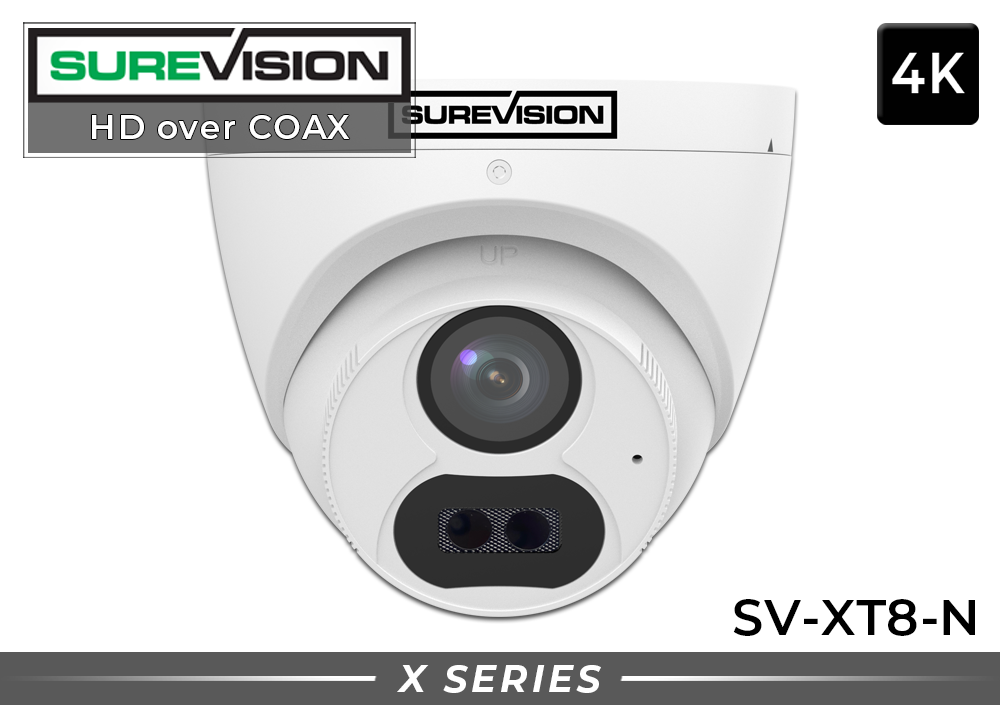
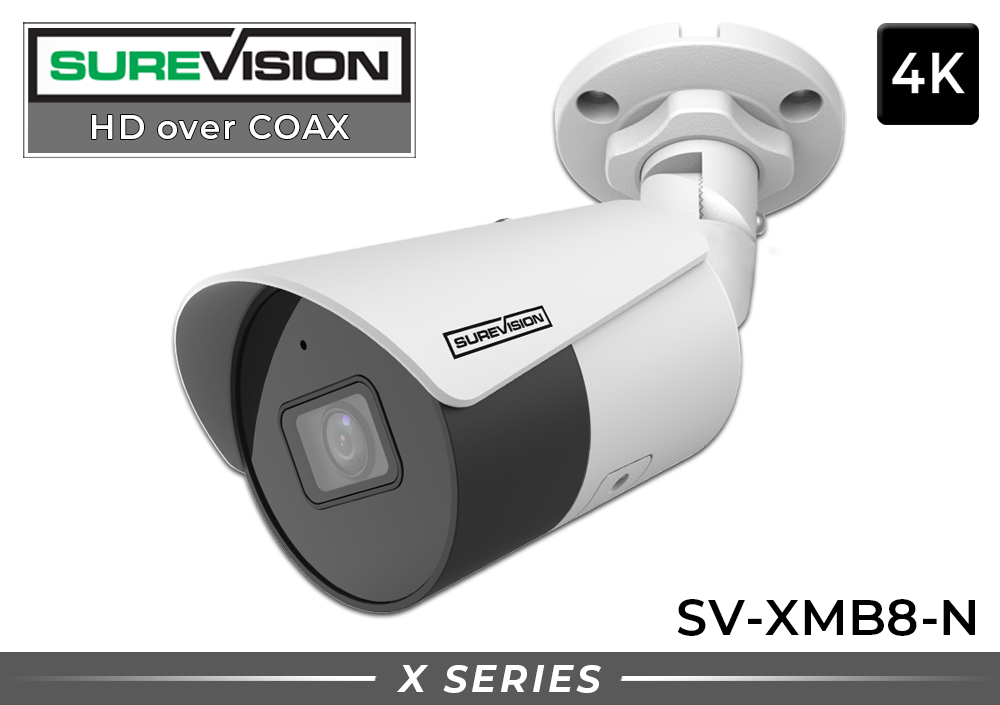
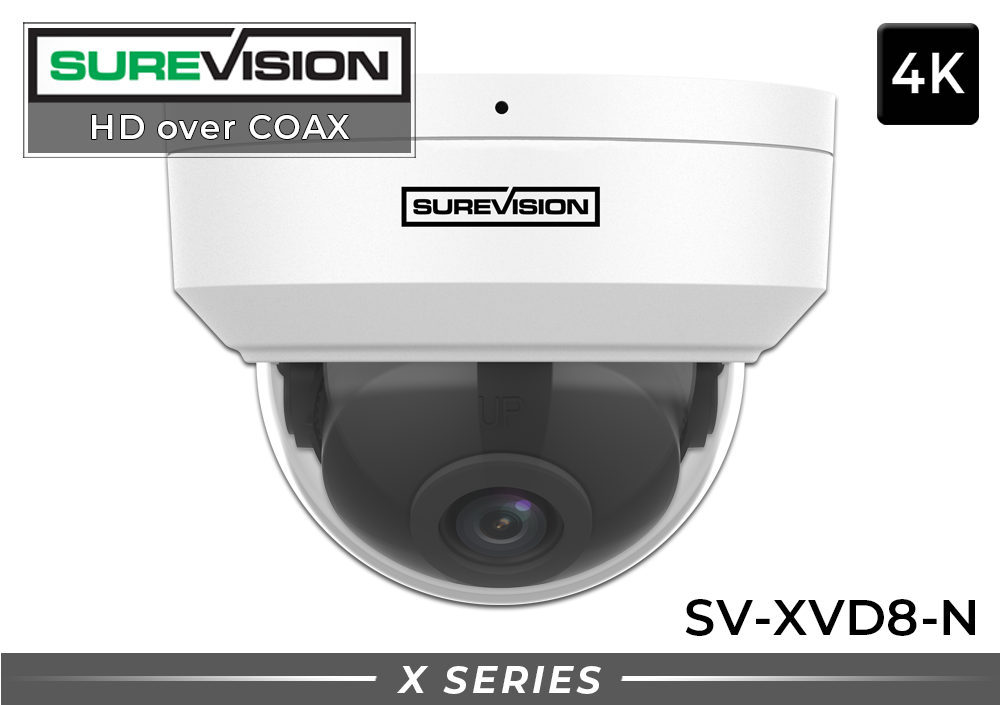
The current HD-over-coax lineup includes 1080p and true 4K camera options in bullet, dome and turret housings. These product examples show how camera shape, resolution, night range and audio can be matched to different surveillance locations. Product images below are the actual CCTV Security Pros models.
Choosing the Right CCTV Camera Style
A professional surveillance design rarely uses one camera shape everywhere. Each location should be matched to its viewing objective, mounting surface and visibility requirements.
Bullet CCTV cameras
Bullet cameras use an elongated housing on an adjustable mounting arm. Their viewing direction is obvious, making them a strong visible deterrent for driveways, gates, exterior walls, parking areas, warehouses and loading docks. The bracket also makes aiming straightforward. Select the actual lens and night-vision specification for the distance involved; the bullet shape alone does not guarantee long-range identification.
Dome CCTV cameras
Dome cameras provide a compact, finished appearance for offices, retail stores, restaurants, hallways, lobbies and sheltered entrances. A properly rated housing can help protect the lens in public or reachable areas. Keep the clear cover clean and position the camera away from nearby reflective surfaces, because dust, water spots or infrared reflection can reduce nighttime clarity.
Turret CCTV cameras
Turret cameras use an adjustable ball-style lens assembly without a full clear dome over the front. They combine a compact appearance with easy aiming and can reduce the infrared-reflection concerns associated with some dome covers. Turrets work well beneath soffits, near doors, inside garages and in many general indoor or outdoor locations when the model is properly rated.
PTZ CCTV cameras
Pan-tilt-zoom cameras allow an operator to move the viewing direction and use optical zoom. They are useful for actively monitored parking areas, yards, industrial sites and campuses. A PTZ camera only records the direction it is watching at that moment, so critical gates, doors and other evidence points should still have fixed cameras providing continuous coverage.
| Camera Style | Best Locations | Primary Strength | Planning Note |
|---|---|---|---|
| Bullet | Driveways, lots, walls, docks, perimeters | Visible and directional | Mount beyond easy reach and protect connections |
| Dome | Offices, stores, halls, lobbies, entrances | Compact protected housing | Maintain the cover for clear night video |
| Turret | Soffits, doors, garages, general coverage | Compact and easy to aim | Choose the correct weather and impact rating |
| PTZ | Large actively monitored areas | Movement and optical zoom | Support critical areas with fixed cameras |
1080p vs. 4K CCTV Cameras
Resolution measures the number of pixels in the recorded image. A 1080p CCTV camera records approximately 2MP, while true 4K contains approximately 8MP. More pixels can preserve additional detail and provide greater flexibility during digital playback zoom, but resolution cannot correct an unsuitable lens, extreme camera height, poor lighting or a subject that occupies only a tiny part of the frame.
Choose 1080p for economical upgrades, general room coverage, nearby entrances and locations where the viewing distance is controlled. Choose true 4K when added recorded detail, wider-scene coverage or stronger digital review is important and the DVR can record the camera at the required resolution and frame rate.
Storage must be planned along with resolution. True 4K video generally requires more drive capacity than 1080p at similar frame rates and compression settings. H.265 compression can reduce storage demand when supported, but hard-drive sizing should still reflect camera count, recording schedule, motion level and the number of days that footage must remain available.
A 4K wide-angle camera may show an entire parking area but still lack a readable face or plate at the far edge. If identification matters, place the camera closer or use a tighter lens that puts more pixels on the target. Published infrared range describes illumination capability; it is not a guaranteed facial-identification or license-plate-reading distance.
Important CCTV Security Camera Features
A fixed 2.8mm lens delivers broad coverage for entrances, rooms and nearby exterior scenes. A motorized varifocal lens lets the field of view be tightened or widened during setup, helping frame gates, loading areas, long corridors and vehicle approaches.
Infrared illumination normally produces black-and-white video in darkness. Supported color-night modes can preserve color when enough visible light is available or a camera uses white-light illumination. Test the actual scene after dark.
WDR helps balance bright and dark areas in the same frame. It is especially useful at storefronts, lobbies, garages and loading doors where strong daylight behind a person could otherwise create a silhouette.
Selected HD-over-coax cameras include microphones. The DVR must support the same audio-over-coax method. Because audio-recording laws vary, property owners should determine the requirements that apply before enabling sound.
Select a camera with a suitable weather rating and operating-temperature range. Protect BNC and power connections inside an appropriate junction box or enclosure; a weather-rated camera does not make exposed connectors waterproof.
A compatible network-connected DVR can provide supported viewing from phones, tablets and computers. Internet service is optional for local camera-to-DVR recording but normally required for off-site access and notifications.
CCTV Camera and DVR Compatibility Checklist
A BNC connector does not prove that a camera will work correctly with a DVR. Before replacing a camera or adding a new one, verify every item below.
- Exact DVR model: Use the complete model number, not only the brand.
- Supported camera resolution: Confirm what the DVR can accept and record on each channel.
- Video format: Match TVI, AHD, CVI, CVBS or the required multi-format camera setting.
- Recording frame rate: Verify the desired resolution at the required frames per second.
- Audio support: Confirm the DVR supports the camera’s audio-over-coax method or separate audio input.
- Power: Confirm voltage, polarity, connector and adequate power-supply capacity.
- Cable condition: Inspect coax, BNC connectors, power conductors and adapters for damage or corrosion.
- Storage impact: Account for camera count, resolution, frame rate, recording schedule and retention goal.
Upgrading an existing coax security camera system
Start by documenting the current DVR, cameras, cable routes and power supplies. Identify the locations where improved detail, a wider view, stronger night performance or audio would provide the most value. Inspect and test representative cable runs before purchasing a large replacement package. Then select a DVR that supports every planned camera resolution, format and feature.
If the coax is damaged or the property is being wired from the beginning, compare an NVR-based IP camera system before committing to another coax platform. SureVision PoE cameras can provide one-cable power and video, advanced analytics, higher expansion flexibility and ONVIF compatibility for many professional installations.
Featured Complete CCTV Camera Systems
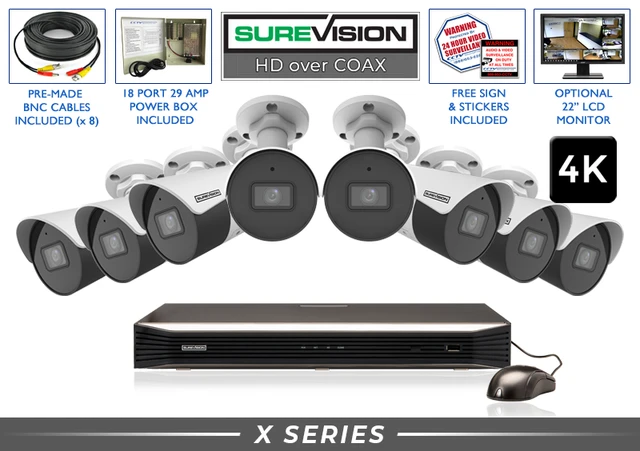
A complete CCTV system combines matched cameras, a compatible DVR and surveillance storage. These current systems provide starting points for focused coverage while leaving recorder channels available for future cameras.
Two audio-capable bullet cameras paired with a 4-channel 4K DVR for two priority views and room to expand.
View System →
Four true 4K bullet cameras with audio paired with an 8-channel 4K DVR for detailed exterior coverage and expansion.
View System →
Eight true 4K turret cameras with audio paired with a 16-channel DVR for broader business or residential coverage.
View System →Need more cameras? Browse all HD-over-coax CCTV camera systems, including 2-, 4-, 8-, 16-, 24- and 32-camera configurations. Choose a recorder with additional channels when future growth is likely.
CCTV Cameras for Business, Home and Government
Businesses commonly use CCTV cameras at entrances, registers, stockrooms, offices, loading docks, parking areas and building perimeters. Use a separate identification view at critical doors or transaction points instead of relying exclusively on a very wide overview camera.
Warehouses and industrial properties benefit from a planned mix of wide interior views, fixed cameras at dock doors and directional bullet cameras covering yards or vehicle routes. Long aisles and gates may need tighter lenses rather than additional digital zoom.
Homes often need coverage at the front approach, driveway, side gates and backyard. A visible bullet camera can strengthen deterrence outdoors, while a dome or turret fits neatly beneath a porch ceiling or inside a garage.
Schools and government facilities may require layered coverage, defined retention periods and formal policies for system access, audio and privacy. Equipment selection should follow the organization’s applicable purchasing and compliance requirements.
Common CCTV Camera Buying Mistakes
- Buying by connector shape alone: Matching BNC connectors do not guarantee resolution, format, audio or DVR compatibility.
- Choosing resolution before planning the view: More pixels cannot fix the wrong distance, angle, lens or lighting.
- Assuming 4K monitor output means 4K camera support: Verify the DVR’s input and recording specifications per channel.
- Ignoring existing cable condition: Weak connectors, damaged coax and poor power wiring can reduce stability and image quality.
- Leaving outdoor connections exposed: Protect the BNC and power connections, not only the camera housing.
- Mounting every camera too high: Extreme top-down angles often reduce facial detail.
- Expecting one camera to cover everything: Use separate overview and identification views when both are important.
- Forgetting storage planning: Camera count, resolution, frame rate and recording schedule determine retention.
Should You Choose CCTV Cameras or SureVision PoE Cameras?
HD-over-coax CCTV is often the practical choice when a property has serviceable coax and power cabling that can be reused. It offers stable wired video, central DVR recording, remote access when desired and an economical route to 1080p or true 4K surveillance.
For most completely new professional installations, SureVision IP/PoE is the primary recommendation. PoE can carry power and video over one Ethernet cable, supports advanced human and vehicle detection, provides strong system expansion and pairs with SureVision NVRs for private local recording. Compatible SureVision products are also ONVIF compatible, helping preserve flexibility in a properly planned network-video system.
Both technologies can provide reliable 24/7 or motion-based local recording without required monthly fees. The deciding factors are existing wiring, required features, camera count, distances, future expansion and budget. Compare the main professional security camera collection or request a customized recommendation before choosing.
CCTV Camera FAQs
What is a CCTV camera?
A CCTV camera is part of a private video surveillance system. An HD-over-coax model sends video through compatible coaxial cable to a DVR for local recording, playback and supported remote access.
Can CCTV cameras record true 4K video?
Yes. True 8MP/4K HD-over-coax cameras are available. The DVR must support the camera’s resolution, video format and desired frame rate, and the storage plan must account for higher-resolution recording.
Can I reuse existing coaxial cable?
Often, provided the cable, connectors and power wiring are in suitable condition and can support the selected equipment. Inspect and test existing runs before completing a large upgrade.
Do CCTV cameras require internet access?
No internet connection is required for local camera-to-DVR recording. Internet service is normally needed for supported viewing and notifications when you are away from the property.
Do CCTV cameras require monthly fees?
A compatible DVR can store video on a local surveillance hard drive without a required monthly cloud-storage subscription.
Can bullet, dome and turret cameras use the same DVR?
Yes, when each camera is compatible with the DVR’s video format, resolution, frame rate, audio support and channel capabilities. Confirm compatibility before combining models.
What is the difference between a DVR and an NVR?
A DVR records compatible coax-based CCTV cameras. An NVR records compatible IP cameras over a network. They use different camera connections and system architectures.
Do CCTV cameras have night vision and audio?
Available models include infrared or supported color-night imaging, and selected cameras include microphones. Night performance depends on lighting and placement, while audio requires DVR support and compliance with applicable laws.
Are CCTV cameras suitable for business and home security?
Yes. Properly planned CCTV cameras can cover entrances, interiors, registers, parking areas, yards, warehouses, offices, retail locations and homes with stable wired video and local recording.
Tell us which DVR you have, where each camera will be mounted and how far it needs to see. CCTV Security Pros can help you compare cameras, recorders, storage and complete systems for your property.