
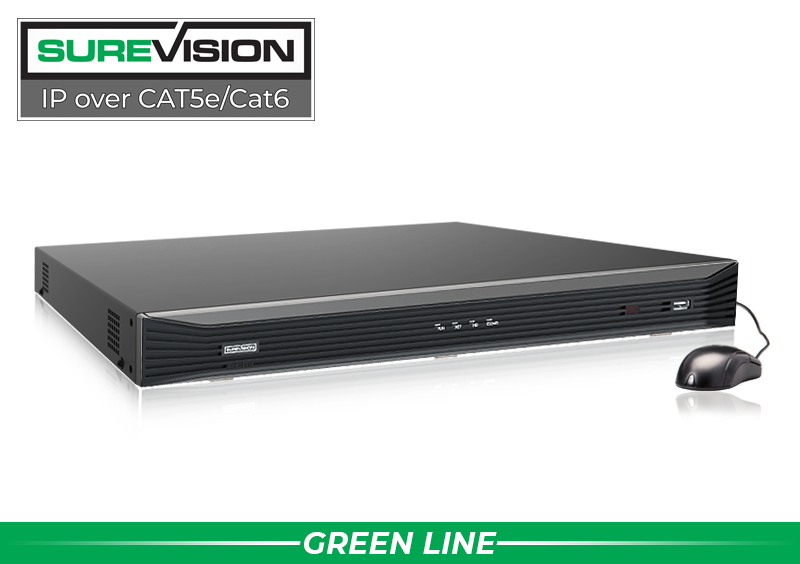
These tools aren’t add-ons—they’re built into the SureVision platform and optimized to work together. Pair with SureVision IP cameras for a complete PoE security camera system that’s easy to deploy, expandable, and dependable indoors or out. Compare camera technologies or jump into systems like our 4-Camera PoE Kits and 8-Camera IP Systems.
Key Built-In Tools
iOS/Android/PC access with secure P2P and push notifications.
Human/vehicle focus with zones & sensitivity to reduce false alarms.
Filter by time, event, and AI tags; one-click clip export.
Health checks, overwrite control, flexible schedulers.
Email/push alerts, external I/O options, and event rules.
Auto-discover cameras, manage power & IPs with ease.
Flexible layouts, audio, and fisheye de-warping support.
Instant alerts with snapshots/clips—stay informed anywhere.
Built in hard drive to store video surveillance footage.
Keep features current with easy, direct updates.
Continuous, schedule, or event with efficient compression.
Sync video with door events and alarms for context.
Presets, tours, and tracking for dynamic coverage.
Line-crossing, intrusion, and object detection with tags.
In-Depth: What Each Tool Does
- Remote Viewing: Secure, cloud-assisted P2P makes it simple to connect from anywhere. Push alerts keep you informed on critical events.
- Motion Detection: Define zones and sensitivity; focus on relevant activity to reduce false positives from wind, shadows, or pets.
- Smart Intrusion Prevention: AI detects people/vehicles entering protected areas and filters out non-threats for meaningful alerts.
- Video Content Analysis (VCA): Line-crossing, intrusion, abandoned/removed objects—quickly pinpoint incidents in playback.
- Recording Management: Choose continuous, schedule, or event-based recording with smart codecs to maximize storage.
- Playback & Search: Jump to events instantly, scrub timelines, and export shareable clips in seconds.
- Alarms & Notifications: Trigger email, push, or I/O relays on camera/NVR events for coordinated response.
- Email Notifications: Include snapshots or short clips for rapid triage without logging in.
- Live View & Multi-Screen: Build custom layouts, enable audio, and de-warp fisheye cameras in real time.
- Network & Device Management: Auto-discover IP cameras, assign addresses, and manage PoE power from the NVR.
- Storage Management: Drive health checks, alerts, and overwrite control help prevent data loss.
- Firmware Update Tool: Keep security and features current with guided updates.
- Access Control Integration: Correlate badge events with synchronized video for better investigations.
- PTZ Control: Presets, tours, and guard schedules cover wide areas with fewer cameras.

How Built-In Tools Help You
| Benefit | Description | Built-In Contribution | Customer Impact |
|---|---|---|---|
| Cost Savings | No add-on licenses or subscriptions. | Remote viewing, AI motion, alarms, VCA, and export are included. | Lower total cost vs. cloud-only solutions. |
| Ease of Use | Quick setup; simple GUI & apps. | P2P onboarding, wizards, one-click updates. | Faster deployment; less training. |
| Enhanced Security | Proactive detection & response. | AI intrusion, people/vehicle filters, alert rules. | Fewer false alarms; quicker action. |
| Reliability | Optimized, integrated features. | Stable playback, storage health, clean exports. | Less downtime; consistent protection. |
| Flexibility | Fits small to enterprise. | Multi-channel, PTZ, ONVIF, regular updates. | Scales as you grow. |
| Time Efficiency | Streamlined workflows. | Smart search, alerts, and remote access reduce manual checks. | Focus on priorities while staying informed. |
In summary, the SureVision NVR transforms surveillance from a complex chore into a seamless, powerful ally. With its integrated toolset and PoE-friendly design, it delivers unmatched value for security cameras, IP cameras, and complete PoE security camera systems—so you can protect what matters most.
