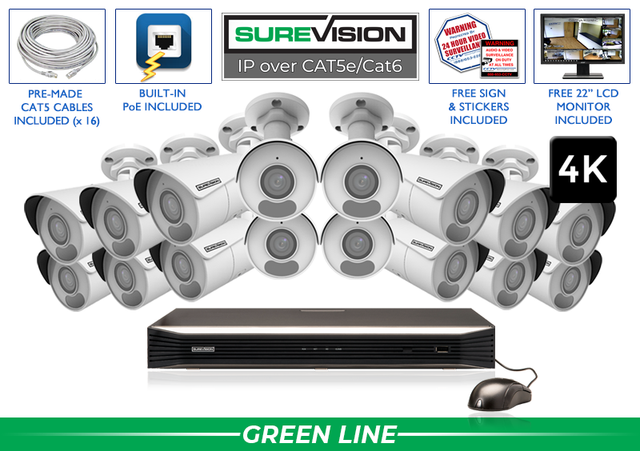
Advice from the security pros Choose professional IP cameras, PoE connections, NVR recording and storage around what your property needs. Plan clear views, useful recordings and convenient access—with support from the Pros. An IP security camera system combines digital network cameras, Ethernet connections, a network video recorder and local recording storage. With compatible Power over Ethernet equipment, one cable carries power and network data to each camera. Your NVR brings the views together, saves recordings and provides access to playback and supported remote-viewing tools. For a new wired installation, a professional SureVision IP system is a strong starting point. It gives you dependable camera connections, local video storage and room to plan for future coverage. The best purchase is the combination that captures useful detail at your property and makes the footage easy to find afterward. Start with three questions: What must I see? Where must I see it? How long must I keep it? Those answers guide camera placement, lens selection, recorder capacity and storage before you compare individual models. Walk the property and list the views that matter: public entrances, employee doors, registers, loading docks, parking areas, driveways, gates and inventory rooms. Give each view a job. An overview of a parking lot and a close view of a delivery door serve different purposes, even when both cameras face the same general area. Record the subject distance, available light, mounting location and cable route for each position. Look for obstacles such as trees, parked trucks, shelving and signs that could hide activity. Check how the scene changes at night and when doors open or vehicles arrive. One camera should not be expected to identify every face or plate across a large scene. Use overview cameras for context and tighter views for the details you need. Our camera-placement guide can help you turn the list into practical mounting positions. IP describes how a camera communicates: it sends digital video over a network. PoE describes how compatible equipment supplies power through Ethernet. An NVR records the network video. These are connected parts of one system, each with its own role. In a common plug-and-play installation, each SureVision PoE camera connects to a compatible PoE port on the NVR. The recorder also has a dedicated network connection for access through the property's network. On systems using separate PoE switches, cameras connect through the planned network infrastructure instead. PoE simplifies the installation because a camera normally does not need a separate power outlet at its mounting point. Supported audio and control data can travel through the network connection too; the camera still needs the microphone, speaker or other hardware required for the feature you want. Wired camera connections avoid depending on Wi-Fi coverage at each camera. Local recording can continue on a properly configured camera-and-NVR system without internet, while viewing from outside the property requires a working remote connection. Power, camera connectivity, recorder health and recording settings still matter. Choose camera shapes for the job and mounting surface, then compare the lens and features within that style. A professional system can combine compatible SureVision models instead of using the same camera everywhere. Weatherproof cameras can serve both indoor and outdoor installations when their ratings and operating conditions match the site. Protect cable connections and plan weather sealing at the mounting point. A weatherproof housing alone does not protect an exposed connector or poorly routed cable. Browse SureVision IP cameras once you have identified the jobs and mounting locations. The product listing and specification sheet should confirm the features of the exact model you choose. Resolution matters, but the lens determines how much of the scene the camera sees. A wide view covers more area; a tighter view makes a distant subject larger in the picture. Useful identification depends on putting enough captured detail on the subject at the distance where the event happens. A fixed wide-angle lens is a useful starting point for general coverage. A motorized varifocal lens lets you adjust the optical view during setup so you can frame a doorway, driveway or other target more precisely. Check the model's lens range rather than assuming that every camera of the same shape has the same view. Digital zoom enlarges part of the recorded image. It helps inspect detail already captured, but it cannot create a readable face or plate when the original view did not capture enough information. Compare 4MP and 4K cameras in the context of the actual scene. Additional pixels can help, especially when you need more detail, but lens choice, lighting and mounting position remain essential. Use the lens and field-of-view guide before selecting a camera solely by its resolution. Daylight coverage is only half the decision for many businesses and homes. Check the light at entrances, corners, parking areas and approaches after closing time. Think about where people move, how close they pass to the camera and whether headlights or bright signs dominate the view. Infrared night vision can illuminate a scene without relying on ordinary visible light. Low-light and color-at-night models offer other ways to capture useful images, depending on the model and available illumination. Check the exact camera's capabilities and the conditions under which they operate. A listed night-vision distance describes illumination capability; it does not promise facial identification at that distance. Do not choose the lens or camera position solely from the longest distance in a product title. Wide Dynamic Range can help with bright and dark areas in the same picture, such as a doorway with daylight behind a person. Test the view with the door open, at the busiest time of day and after dark. Adjust the aim or lighting when the subject remains difficult to see. Human and vehicle detection can help focus attention on relevant activity when supported by the camera and recorder. Configure detection areas around meaningful approaches and test normal activity before relying on alerts. A useful notification begins with a useful camera view and settings suited to the scene. Audio features differ by model. A built-in microphone can capture sound where supported and enabled. Two-way audio also needs a suitable speaker and compatible controls. Confirm the exact equipment and use audio appropriately for the installation. Active-deterrence cameras add a response layer through supported lights, voice messages or sirens. They can help draw attention to activity and allow authorized users to respond. Plan when those features should operate, which zones should trigger them and who will review alerts. Choose advanced features because they serve a clear purpose. For example, a loading-dock approach may benefit from a defined detection zone and a warning response, while a quiet office corridor may mainly need reliable recording and a clear view. Count the camera views you need now, then list the views likely to be added later. The NVR's channel capacity must support the total planned number of cameras. A PoE switch supplies connections and power; it does not increase the recorder's channel limit. For example, a property needing eight cameras today and expecting four additional views should evaluate a recorder that supports at least twelve cameras, such as an appropriate 16-channel model. That is a planning example, not a recommendation to buy extra capacity without a reason. Also review the recorder's supported resolutions, recording performance, PoE arrangements, drive bays and maximum supported storage. Camera count, built-in PoE ports and hard-drive capacity are separate specifications. Match all three to the installation. If cameras connect through separate switches, plan the switch power budget and uplink arrangement. Use the PoE switch guide for the practical checks, and compare SureVision NVR recorders before finalizing the system. Decide how much recording history your operation needs before choosing a hard drive. A shop reviewing incidents within a few days and a facility needing several weeks of history have different storage goals, even with the same number of cameras. Retention changes with camera count, resolution, recording quality, frame rate, compression, activity and schedule. Continuous recording and motion-based recording can produce different storage use. A motion estimate also depends on how active the scene becomes. Use the security camera hard-drive calculator to compare assumptions, then have the recommended storage checked against the recorder's supported capacity. Treat the result as an estimate and verify actual retention after the system has been operating. Local NVR storage gives you recordings without requiring a monthly cloud-storage plan. Important events should still be exported and checked promptly. Increasing storage extends available history under comparable recording conditions; it does not recover video that has already been overwritten. Plan who needs to view the cameras, whether they use a phone or computer and what each person should be allowed to do. SureVision's supported viewing tools provide convenient access to live video and available playback functions without required monthly viewing fees. Check live cameras and explore viewing tools from your phone. See how the free app keeps your cameras within reach. An internet connection is needed for viewing away from the property. Confirm the recorder's network connection, use the supported setup instructions and test access from outside the local Wi-Fi network. Keep administrator access controlled and provide appropriate viewing permissions to other users. For a desktop workstation, the Guard Station setup guide explains the connection order and account workflow. For everyday searches and exported recordings, use the SureVision viewing and playback guide. Measure cable routes along the actual installation path, including turns and service loops. Check whether you need premade lengths, a bulk spool, connectors, junction boxes or mounting accessories. Standard Ethernet distance planning and PoE power requirements still apply; longer or separate-building routes need a suitable design. The Ethernet cable guide explains Cat5e, Cat6, cable lengths and PoE planning. Avoid buying a complete set of cameras before confirming that the cables can reach their intended positions. If the property already has usable coax wiring, compare an HD-over-coax upgrade before committing to recabling. Modern coax-based cameras and DVRs can provide HD video on suitable existing infrastructure. The practical choice depends on wiring condition, desired features and the long-term plan. For a new IP installation, a matched system can simplify selection. For a property with mixed viewing needs, a custom SureVision configuration can combine camera types with the appropriate NVR and storage. Confirm the actual package contents and selected options on the product page. Before placing the order, confirm: CCTV Security Pros has helped businesses, government facilities, installers and homeowners choose professional surveillance equipment since 2008. SureVision combines professional camera choices with local recording, free supported viewing tools, a 3-Year Warranty and Unlimited USA Support. Bring us your camera list, property layout and storage goal. Start a free system quote, use the custom system builder or call 888-653-2288. We can help you turn those requirements into one complete, practical system. Tell us what you need to protect. We’ll help you choose the cameras, recorder, storage and accessories for the job. These SureVision bullet-camera kits offer a straightforward starting point. Each includes 4K cameras, a recorder with local storage, camera cables, the free viewing app, and surveillance signs and stickers. Compare the current kit contents and availability on each product page. Need a different camera mix? Match wide views, motorized zoom and specialty cameras to your property. Build your system Explore SureVision systems from 2 to 64 cameras. Choose the views you need today and room for tomorrow.IP Security Camera Systems: A Practical Buyer’s Guide
In this guide
Choose the view first. Build the system around it.
1. Turn your property into a camera plan
Area
Camera's main job
What to check before choosing
Main entrance
Show people approaching and entering
Face angle, doorway lighting and subject distance.
Loading dock
Follow deliveries and movement
Vehicle obstruction, approach route and coverage overlap.
Register or service counter
Review interactions and activity
A focused view that does not depend on distant digital zoom.
Parking area
Understand movement across the property
Overview coverage plus dedicated views where identification matters.
Gate or driveway
Capture arrivals and departures
Vehicle speed, distance, lighting and any specialized plate-reading goal.
2. Understand IP, PoE and the recorder
3. Match the camera style to the location
Camera type
Useful starting point
Planning consideration
Bullet
A visible, directional view of entrances, walls or perimeter areas
Aim the camera around the subject and protect the connections.
Turret
A compact choice for indoor or outdoor coverage
Check the mounting angle and lens for the desired scene.
Vandal dome
Locations where a protective dome housing suits the installation
Confirm the listed impact rating and avoid reflections from nearby surfaces.
PTZ
Active monitoring where operators need to pan, tilt and zoom
Keep fixed coverage of critical areas when the PTZ points elsewhere.
Fisheye / panoramic
Broad awareness of an open area
Confirm supported viewing and dewarping tools.
Specialty camera
A defined task such as license-plate capture or active deterrence
Select around the exact task and operating conditions.
4. Compare lenses before relying on megapixels
5. Plan for the way the property looks after dark
6. Choose detection, audio and deterrence deliberately
7. Size the NVR for today's cameras and tomorrow's expansion
8. Choose storage around the history you want to keep
9. Make remote viewing part of the purchase
10. Finish the installation plan before ordering
Your final IP camera system buying checklist
Professional equipment. People ready to help.
Compare real SureVision systems: 4, 8, 16 and 32 cameras
Find your complete camera system
See the free SureVision app in action