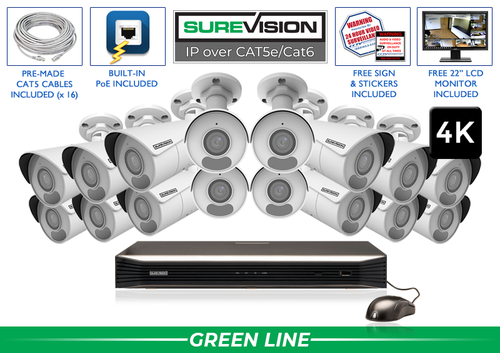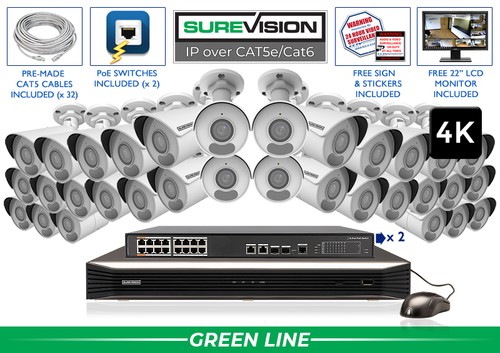
Professional property surveillance since 2008 Connect entrances, parking rows and pedestrian routes with professional 4K camera options, local recording and free remote viewing. Useful parking lot footage follows an event. It can show a vehicle entering, its route through the property and the activity near a building entrance. Start by deciding what each view must explain, then choose camera positions and lenses that make that sequence clear. Complete 4K camera systems Start with a value-focused SureVision 4K PoE kit, then match the camera positions to your layout. These complete systems bring cameras, local recording, storage and camera cables together. Choose cable lengths and storage for the job when ordering. Need different camera styles or a tighter view? Our team can help customize the kit around your business. Mark every driveway, pedestrian entrance, staff route and delivery approach. Then trace the sequence you would need to review after a parking incident. A wide camera can explain movement across an area; another view may be needed where a person approaches the door or a vehicle changes direction. Walk the lot with vehicles parked normally. Tall vehicles, landscaping, signs and building corners can hide the route. Aim for connected views around these obstructions and make a simple camera schedule with the purpose of every position. An overview answers where activity happened and how people or vehicles moved. A closer view answers a more specific question at an entrance, gate or walkway. Select the lens and mounting position for that job before judging the picture only by its resolution. Use a test vehicle and a person at the real target distance. Review saved video at the size you expect to use during an incident search. If the subject is too small, refine the lens, move the camera or add a closer view rather than relying on digital enlargement alone. Next step: Record a normal test event and review the saved result before final mounting. Test after the parking lights reach their normal evening setting. Watch a vehicle approaching with headlights on and a person walking between parking rows. Check whether the saved image shows useful movement through bright and shaded areas. Keep nearby walls, soffits and reflective surfaces out of the infrared path where possible. A published illumination distance describes one capability; useful detail still depends on the scene. Adjust the view and lighting together, then check recordings again after seasonal or lighting changes. A motorized varifocal camera lets you refine a fixed view during setup. A PTZ lets an authorized operator change direction and optical zoom, but it records the direction it is watching at that moment. Keep fixed views on important routes when adding a PTZ for active observation. Plate capture needs its own plan for lane width, vehicle distance, angle, speed and lighting. If a readable plate is essential, tell our team before choosing the equipment. A wide 4K overview should not be treated as a plate-capture guarantee. Measure cable routes from buildings to proposed camera locations. A compatible PoE connection carries power and video over one Ethernet cable per camera. A larger layout may use suitable switches for groups of cameras, with the network carrying their video to the recorder. Share pole locations, detached structures and long or exposed runs with our team. Check recorder channels, powered connections and the switch power budget separately. Plan mounting hardware, weather protection and access for cleaning and maintenance before the installation starts. Next step: List the events, responsible users and notification hours, then test recording and alerts separately. Choose recording history around when parking damage or an access concern is likely to be reported. Include weekends and periods when the property is unattended. Camera count, video settings, activity and the recording schedule affect retention. Count planned views and near-term additions before choosing recorder capacity. Check PoE ports and any separate switches as well as the channel count. Use the recording storage calculator, then confirm the history after the system has operated normally. SureVision systems combine local NVR recording with a free viewing app and no required monthly viewing fees. Internet at the property supports access from outside the site. A properly configured local camera network can record independently of that internet connection. Record an arrival, a pedestrian route and an after-dark departure. Follow each through the relevant cameras and export a sample sequence with consistent timestamps. Check remote access using cellular data, review recorded footage and open an exported clip on another device. Leave the owner with the account and recovery information needed to manage the system. For a small lot, start with the vehicle approach, a parking overview, the route to the building entrance and a rear or staff access view. Add views where parked vehicles or the lot shape create separate coverage jobs. For a new wired installation, start with matched SureVision IP cameras and an NVR. Choose storage, cable lengths, mounting accessories and powered connections together. CCTV Security Pros has supplied professional surveillance equipment since 2008, with a 3-year limited warranty and unlimited USA support for SureVision. Share a layout and your recording-history target for help selecting a complete system. Continue with the lens guide, PoE installation guide and recording storage calculator. Send your layout, important camera jobs and recording-history target. Our team can help match a complete system to the property.Parking Lot Security Camera Systems: Plan Every View With a Purpose
Popular Business Systems
In this guide
1. Map vehicle and pedestrian movement
A practical coverage plan
Area
Camera job
Check during setup
Vehicle entrance
The approach and entry sequence
Test with a real vehicle in daylight and after dark.
Parking rows
Movement between vehicles and travel lanes
Check parked vans and trucks for blocked sightlines.
Pedestrian route
Movement from parking toward a building door
Test the full route under normal exterior lighting.
Gate or restricted lane
A useful closer view of access activity
Plan a specialty camera separately if plates must be read.
Garage
Ramps, shared routes and access transitions
Check columns, corners and changing light at ramps.
2. Separate an overview from a detail view
3. Check nighttime movement under real lighting
4. Use motorized zoom, PTZ and plate cameras for specific jobs
5. Plan power, network routes and service access
6. Choose NVR channels and recording history
7. Use free remote viewing and test the full workflow
8. Build a complete system around your layout
Look for the logo, expect the quality.Plan your parking lot camera system with the Pros
Free Viewing AppNo Monthly Viewing Fees3-Year WarrantyUnlimited USA Support