

NVR vs. DVR Expert Guide 2026
Posted by Gregory Derouanna, MBA on Jan 16, 2026
NVR vs DVR: What’s the Difference? (Expert Guide for 2026)
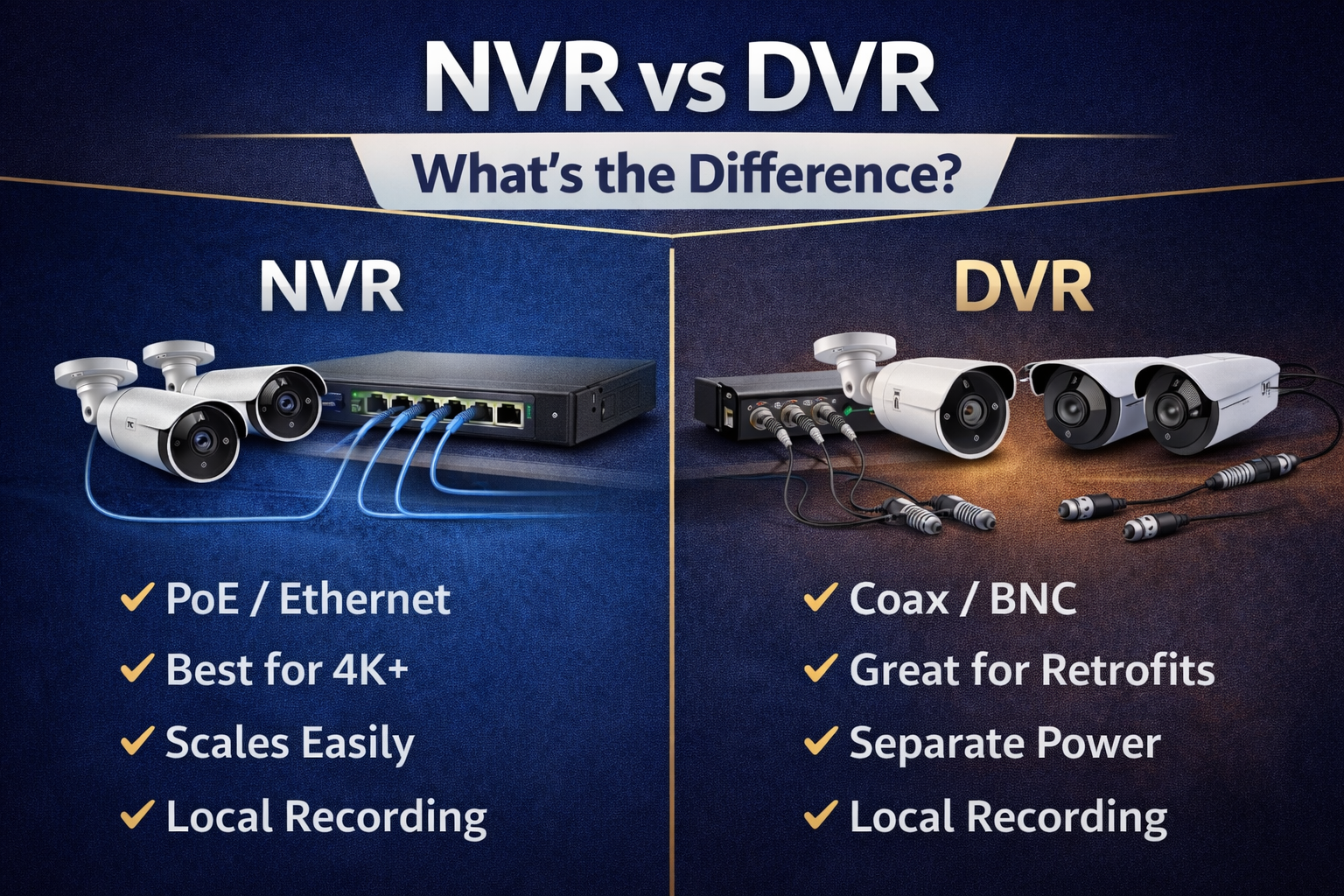
The difference between an NVR and a DVR is not simply the name printed on the recorder. The two devices are designed around different camera technologies, cables and methods of processing video. An NVR records digital video from IP or PoE security cameras over a network. A DVR receives video from compatible CCTV cameras through coaxial cable and BNC inputs.
Both can provide dependable local recording, remote viewing and professional surveillance without required monthly cloud-storage fees. The correct choice depends primarily on the cameras and wiring you have now, whether this is a new installation or an upgrade, how many cameras must be supported, and how much recording storage the property requires.
This guide compares NVR vs DVR systems in practical terms and features eight professional SureVision recorders from CCTV Security Pros: four SureVision NVR recorders and four SureVision HD CCTV DVR recorders. If you need cameras and a recorder together, also visit the Best Security Camera Systems Expert Guide.
The Main Difference Between an NVR and DVR
The most important difference is where the camera video becomes digital and how it reaches the recorder. With an NVR system, the IP camera captures and digitally processes the video before sending it across the network. The NVR receives those digital streams, stores them and provides the interface for live viewing, playback, search, user permissions and export.
With a traditional DVR system, compatible CCTV cameras transmit video over coaxial cable to physical BNC inputs on the recorder. The DVR digitizes, encodes and stores the incoming camera video. Modern SureVision HD-over-coax DVRs are far more capable than old standard-definition analog recorders, supporting compatible HD and 4K CCTV formats, local storage, smart-event tools and remote viewing.
That difference affects camera compatibility, cable type, power requirements, expansion and installation planning. It does not mean that one technology is automatically right for every property. A new warehouse may benefit from PoE cameras and an NVR, while an existing retail property with well-installed coax may save significant labor by using a compatible DVR and upgraded CCTV cameras.
NVR vs DVR Comparison Table
| Feature | NVR System | DVR System |
|---|---|---|
| Full name | Network Video Recorder | Digital Video Recorder |
| Primary cameras | IP and PoE security cameras | CCTV and HD-over-coax cameras |
| Video cable | Cat5e or Cat6 Ethernet | RG59/RG6 coaxial cable with BNC |
| Camera power | PoE can carry power and data on one Ethernet cable | Usually separate power, often through Siamese cable |
| Video processing | Camera processes and sends a digital network stream | Recorder digitizes and encodes supported camera signals |
| Camera connection | Built-in PoE ports or network/PoE switches | One physical BNC input per coax camera |
| Resolution | Strong path for 1080p, 2K, 4K and compatible higher-resolution IP video | Supports compatible 1080p, 4MP and 4K HD-over-coax formats |
| Expansion | Flexible when channels, bandwidth, switching and storage are planned | Straightforward within the available BNC inputs and supported formats |
| Best new-install use | Professional business, government and serious home installations | New coax projects with a specific compatibility or cabling requirement |
| Best upgrade use | Replacing or expanding a compatible IP camera system | Reusing good existing coax, power wiring and camera locations |
What Is an NVR Security Camera Recorder?
An NVR is the recording and management center of an IP camera system. Compatible IP cameras connect directly to built-in PoE ports or through the property’s network infrastructure. The recorder receives the digital video streams, writes footage to internal surveillance hard drives and gives authorized users a central place to view live cameras, search recorded events and export evidence.
A PoE NVR simplifies many installations because a single Cat5e or Cat6 cable can carry both electrical power and video data between a supported camera and recorder. Larger properties can use compatible PoE switches to place groups of cameras closer to distant buildings or coverage zones. Learn more in What Is a PoE Security Camera System?
Recommended SureVision NVR Recorders
These SureVision NVRs cover focused eight-camera installations through enterprise 64-camera projects. Every model should be matched to the planned cameras, total incoming bandwidth, storage retention and supported smart functions—not selected by channel count alone.
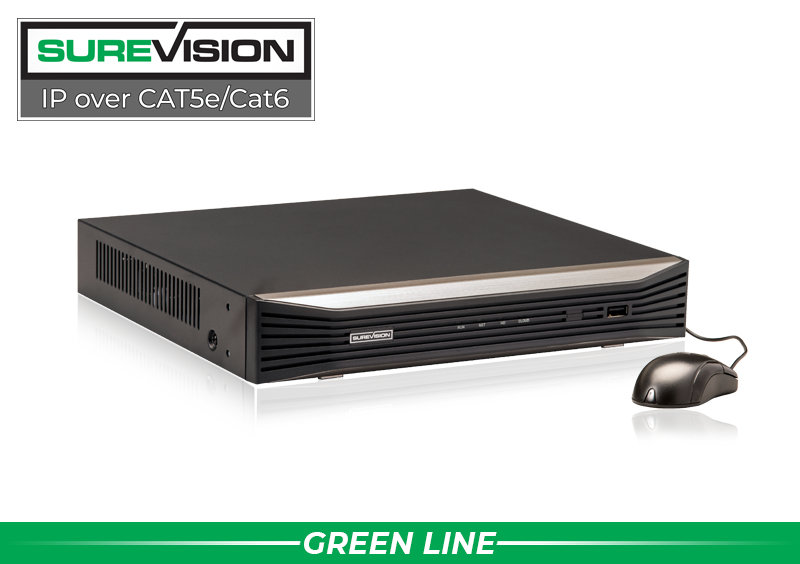
SureVision 8-Channel PoE NVR — SV-NVR1P8-N
A compact professional recorder for up to eight compatible IP cameras. It provides eight built-in PoE ports, local hard-drive recording, supported 4K viewing and recording, remote access, event search and smart-feature support for homes, offices, stores, restaurants and focused business coverage.
Price with UPGRADE25: $649.99
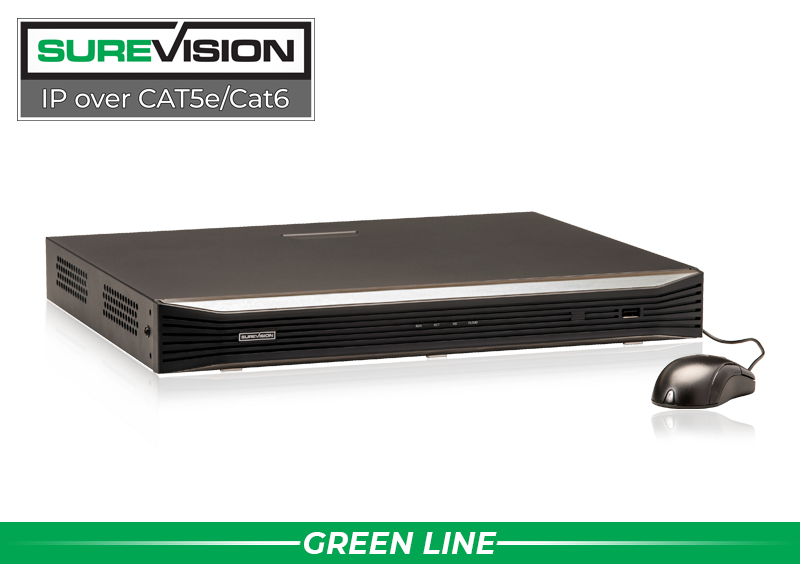
SureVision 16-Channel PoE NVR — SV-NVR2P16-N
A strong choice for larger homes, restaurants, retail locations, offices and commercial properties. It supports up to 16 compatible IP cameras, includes built-in PoE connections, provides dual-drive storage support and RAID 1 capability, and adds valuable expansion room for an eight-camera installation.
Price with UPGRADE25: $899.99
Larger NVRs Need More Than Extra Channels
For 32- and 64-camera projects, recorder bandwidth, network design, drive bays, RAID options, display requirements and user access become as important as the channel number. A properly designed commercial system may use network switches, multiple storage drives and separate user permissions for management, security staff and investigators.
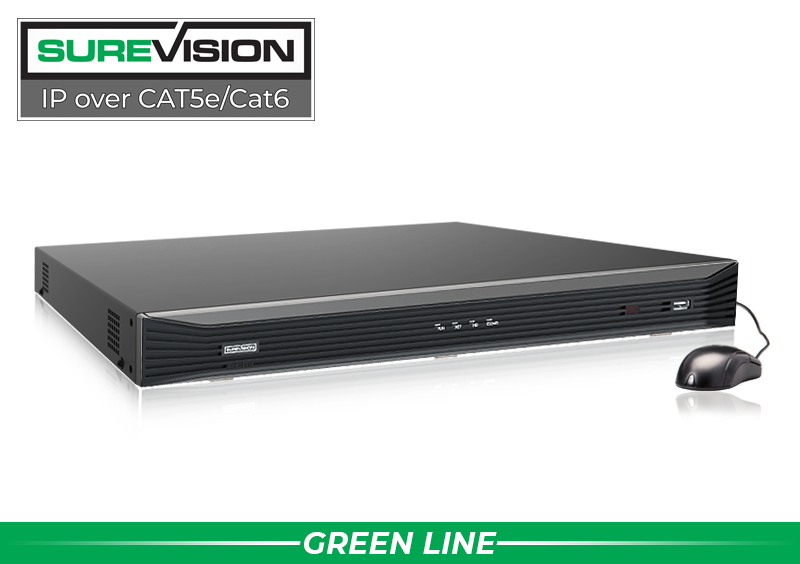
SureVision 32-Channel 4K RAID NVR — SV-NVR432-N
Built for warehouses, schools, churches, apartment properties and multi-area businesses that need more camera and storage capacity. This model supports up to 32 compatible IP cameras, multiple hard-drive bays, RAID options, dual Gigabit network connections and advanced supported smart-event tools.
Price with UPGRADE25: $1,049.99

SureVision 64-Channel Enterprise NVR — SV-NVR864-N
Designed for campuses, government facilities, large commercial properties and extensive surveillance projects. It supports up to 64 compatible IP cameras and provides eight hard-drive bays, RAID options, dual Gigabit network ports, higher system capacity and centralized management for demanding installations.
Price with UPGRADE25: $2,156.24
What Is a DVR Security Camera Recorder?
A DVR is the recording center for a compatible coax-based CCTV system. Each camera normally connects to a BNC input on the rear of the recorder. The camera also needs power, commonly supplied through the power conductors in Siamese cable or through a separate power run. The DVR receives the camera signal, processes it and records footage to an internal surveillance hard drive.
Modern HD-over-coax recording should not be confused with the blurry analog systems of the past. Compatible SureVision DVRs support modern HD CCTV formats, including supported 4K cameras, along with remote viewing, motion and event search, playback, evidence export and local storage. Browse compatible HD-over-coax CCTV cameras when upgrading the cameras and recorder together.
The largest advantage of a DVR is often practical: you may be able to reuse compatible coax cabling already installed throughout the property. This can make a DVR an efficient upgrade for a home, business, warehouse, school, church or apartment building where replacement Ethernet runs would add unnecessary time and expense. See complete HD-over-coax security camera systems when you need matched cameras and recording equipment.
Recommended SureVision DVR Recorders
SureVision DVRs are available for four through 32 BNC cameras. Before replacing an older recorder, confirm the camera signal format, camera resolution, cable and connector condition, power supply and required storage. A BNC connector by itself does not prove compatibility.

SureVision 4-Channel 4K HD CCTV DVR — SV-DVR4-N
A compact replacement or new recorder for up to four compatible BNC cameras. It fits focused coverage in homes, offices, garages, small stores and entry areas while providing local recording, supported remote access, event search and compatibility with supported CCTV formats up to 4K.
Price with UPGRADE25: $399.99

SureVision 8-Channel 4K HD CCTV DVR — SV-DVR8-N
A practical recorder for an existing eight-camera coax installation or a growing smaller property. It supports compatible HD and 4K CCTV cameras, local hard-drive recording, smart motion tools, supported audio over coax, 4K display output and remote viewing from compatible devices.
Price with UPGRADE25: $599.99
Commercial DVR Capacity and Storage
A larger DVR should provide not only more BNC inputs but also enough internal storage capacity, playback capability, network throughput and alarm connections for the project. The 16- and 32-channel SureVision models add multiple drive bays for longer retention and larger camera counts.
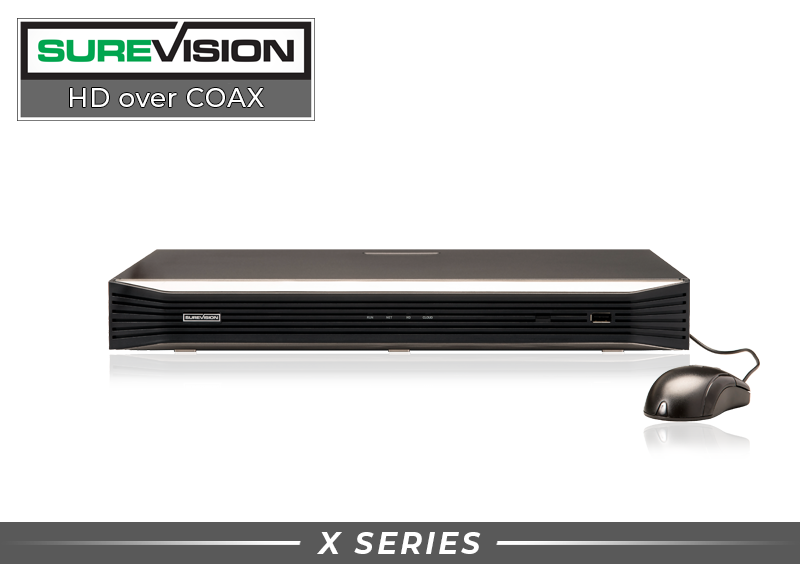
SureVision 16-Channel 4K HD CCTV DVR — SV-DVR16-N
Designed for larger homes, retail, offices, warehouses and multi-zone properties with compatible coax cameras. It provides 16 BNC inputs, dual hard-drive support, alarm connections, smart-event capability, local video storage and supported remote viewing for a professional retrofit or expansion.
Price with UPGRADE25: $849.99
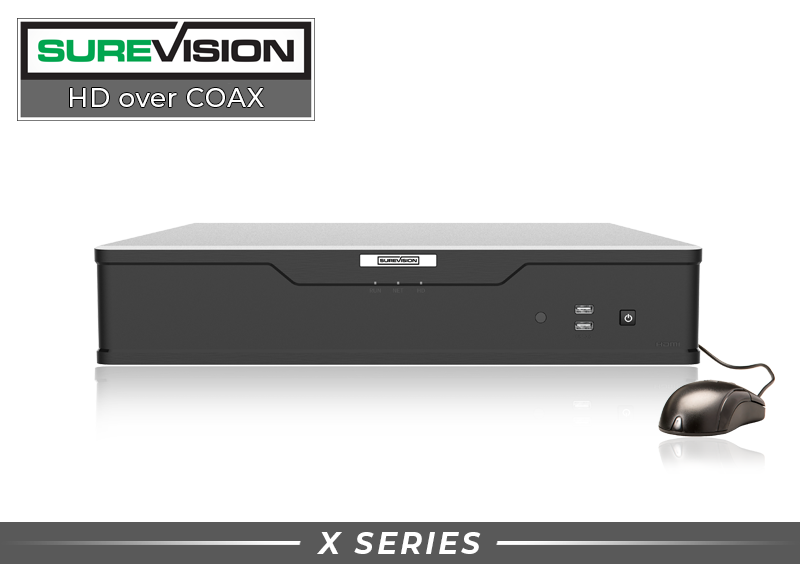
SureVision 32-Channel HD CCTV DVR — SV-DVR32-N
Built for large commercial properties, warehouses, storage facilities, campuses and extensive coax installations. It provides 32 BNC camera inputs, four hard-drive bays, dual Gigabit network ports, alarm I/O and centralized recording for compatible HD CCTV cameras.
Price with UPGRADE25: $1,424.99
NVR vs DVR Cabling and Installation
NVR Cabling: Ethernet and PoE
Most professional NVR installations use Cat5e or Cat6 cable. With compatible PoE equipment, one cable carries camera power and network data. Cameras can connect directly to PoE ports on the NVR or through supported PoE switches. This architecture can simplify multi-building projects, long cable layouts and system expansion, but the network must be designed for camera bandwidth, PoE power and secure access.
DVR Cabling: Coax, BNC and Power
A coax camera connects directly to a DVR’s BNC input. Video travels over coax, while camera power normally uses a separate pair of conductors. Siamese cable combines coax and power conductors in one jacket, but the signal and power remain separate. Coax installations are easy to understand because each camera has a direct physical recorder input.
For either technology, cable quality, connectors, distance, grounding, surge protection and weatherproof termination matter. An unreliable cable can defeat the advantages of a professional recorder. Compare security camera cables and connections before planning a new run or repairing an older one.
Does an NVR Have Better Video Quality Than a DVR?
An NVR is generally the stronger platform for new high-resolution IP camera installations because the architecture is designed for digital network video and compatible cameras can support advanced processing at the edge. However, the recorder name alone does not determine the image. Useful evidence depends on camera sensor quality, lens, resolution, bit rate, frame rate, lighting, mounting height, subject distance and recorder settings.
A modern 4K HD-over-coax system can deliver excellent results when the DVR, camera format, cable and settings are compatible. Likewise, an NVR cannot rescue poor placement or a subject that is too far from a wide-angle camera. Compare the entire camera-to-recorder path rather than assuming every 4K label produces the same evidence.
For new systems, browse SureVision IP security cameras and select the correct bullet, turret, dome, varifocal, PTZ or specialty model for each view. A professional design can mix compatible camera styles on the same NVR instead of forcing one camera type into every location.
NVR and DVR Storage: How Much Hard-Drive Space Do You Need?
Both NVRs and DVRs normally record to internal surveillance-grade hard drives. When available space is full, the recorder can be configured to overwrite the oldest footage so recording continues. The correct drive size depends on the number of cameras, resolution, bit rate, frame rate, compression, activity level, continuous versus event recording and the number of retention days required.
- More cameras create more simultaneous video streams.
- 4K video normally uses more storage than 1080p or 4MP video at comparable settings.
- Higher frame rates and bit rates increase storage use but may improve motion detail.
- Continuous recording provides a complete timeline but uses more capacity than event-only recording.
- Longer retention may require additional drives, a recorder with more bays or carefully selected recording settings.
Do not select a recorder before defining the retention goal. A 16-channel recorder with one small drive may hold fewer days than an eight-channel system with a properly sized drive. Browse surveillance hard drives for NVR and DVR recorders, or ask CCTV Security Pros to calculate storage based on the planned cameras and recording schedule.
Do NVR and DVR Systems Work Without Internet?
Yes. A properly configured NVR or DVR can continue recording compatible local cameras to its hard drives when the internet connection is unavailable. Internet service is not required for the basic local camera-to-recorder path. This is one reason professional local recording is valuable for businesses and homeowners who do not want surveillance to depend entirely on a cloud subscription.
Internet access is needed when an authorized user wants to view the recorder remotely from outside the property. Remote performance also depends on the site’s upload speed, network configuration, recorder settings and mobile or desktop device. A failure of remote viewing does not automatically mean local recording has stopped, so check the recorder and connected monitor before diagnosing an internet problem.
Can a DVR Also Record IP Cameras?
Some modern DVRs are hybrid recorders, sometimes called XVRs, that can support a limited number of compatible IP channels in addition to coax camera inputs. This can help a property add a specialty IP camera while retaining a larger coax installation. It does not mean every IP camera will work with every DVR.
Hybrid operation may change the maximum channel count, supported resolution, bandwidth, smart features or playback capacity. Confirm the exact recorder specification and camera model before purchasing. For a primarily IP-based project, a purpose-built SureVision NVR is normally easier to plan and expand.
How Many Recorder Channels Should You Buy?
Each recorder channel represents one supported camera connection. Count the cameras required now, then consider likely expansion. If a property needs eight cameras today but may add a loading dock, cash-handling point, office or driveway camera later, a 16-channel recorder can be a better long-term purchase than an eight-channel recorder with no open capacity.
| Recorder Size | Typical Starting Use | Planning Advice |
|---|---|---|
| 4 channels | Focused home, office, shop or entrance coverage | Use when future expansion is unlikely |
| 8 channels | Homes and smaller businesses | Strong for eight fixed views; consider 16 channels if growth is likely |
| 16 channels | Larger homes, retail, restaurants, offices and warehouses | Balances capacity and expansion for many commercial projects |
| 32 channels | Large commercial and multi-zone properties | Plan bandwidth, storage, rack space and user access |
| 64+ channels | Enterprise, government, campuses and large facilities | Use a complete network and storage design, not channel count alone |
CCTV Security Pros’ system promotions also make expansion easier: qualifying four-camera IP systems receive an upgrade to an eight-channel NVR, while qualifying eight-camera IP systems receive an upgrade to a 16-channel NVR. Review current offers on the SureVision PoE security camera systems page.
NVR vs DVR Cost: Which Has Better Long-Term Value?
A recorder’s purchase price is only one part of system cost. A DVR may provide excellent value when usable coax already reaches every camera location. Reusing that wiring can reduce disruption and labor. An NVR may provide better long-term value for a new installation because PoE simplifies power and data cabling, supports a broad selection of compatible IP cameras and offers a flexible path for network-based expansion.
Also consider hard drives, PoE switches, power supplies, cable, connectors, monitors, surge protection and future cameras. Buying a recorder with no open channels or insufficient drive bays can cost more later than choosing the proper model now.
SureVision recorders provide local recording and supported remote viewing without required monthly cloud-storage fees. That avoids a recurring per-camera subscription for core recording. Every professional system still requires normal ownership planning, including secure passwords, firmware maintenance, drive-health checks, clean power and periodic verification that recordings can be played and exported.
Common NVR and DVR Buying Mistakes
- Buying by channel count alone. Confirm resolution, bandwidth, drive bays, output capability and supported camera features.
- Assuming every BNC camera works with every DVR. Match the camera signal format and resolution to the recorder.
- Assuming every IP camera is plug-and-play with every NVR. ONVIF can improve compatibility, but advanced audio, analytics and configuration may still vary.
- Choosing too little storage. Define the retention period before selecting drive capacity.
- Using desktop computer drives. Choose surveillance-grade hard drives designed for continuous multi-stream recording.
- Ignoring future cameras. Leave reasonable channel, bandwidth, storage and PoE capacity for expansion.
- Replacing usable wiring without testing it. Existing coax may make a DVR upgrade more economical, while damaged cable should be repaired or replaced.
- Depending on Wi-Fi for a wired recorder design. Professional NVR and DVR systems use dependable wired camera paths; remote viewing is a separate network function.
Which Is Better in 2026: NVR or DVR?
For most new professional installations, an NVR with compatible PoE IP cameras is the better overall choice. It provides a modern digital architecture, one-cable PoE installation, excellent resolution options, flexible camera selection, strong scalability and advanced supported analytics.
For an existing property with usable coax, a DVR may be the smarter investment. A compatible SureVision DVR can preserve the wiring and camera locations while adding modern HD recording, local storage and remote viewing. Replacing the recorder and selected cameras may achieve the desired upgrade without rebuilding the entire cable infrastructure.
- New Ethernet/PoE installation: start with a SureVision NVR.
- Existing compatible coax and BNC cameras: start with a SureVision DVR.
- Need 4K IP cameras, specialty cameras or network expansion: choose an appropriately sized NVR.
- Want to modernize a coax system without recabling: confirm DVR, camera and wiring compatibility.
- Need eight cameras now with likely growth: consider a 16-channel recorder.
- Need long retention: prioritize recorder drive bays and hard-drive capacity.
- Unsure what existing cameras use: photograph the camera labels, connectors and recorder model before ordering.
Get the Right Recorder, Cameras and Storage the First Time
CCTV Security Pros has helped businesses, government facilities and homeowners choose professional surveillance equipment since 2008. Tell our U.S.-based team what cameras and wiring you have, how many days you want to record and whether you plan to expand. We will help match the NVR or DVR, compatible cameras and hard-drive capacity to your property.