
8 Camera Professional Security Kits: 2026 Comparison and Buying Guide
Aug 16, 2026
Best Security Camera Systems (2026 Expert Guide)
The best security camera systems are not consumer gadgets selected from a generic top-ten list. The strongest systems combine dependable wired cameras, a professional network video recorder, local surveillance storage, useful remote viewing, room to expand and expert support when you need it. They are designed around the property instead of forcing every entrance, room, driveway and parking area to use the same camera.
For most new business and home installations, the best overall choice is a professional PoE security camera system with compatible IP cameras and local NVR recording. Each camera receives power and sends video through one Ethernet cable. Footage records to an on-site surveillance hard drive, so the system does not depend on Wi-Fi or require a monthly cloud-storage subscription.
This 2026 guide explains how to compare professional systems by reliability, resolution, camera type, night performance, recorder capacity, storage and long-term ownership. It also features eight complete SureVision packages from the 8-camera IP security camera systems category. The recommendations range from affordable 2K+ coverage to 4K active deterrence and 24/7 full-color video.
What Makes One Security Camera System Better Than Another?
A high camera resolution does not automatically make a system the best. A poorly positioned 4K camera can record less useful evidence than a well-positioned 2K camera with the correct lens and lighting. A complete system must be evaluated as a group of cameras, recorder, storage, cabling, software and support—not as a single specification.
Professional Wired Reliability
Wired PoE cameras do not compete for the same wireless signal. Each compatible camera has a dedicated Ethernet connection for power and data, helping the system deliver predictable video without batteries or separate local power adapters. Wired architecture is especially important for 24/7 recording, multiple high-resolution streams and exterior cameras located far from a router.
Private Local NVR Recording
A professional NVR stores footage on surveillance-grade hard drives at the property. The system can record continuously, on a schedule, after motion or through supported smart events. Local storage gives the owner control of recordings and allows the cameras to keep recording during most internet outages. Browse SureVision NVR recorders when comparing recorders separately.
The Correct Camera for Every Location
The best system is customizable. A front entrance may need a lower-profile turret camera, a parking approach may benefit from a visible 4K bullet, a rear door may justify active deterrence and a longer driveway may require motorized zoom. Compare all SureVision IP security cameras when a standard package needs specialized views.
Useful Detail Day and Night
Image quality depends on resolution, lens, bit rate, exposure, mounting, subject distance and available light. Night performance deserves its own plan. Infrared, white-light, color-night and active-deterrence cameras solve different problems. The best system uses the appropriate technology at each important view rather than assuming one night-vision specification fits every scene.
Room to Expand and Real Support
An NVR with no open channels can force an expensive replacement when one more camera is needed. The featured 8-camera SureVision packages include a free upgrade to a 16-channel NVR, leaving eight channels open for future cameras. Equipment is backed by a 3-year warranty, a 30-day money-back guarantee and free U.S. support before and after the sale.
Professional PoE vs Wi-Fi vs HD-Over-Coax Systems
The best technology depends partly on the property. PoE is usually the strongest choice for a new professional installation. Wi-Fi can help where Ethernet cannot be run, while HD-over-coax can be an efficient retrofit when usable coaxial cable already exists.
| Feature | PoE IP System | Wi-Fi Cameras | HD-Over-Coax System |
|---|---|---|---|
| Connection | Dedicated Ethernet per camera | Shared wireless network | Coax video plus power |
| Recorder | Network video recorder | Often cloud or app centered | Digital video recorder |
| Best use | New professional systems | Limited locations where cable is impractical | Upgrading good existing coax |
| Scalability | Strong when NVR and network are sized correctly | Limited by wireless coverage and bandwidth | Strong within DVR and cable capacity |
| Monthly fee | None required for local recording | Cloud plans are common | None required for local recording |
Buyers with existing coax should review HD-over-coax security camera systems before replacing cable. Buyers planning a new wired system should normally begin with PoE. For terminology and networking details, read PoE cameras versus IP cameras.
Eight Recommended 8-Camera Security Camera Systems
Eight cameras are a practical starting point for many homes and small businesses. They can cover front and rear entrances, driveway or parking, a garage or loading point, two important interior zones, a stock room or office and one remaining blind spot. Every system below includes eight SureVision PoE cameras, 2TB local recording and a free upgrade to a professional 16-channel 4K NVR.
Best Value Systems for Everyday Coverage
These first two systems are strong starting points when the buyer wants a complete professional package without specialty-camera pricing. Choose the 2K+ turret system for value and a lower-profile form factor. Choose the standard 4K bullet package when higher image detail and visible exterior cameras are the priority.
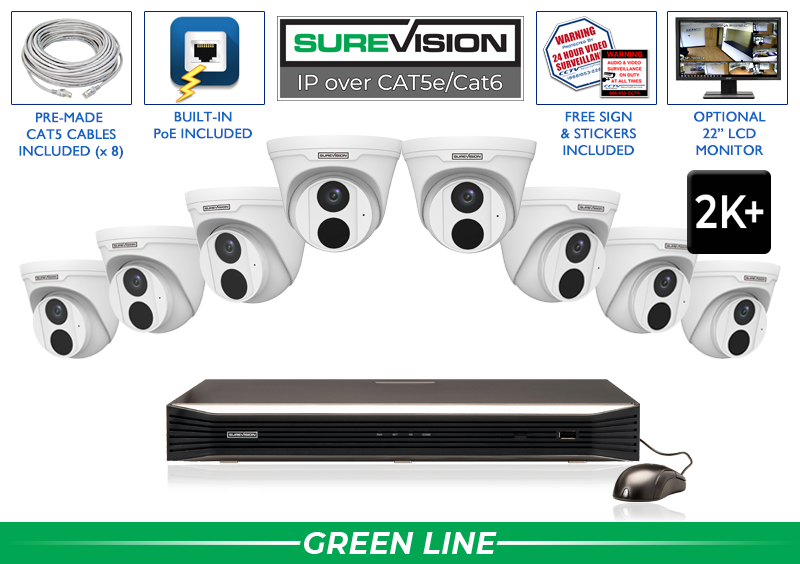
8 Camera 5MP 2K+ PoE Turret Security System
Eight 5MP/2K+ SureVision turret cameras provide built-in audio, wide-angle coverage, IP67 indoor/outdoor protection and infrared night vision up to approximately 100 feet. The discreet turret design works well for offices, retail, restaurants, hallways, entrances, homes and covered exterior locations.
Price with UPGRADE25: $1,799.99
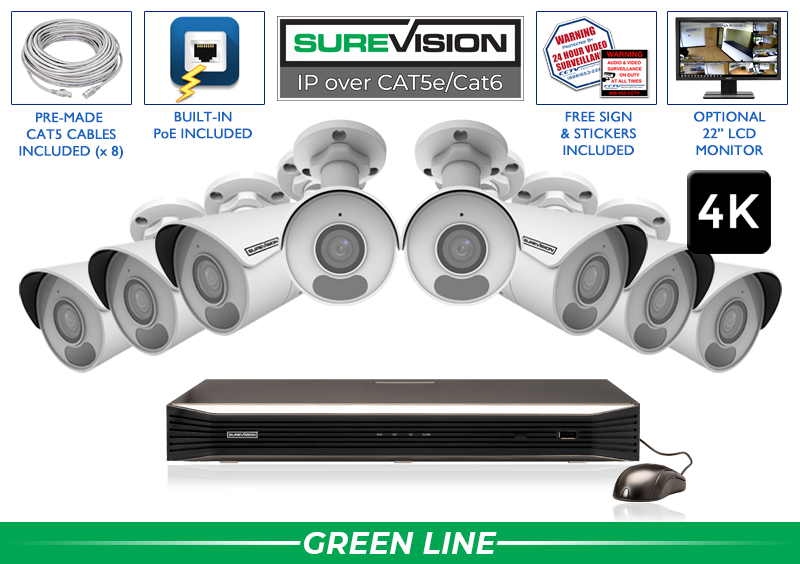
Professional 8 Camera 4K Bullet Security System
Eight 8MP/4K bullet cameras capture ultra-high-definition video with built-in microphones, broad 2.8mm views, WDR and infrared night vision up to approximately 100 feet. This is a strong general-purpose 4K choice for driveways, business exteriors, warehouses, offices, stores and homes.
Price with UPGRADE25: $1,999.99
Best 4MP Systems for Long-Range Bullet or Lower-Profile Dome Coverage
Camera housing and night range can matter more than the highest resolution number. The bullet system below is designed for visible exterior coverage and longer infrared reach. The turret-dome system provides a cleaner appearance for interior and covered exterior installations.
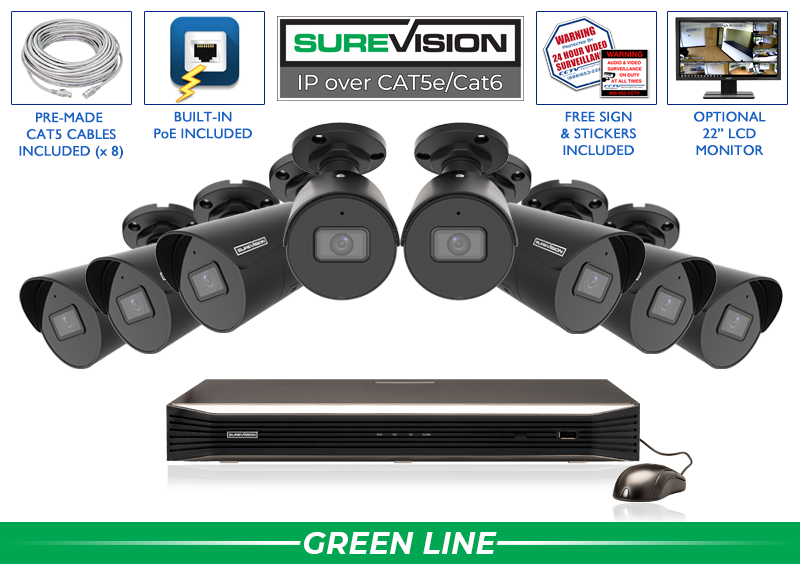
8 Camera 4MP Black Bullet System with Audio
Eight 4MP bullet cameras combine built-in audio, 2.8mm wide-angle lenses, color-at-night capability and infrared illumination up to 164 feet. The black housings blend with darker exteriors and provide visible surveillance for driveways, parking areas, loading zones, storefronts and building perimeters.
Price with UPGRADE25: $1,999.99
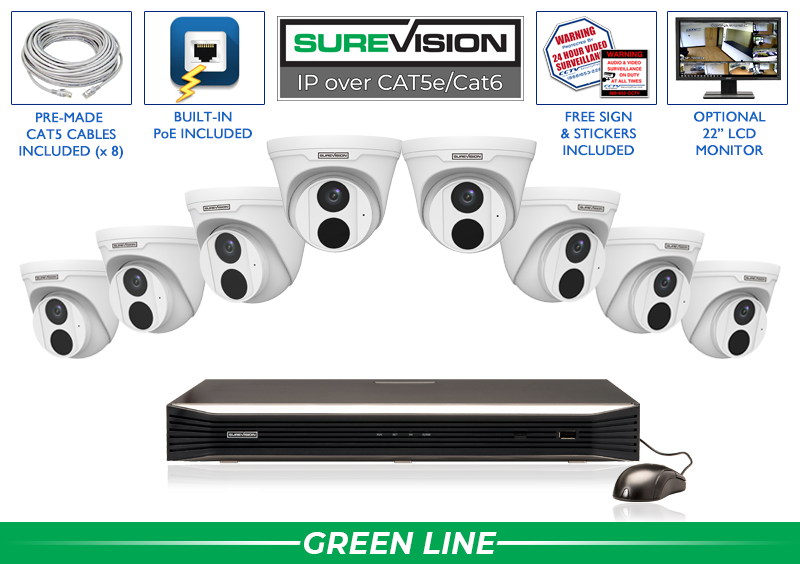
8 Camera 4MP Turret Dome Security System
Eight 4MP turret-style dome cameras provide built-in audio, broad 2.8mm viewing, infrared night vision up to approximately 100 feet and supported color-at-night performance. The lower-profile design is well suited to offices, stores, restaurants, lobbies, halls, patios and covered entrances.
Price with UPGRADE25: $1,999.99
Best 4K Systems for Exterior Detail and Active Deterrence
These systems are designed for more demanding exterior security. The Black Knight package emphasizes 4K detail, long infrared range and a darker bullet housing. The active-deterrence package adds white light, a warning function and 2-way audio for locations where authorized users may need to respond to activity.
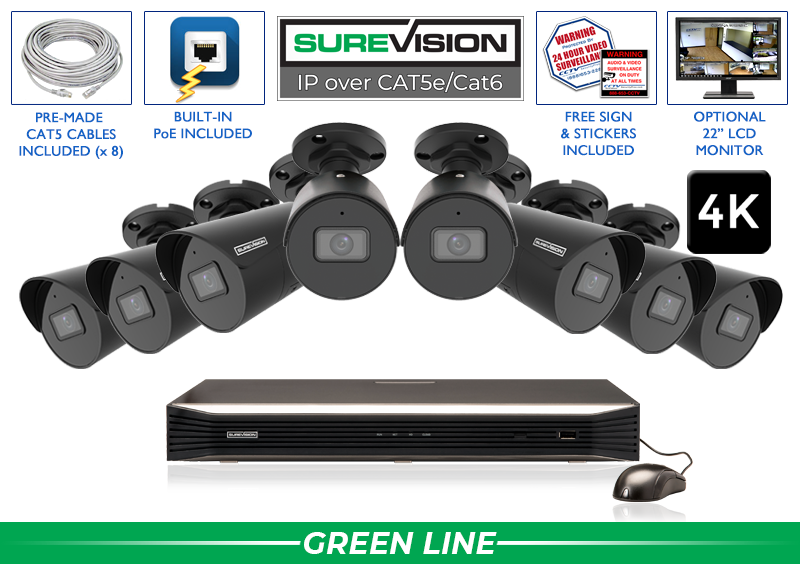
Black Knight 8 Camera 4K IP Security System
Eight black 8MP/4K bullet cameras provide built-in audio, wide-angle viewing, color-at-night capability and infrared night vision up to 164 feet. This package is a strong choice for dark building exteriors, parking, driveways, loading areas and properties that want visible 4K perimeter coverage.
Price with UPGRADE25: $2,699.99

8 Camera 4K Active-Deterrence Bullet System
Eight 8MP/4K bullet cameras combine 2-way audio, infrared night vision, white light and active-deterrence features. Use this system for rear entrances, side yards, parking, loading areas and vulnerable exterior locations where remote communication and a more visible response can add value.
Price with UPGRADE25: $2,939.99
Best Advanced Systems for Low-Profile Deterrence and Full-Color Night Video
The final two systems solve specialized needs. The active-deterrence turret package adds 2-way audio and white light in a lower-profile housing. The TL8 system prioritizes 24/7 full-color video using white-light illumination for locations where color evidence after dark is more important than discreet infrared operation.

8 Camera 4K Active-Deterrence Turret System
Eight 8MP/4K turret cameras combine 2-way audio, broad viewing, infrared night vision, white-light illumination and active-deterrence features. The housing is well suited to retail, restaurants, offices, entrances, patios and properties that want advanced protection in a cleaner, less traditional bullet form.
Price with UPGRADE25: $3,019.99
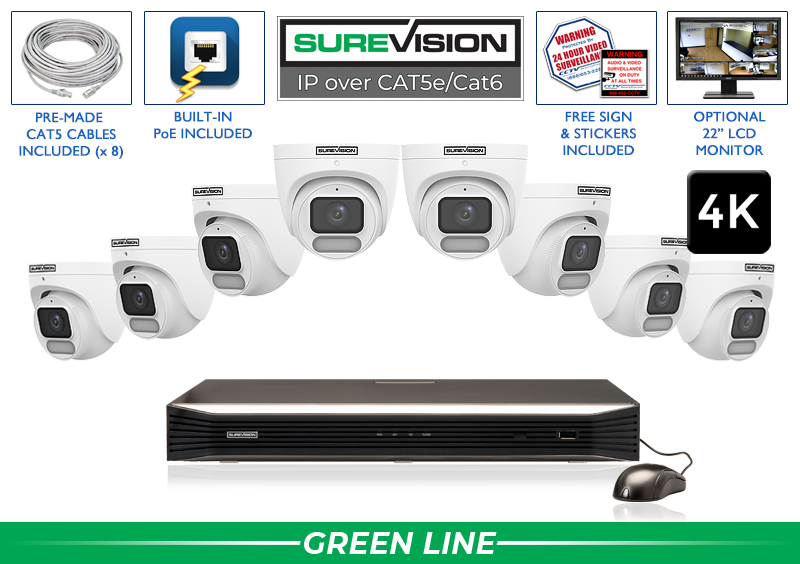
8 Camera 4K Color Day-and-Night Security System
Eight SureVision TL8 8MP/4K cameras provide full-color day-and-night video, built-in audio, broad 2.8mm views and integrated white-light illumination. Choose this system for parking, entrances, retail exteriors and other locations where clothing, vehicle and scene color may be important after dark.
Price with UPGRADE25: $3,339.99
2K+ vs 4K: Which Resolution Is Best?
A 2K+ system provides strong professional video at a lower price and generally uses less storage than an equivalent 4K system. It is an excellent fit for offices, entrances, halls, restaurants, stores, homes and general property coverage when the cameras are positioned at useful distances.
A 4K system records more pixels and can preserve more detail for evidence review and digital zoom. It is valuable at cash-handling points, important entrances, parking approaches and larger scenes. However, 4K cannot fix the wrong lens, excessive distance, blocked views or poor lighting. Higher resolution also increases bandwidth and storage requirements.
Many properties benefit from a mixed system. Use 4K at the most important identification points and use compatible 4MP or 2K+ cameras where the scene, distance and budget do not require maximum resolution. System design should protect evidence quality rather than chase one specification across every location.
Choosing Bullet, Dome, Turret, Zoom and PTZ Cameras
Bullet cameras are visible and easy to aim, making them strong for exterior walls, parking, driveways, loading areas and perimeter coverage.
Turret and dome cameras offer a cleaner appearance for offices, lobbies, retail, restaurants, halls, ceilings, patios and covered entrances.
Motorized zoom cameras use adjustable lenses to narrow the view for gates, longer driveways, loading docks and target areas where a wide lens makes the subject too small.
PTZ cameras pan, tilt and optically zoom across larger areas. They are powerful supplemental cameras, but fixed cameras should still protect critical doors because a PTZ records only the direction it is viewing at that moment.
Active-deterrence and full-color cameras add capabilities for after-hours areas. Active deterrence may include white light, warning functions and 2-way audio. Full-color night cameras use visible illumination to preserve color after dark. Consider neighbors, glare, mounting and lighting before using permanent white light.
The NVR and Storage Are Just as Important as the Cameras
The NVR determines how many cameras can connect, which resolutions can record, how much total video bandwidth is supported, how many channels can play back together and how storage can expand. It also manages user accounts, remote viewing, supported analytics, event search and evidence export.
The featured eight-camera systems include a free upgrade to the SureVision 16-channel NVR, which provides eight open channels for future cameras. The recorder includes 16 built-in PoE ports, high incoming bandwidth, dual hard-drive bays and supported RAID 1 capability. That is a more durable platform than an eight-channel recorder filled on the first day.
Storage retention depends on camera count, resolution, bit rate, frame rate, scene activity, compression and recording schedule. Eight 4K cameras recording continuously require more capacity than eight lower-resolution cameras recording on motion. Decide how many days of footage should remain available, then size the hard drive accordingly. Read the NVR buying guide for IP cameras for a deeper recorder checklist.
Remote Viewing Without Giving Up Local Recording
Local and remote viewing are not opposites. A SureVision NVR stores footage at the property while compatible phone, tablet, PC and Mac software gives authorized users remote access. Owners can watch live cameras, review supported recordings and manage access without moving primary video storage into a mandatory cloud subscription.
If internet service fails, cameras can continue recording to the local NVR. Remote viewing from outside the property and some external notifications will be unavailable until the internet returns. That separation is one reason professional systems offer stronger continuity than cloud-dependent consumer cameras.
How Many Security Cameras Do You Need?
Count important views instead of relying only on square footage. A small shop with tall shelves, two registers, several doors and parking may need more cameras than a larger open office. List entrances, exits, registers, reception, hallways, inventory, loading, driveways, gates, parking and high-value zones. Add overlap where a person moves from one critical area to another.
- Four-camera systems cover a smaller home, office or shop with focused needs.
- Eight-camera systems are a popular complete-coverage starting point for homes and small businesses.
- Sixteen-camera systems serve larger homes, warehouses, schools, churches and multi-entrance properties.
- Thirty-two-camera systems support commercial facilities, apartment communities and larger sites.
Eight cameras are enough when they cover the property without forcing wide overview shots to perform identification work. Move to sixteen cameras when there are additional entrances, buildings, parking rows, halls or interior zones. Starting with a 16-channel recorder makes expansion easier even when only eight cameras are installed now.
Best Security Camera Systems for Business
Businesses should prioritize continuous recording, clear transactions, employee and customer entrances, inventory, rear access, loading and parking. Retail and restaurants often need cameras at registers and customer areas, while warehouses need loading doors, aisles, cages and perimeter coverage. Offices may need fewer cameras but still require dependable entry, reception, hall and equipment-room views.
Commercial buyers should also consider retention policies, multiple user accounts, evidence export, monitoring responsibilities, audio laws, employee privacy and network security. Explore business security camera systems or request a custom recommendation when system design affects multiple departments or buildings.
Best Security Camera Systems for Home
Homeowners who want more than doorbell alerts benefit from wired cameras at the front door, garage, driveway, rear entrance, side yards, patio and detached buildings. Local NVR recording offers longer-term ownership and privacy without requiring a separate cloud plan for every camera.
Use a visible bullet camera for exterior deterrence, a turret camera for a cleaner soffit or patio installation and a 4K or zoom camera where a distant gate or driveway approach needs added detail. Plan cable routes before selecting cameras, and use appropriate outdoor or underground cable. Shop security camera cables and connections when preparing the installation.
Common Mistakes When Buying a Security Camera System
- Buying eight identical cameras automatically: different areas may need different housings, lenses and night features.
- Choosing resolution without checking distance: a wide 4K view may still show a distant person too small to identify.
- Ignoring nighttime conditions: headlights, walls, soffits and reflective surfaces can damage night images.
- Filling every recorder channel: leave room for cameras that become necessary after the system is used.
- Underestimating storage: 4K continuous recording can require substantially more hard-drive capacity.
- Depending only on Wi-Fi: multiple high-resolution video streams need stable connectivity and power.
- Using low-quality cable: poor conductors and terminations cause intermittent power and video problems.
- Mounting too high: recording the tops of heads is not the same as capturing useful faces.
- Skipping playback and export tests: users should know how to retrieve evidence before an incident.
- Buying without compatibility confirmation: verify camera, NVR, resolution, bandwidth, audio and analytic support.
Professional System Buying Checklist
- List every entrance, transaction point, interior zone, parking area and high-value location.
- Define whether each view needs detection, observation, recognition or identification detail.
- Choose resolution and lens based on subject distance and scene width.
- Evaluate each camera location during daylight and after dark.
- Confirm camera housing, weather rating, audio and deterrence requirements.
- Select an NVR with enough channels, PoE ports, bandwidth and future capacity.
- Size storage for camera count, resolution, recording schedule and retention goals.
- Plan Cat5e or Cat6 cable routes, lengths and environmental ratings.
- Define authorized users and remote-viewing permissions.
- Confirm NDAA, ONVIF, purchasing and cybersecurity requirements when applicable.
- Review warranty, money-back policy, technical support and product availability.
- Test live view, recording, playback, alerts and export after installation.
Frequently Asked Questions
Audio and video surveillance laws vary by jurisdiction. Confirm applicable consent, notice, employee-monitoring, privacy and audio-recording requirements before installation or activation.
