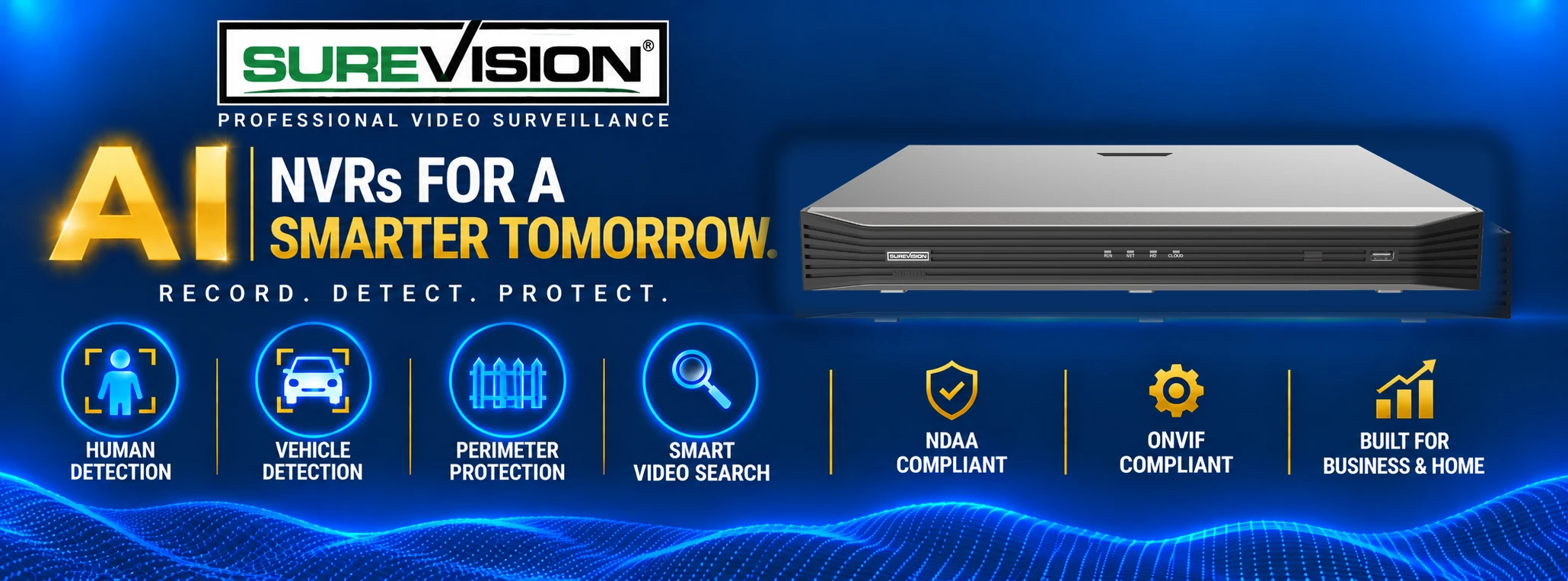
Secure Local Recording for Wired IP Cameras
Professional Network Video Recorders for IP Camera Systems
A network video recorder is the central recording and management device for a wired IP security camera system. The NVR receives digital video from compatible network cameras, records footage to local hard-drive storage and provides one place to view cameras, review recorded events and manage supported recording features.
SureVision NVRs are available for smaller properties, commercial buildings and enterprise surveillance projects. Choose from 4, 8, 16, 32, 64 and 128-channel models based on the number of cameras being used, the amount of future expansion required and the desired video-retention period.
What Does an NVR Do?
A professional NVR combines recording, storage, playback, camera management and supported remote access in one central device.
Record
Captures IP Camera Video
Record compatible IP cameras continuously, on a schedule or when supported motion and event rules are triggered.
Store
Saves Footage Locally
Keep surveillance footage on internal hard drives that you control instead of depending on a required cloud-storage subscription.
Review
Searches Recorded Events
Review recorded activity, locate important events and export video clips for documentation or evidence.
Access
Supports Remote Viewing
Access compatible live cameras and recordings from supported mobile devices, tablets and computers.
Simplified Wired Camera Connections
What Is a PoE NVR?
A PoE NVR includes Power over Ethernet connections that can simplify the installation of compatible wired IP cameras. A single Ethernet cable can carry video data and electrical power between the supported camera and the NVR.
Some larger NVR installations use a separate PoE network switch instead of connecting every camera directly to the recorder. The correct layout depends on the recorder model, camera count, property size and network design.
Benefits of PoE recording
✓ Wired and dependable camera connections
✓ Power and video over Ethernet cable
✓ Central camera and recording management
✓ Easier expansion with proper planning
How Many NVR Channels Do You Need?
Each NVR channel supports one camera. Select a recorder with enough channels for the cameras being installed now and reasonable room for future expansion.
Smaller Properties
4- and 8-Channel NVRs
Suitable for focused camera coverage in homes, offices, small stores and other properties that need a limited number of views.
Business and Commercial
16- and 32-Channel NVRs
Provide broader recording capacity for commercial buildings, warehouses, parking areas, restaurants and multi-area properties.
Enterprise Surveillance
64- and 128-Channel NVRs
Designed for larger facilities, campuses and extensive surveillance projects that require centralized management of many cameras.
Planning tip: An eight-camera installation does not always require an eight-channel recorder. Choosing a 16-channel NVR may provide useful expansion capacity when additional cameras are likely to be installed later.
Plan Your Recording Retention
How Much NVR Storage Do You Need?
Hard-drive capacity determines how much recorded footage the NVR can retain before the system begins overwriting the oldest video. There is no single storage size that is right for every surveillance project.
A larger number of cameras, higher video resolution, higher frame rates and longer retention periods generally require more storage. Motion-based recording may extend retention compared with continuous recording, although results vary with the amount of activity in each camera view.
Storage is affected by:
✓ Number of connected cameras
✓ Camera resolution and frame rate
✓ Continuous or event recording
✓ Required number of retention days
Shop Surveillance Hard Drives
What to Consider When Choosing an NVR
Channel count is important, but recorder compatibility, bandwidth, storage capacity and supported camera features also matter.
1
Camera Compatibility
Confirm that the NVR supports the camera models, protocols, resolutions and features planned for the installation.
2
Recording Resolution
Select a recorder designed to support the resolution and video quality required from compatible HD, 4K or higher-resolution cameras.
3
Recording Bandwidth
The recorder must have enough incoming bandwidth for the number, resolution and frame rates of the connected video streams.
4
Hard-Drive Capacity
Choose enough storage and available drive capacity for the required recording duration and future camera expansion.
Do You Need an NVR or a DVR?
The camera technology and installed wiring determine which type of video recorder should be used.
IP and PoE Systems
Choose a Network Video Recorder
Use a compatible SureVision NVR when the system uses IP or PoE security cameras connected through Ethernet network cabling.
Shop SureVision IP Cameras
Existing Coax Systems
Choose an HD CCTV DVR
A compatible DVR is usually the correct choice when retaining existing coaxial wiring and HD-over-coax cameras with BNC connections.
Shop HD CCTV DVR Recorders
Pair Your NVR With SureVision IP Cameras
Build a customized system with the camera styles required for each area, or choose a complete SureVision PoE camera system with compatible recording equipment already matched together.
Customize Your Coverage
Shop Individual IP Cameras
Select bullet, turret, dome, PTZ, varifocal and specialized SureVision IP cameras based on the viewing needs of each location.
Shop SureVision IP Cameras
Cameras and Recorder Together
Shop Complete PoE Camera Systems
Start with a complete wired security camera system containing compatible SureVision cameras and NVR recording equipment.
Shop SureVision PoE Systems
More Than an NVR in a Box
Get professional guidance matching the recorder, cameras and storage to the property instead of guessing about compatibility and capacity.
Real USA Support
Speak with experienced professionals before and after your recorder purchase.
No Required Monthly Fees
Maintain local recording and supported remote access without a required cloud-storage subscription.
3-Year Warranty
Purchase professional recording equipment backed by a comprehensive product warranty.
Compatibility Guidance
Get help matching cameras, NVR channels, storage and accessories to your surveillance project.
Shop Related IP Camera Equipment
Complete a new SureVision installation or find compatible equipment for an existing wired IP camera system.
Network Video Recorder Frequently Asked Questions
Common questions about NVR recorders, PoE cameras, channel capacity, video storage and remote viewing.
What is a network video recorder?
A network video recorder, commonly called an NVR, records and manages digital video from compatible IP security cameras. It provides local storage, playback, camera management and supported remote viewing from one central device.
What is the difference between an NVR and a PoE NVR?
NVR is the general term for a network video recorder. A PoE NVR has built-in Power over Ethernet ports that can supply power and network connectivity to compatible cameras through Ethernet cabling.
How many NVR channels do I need?
Choose at least one NVR channel for every camera being installed. Select additional capacity when you expect to add cameras later so the recorder does not need to be replaced as the system expands.
How much storage should an NVR have?
Storage depends on the number of cameras, recording resolution, frame rate, compression settings, recording schedule and desired retention period. Larger systems and longer retention periods generally require more hard-drive capacity.
Can an NVR record 4K security cameras?
Compatible 4K NVR models can record supported 4K IP cameras. Confirm the recorder's supported resolution, bandwidth and camera compatibility before selecting equipment.
Do NVR security systems require monthly fees?
SureVision NVR systems are designed for local recording and supported remote viewing without a required monthly cloud-storage fee. Internet service is still required when viewing the system remotely from outside the property.
Can I access an NVR remotely?
Compatible SureVision NVRs support remote viewing from supported smartphones, tablets and computers when the recorder is connected to an internet-enabled network and properly configured.
Can I mix different camera styles on one NVR?
A compatible system can use different IP camera styles for different areas, including bullet, turret, dome, PTZ and specialized cameras. All cameras should be confirmed as compatible with the selected NVR.
Can you help me choose an NVR and hard-drive size?
Yes. Provide your camera count, camera models, desired recording duration and future expansion plans. CCTV Security Pros can help select a compatible NVR and practical storage configuration for the project.
Real Help Before and After the Sale
Get the Right NVR, Cameras and Storage for Your Property
Tell our USA-based team how many cameras you need, what equipment you already own and how long you want to retain video. We will help you choose a properly sized SureVision NVR system.