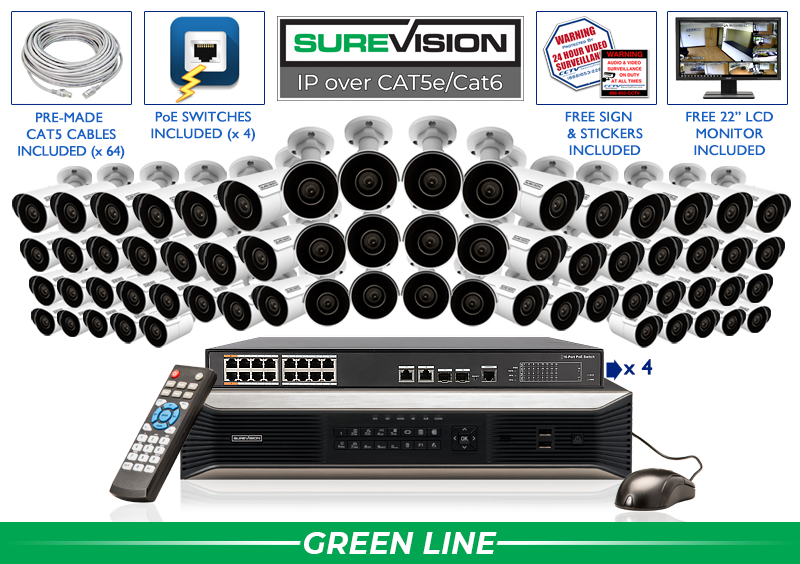
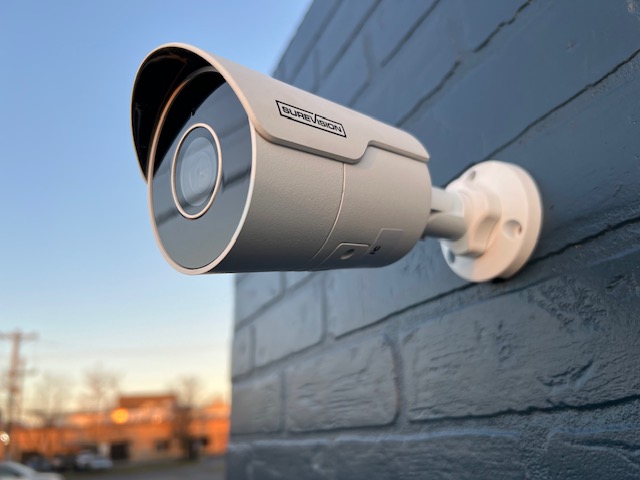
Build a dependable wired security camera system with professional cameras, local NVR or DVR recording, remote viewing, and no required monthly cloud-storage fees. Compare modern SureVision PoE IP systems, HD-over-coax CCTV systems, 4MP and 4K cameras, recorder sizes, and complete packages for properties of every size.
Local Recording •Remote Viewing •No Required Monthly Fees •3-Year Warranty •Lifetime U.S.-Based Support
Complete Professional Surveillance Solutions
Choose a Security Camera System Around Your Property
A complete security camera system brings the cameras, recorder, video storage, cabling, connections, and remote-viewing tools into one compatible surveillance platform. Instead of selecting equipment from isolated specifications, start with the areas that must be protected: entrances, registers, offices, driveways, parking lots, loading docks, hallways, inventory rooms, detached buildings, gates, and property boundaries.
For most new installations, a wired PoE IP security camera system with an NVR offers the strongest combination of image quality, reliability, camera selection, and future expansion. If a property already contains serviceable coaxial cable, an HD-over-coax CCTV system with a DVR may provide a practical upgrade without automatically replacing every existing cable run.
CCTV Security Pros specializes in professional recorder-based surveillance for businesses and homes. Systems can be customized with compatible bullet, turret, dome, vandal-dome, motorized-lens, PTZ, panoramic, active-deterrence, and license-plate cameras. That flexibility lets each camera perform a defined job instead of forcing every location to use the same field of view or feature set.
A Simple Starting Point
Find the Right System in Three Decisions
Step 1
Choose IP or Coax
Use PoE IP for most new installations and flexible expansion. Consider HD over coax when existing compatible cabling makes a DVR upgrade more practical.
Step 2
Count Important Views
Count camera positions, not rooms or square footage. Separate wide overview views from the closer angles needed for facial, transaction, or vehicle detail.
Step 3
Plan Storage and Growth
Choose enough recorder channels and hard-drive capacity for today’s retention goal while leaving reasonable room for future cameras and longer storage.
Compare the Two Main Wired Platforms
PoE IP Systems vs. HD-Over-Coax CCTV Systems
Best for Most New Installations
SureVision PoE IP Camera Systems
PoE cameras transmit digital video and receive supported power through CAT5e or CAT6 Ethernet. A compatible NVR centralizes live viewing, local recording, playback, exports, user access, and camera settings. This architecture is ideal for new commercial and residential installations that need strong scalability and modern features.
One supported Ethernet cable for power and video
4MP and 4K camera options
Flexible NVR and network expansion
Smart human, vehicle, tripwire, and intrusion tools on compatible models
HD-over-coax systems send supported high-definition video through coaxial cable to a DVR. They are especially useful when a property already has cable runs and BNC connections that test well. Modern CCTV systems can provide HD or 4K choices while preserving the familiar DVR design.
Practical path for many existing coax installations
Start with the number of views needed now and select an NVR with enough supported capacity for reasonable expansion. Camera count should follow the property plan—not a rough square-footage estimate.
Modernize an eligible coax installation with compatible HD or 4K CCTV cameras, a DVR, and local storage. Existing cable should be inspected before equipment is selected.
Protect retail stores, offices, warehouses, restaurants, schools, government facilities, apartment properties, farms, and multi-building sites with scalable local recording.
Cover front doors, driveways, garages, side gates, patios, backyards, and detached buildings with professional cameras and private local video storage.
A customized surveillance system can mix compatible camera housings and lenses. Use wide cameras for nearby overview, tighter optical framing for distant targets, vandal-resistant housings in exposed public areas, and specialty cameras only where their functions solve a defined problem.
A 4MP camera can provide strong detail for entrances, offices, hallways, driveways, and general business or home coverage while balancing recorder bandwidth and storage. An 8MP or 4K camera records more pixels across a scene and can add value for priority views, wide areas, and playback enlargement. Higher resolution is most useful when the lens, distance, light, camera angle, recorder capability, frame rate, and bitrate support the evidence goal.
Wide-Angle and Motorized Lenses
Wide-angle lenses cover more of a nearby scene, but distant people and vehicles occupy fewer pixels. A motorized varifocal lens can narrow the field of view and place more detail on a gate, cash register, loading dock, hallway end, or vehicle lane. The widest image is not always the most useful image;optical framing should match the exact area where identification or documentation matters.
Infrared and Color-at-Night Options
Infrared cameras can record monochrome images in dark conditions. Color-at-night modes may use available light or integrated white illumination to preserve color details when conditions allow. Published illumination range is not the same as guaranteed recognition distance. Nearby walls, soffits, foliage, rain, fog, headlights, reflective surfaces, camera height, and target motion can all change nighttime results.
NVR and DVR Recording, Storage, and Remote Viewing
A professional recorder manages more than video storage. It organizes live camera views, schedules continuous or event recording, indexes playback, controls users, exports evidence, and provides supported remote access. An NVR is used with compatible IP cameras;a DVR is used with compatible HD-over-coax or analog cameras.
Storage retention depends on camera count, resolution, bitrate, frame rate, compression, scene activity, recording schedule, and installed hard-drive capacity. Decide how many days of video should remain available, then calculate storage using the settings the system will actually record. Choosing a recorder solely by channel count can overlook bandwidth, PoE power, storage bays, decoding capacity, and future camera requirements.
Local recording does not require an internet connection when the cameras, recorder, storage, and local power remain available. Internet service is generally needed for off-site viewing, mobile notifications, and other remote functions. Authorized users can access supported systems from compatible phones, tablets, and computers without a required monthly viewing subscription.
Build Better Surveillance Without Chasing Specifications
Continuous and Event RecordingRecord around the clock, on a schedule, or by supported events according to the location and retention goal.
Human and Vehicle ClassificationCompatible analytics can help distinguish relevant subjects from general movement and reduce unnecessary alerts.
Tripwire and Intrusion RulesDefine supported lines and zones around entrances, drive lanes, restricted spaces, or perimeter approaches.
Audio and Two-Way CommunicationSelected cameras offer microphones, speakers, or two-way audio where compatible and legally appropriate.
Active DeterrenceSupported spotlights, sirens, warning tools, and speakers can add a visible or audible response to selected events.
Multi-User Remote AccessGive authorized owners, managers, or family members appropriate live-view, playback, and administrative permissions.
Smart features are useful tools, not guarantees. Camera placement, lighting, target size, weather, recorder support, and configuration affect performance. Confirm exact model capabilities and follow applicable privacy and audio-recording laws.
Government and Regulated Procurement
NDAA-Compliant Security Camera Options
Government agencies, contractors, schools, municipalities, and other organizations may need equipment that satisfies specific procurement requirements. SureVision security cameras and systems are offered as NDAA-compliant professional options. Requirements can differ by project, so verify the exact camera, recorder, and supporting documentation before ordering.
List every important camera position. Include entrances, exits, transaction points, driveways, garages, parking, inventory, equipment, hallways, loading areas, gates, and exterior sides.
Define the evidence goal. Decide whether each camera needs general awareness, event documentation, facial recognition, transaction detail, or vehicle identification.
Measure distance and scene width. These measurements guide lens selection and determine whether one overview camera is sufficient or a tighter view is needed.
Inspect day and night lighting. Note darkness, glare, headlights, windows, bright signs, reflective walls, foliage, and other conditions that can alter recorded detail.
Choose the wiring platform. Plan CAT5e or CAT6 for PoE, or test existing coax, connectors, and power before selecting an HD-over-coax upgrade.
Select enough recorder capacity. Include channels, input bandwidth, PoE power, storage bays, display capability, user count, and reasonable growth.
Calculate video retention. Size hard drives around real recording settings and the number of days footage should remain available.
Test the completed system. Verify every camera during day and night, then confirm timestamps, recording, playback, exports, alerts, remote users, and administrator security.
CCTV Security Pros has supplied professional surveillance equipment since 2008 and has served more than 75,000 customers. Our systems protect homes, stores, warehouses, offices, schools, apartment properties, farms, government facilities, and large commercial sites across the United States.
SureVision was introduced as our flagship professional IP line so customers can build systems around compatible cameras, recorders, storage, and accessories with direct guidance and support. Rather than forcing the same camera into every location, systems can be configured with the housings, lenses, resolutions, night modes, audio, and intelligent features that fit the property.
Qualifying equipment includes a three-year warranty, a 30-day money-back guarantee, and lifetime U.S.-based technical support. Our team can assist before the sale with system selection and after the sale with setup, recorder operation, playback, remote viewing, evidence export, troubleshooting, and future expansion.
Since 2008Professional surveillance experience
75,000+ CustomersBusiness and home systems supplied
No Monthly FeesStandard local recording and supported viewing
Lifetime U.S. SupportHelp before and after purchase
Questions Before You Buy
Security Camera System FAQs
What is the best security camera system for most properties?
For most new professional installations, a wired PoE IP camera system with a compatible NVR is the best overall choice. It provides dependable Ethernet connections, local recording, remote viewing, flexible camera options, and a clear expansion path.
When should I choose an HD-over-coax CCTV system?
Choose HD over coax when a property already contains compatible coaxial cable that is in good condition and a DVR upgrade is more practical than rewiring. Camera format, resolution, cable, connectors, power, and DVR support must be verified together.
Do professional security camera systems require monthly fees?
CCTV Security Pros systems use local NVR or DVR storage and do not require a monthly cloud-storage subscription for standard recording, playback, export, or supported remote viewing. Internet service and optional third-party services are separate.
Will the cameras keep recording if the internet goes down?
A properly configured local system can continue recording while the cameras, recorder, network or coax connection, storage, and power remain available. Remote viewing and internet-based notifications may be unavailable until service returns.
How many security cameras do I need?
Count important views: entrances, exits, registers, driveways, garages, parking, hallways, inventory, loading areas, exterior sides, gates, and blind spots. Small properties often use 4 to 8 cameras, while larger businesses may need 16, 24, 32, 64, or more.
Should I choose 4MP or 4K cameras?
4MP can balance detail, bandwidth, storage, and value for many everyday views. 4K records more pixels and can add detail across priority scenes. The correct lens, distance, light, mounting angle, and recorder settings remain essential at either resolution.
Can different camera styles be mixed in one system?
Yes. Compatible SureVision bullet, turret, dome, vandal-dome, motorized-lens, PTZ, fisheye, active-deterrence, and license-plate cameras can be combined on a supported NVR so each location receives appropriate coverage.
Can I add more cameras later?
Yes, when the recorder has open channels and sufficient supported bandwidth, PoE power, camera compatibility, storage, and network capacity. Planning extra capacity initially can prevent an unnecessary recorder replacement.
How much video storage should I buy?
Storage depends on camera count, resolution, bitrate, frame rate, compression, recording schedule, scene activity, and desired retention days. Calculate storage from the planned recording settings instead of estimating from camera count alone.
Can I view my cameras from a phone or computer?
Supported systems allow authorized users to view live video and recorded playback from compatible phones, tablets, PCs, and Macs when internet service is available. User permissions should be limited according to each person’s role.
Are these systems suitable for indoor and outdoor use?
Many cameras are rated for indoor or outdoor use, but the exact environmental and vandal-resistance ratings vary. Confirm the selected model and protect outdoor connections with suitable mounting and weatherproofing methods.
Does CCTV Security Pros install security camera systems?
CCTV Security Pros supplies professional equipment and provides system-design and lifetime technical support. We do not perform installations. Customers can self-install a properly planned system or use a qualified local low-voltage installer.
Tell us about your property, camera locations, distances, lighting, existing wiring, storage goals, and plans for expansion. Our team can help match cameras, recorder capacity, hard-drive storage, cable lengths, and accessories before you order.
Time to Save. Buy More. Save More.25% OFF orders of $2,000 or more with SAVE25 · 20% OFF with SAVE20 · October 17–23, 2026Need help choosing? Get a free quote →
We’re happy to help you choose.
Want to swap one or two cameras or talk through the value? Our U.S. experts can help you choose, order and install your system.