Home Security Camera Systems with 4K Video, Local Recording & No Monthly Fees
Protect your home with a professional home security camera system built for reliable 24/7 recording, clear video, night vision, mobile viewing and long-term peace of mind. CCTV Security Pros specializes in wired camera systems that record locally to an NVR or DVR, so you can monitor your property without required monthly cloud storage fees.
Use your system to watch front doors, driveways, garages, backyards, side gates, barns, detached buildings, pools, porches, packages and other important areas around your home. Our team can help you choose the right camera count, recorder, storage and camera style for your layout.
Wired reliability
4K camera options
Local NVR recording
No Monthly fees
We’re happy to help you choose.
Want to swap one or two cameras or talk through the value? Our U.S. experts can help you choose, order and install your system.
How to Choose the Best Home Security Camera System
A dependable home security camera system should record the areas that matter every hour of the day without forcing you to purchase a monthly cloud plan. The right system combines carefully placed indoor and outdoor cameras, a local NVR or DVR, sufficient video storage and convenient remote access. It should show more than general activity: important views should capture useful faces, packages, vehicles and direction of travel.
CCTV Security Pros offers professional wired home camera systems using SureVision PoE IP cameras and local NVR recording. Choose a complete package or customize camera styles, recorder capacity and storage around your home. Every SureVision camera is designed for indoor or outdoor use, letting one compatible platform protect the driveway, entrances, garage, backyard, hallways and other priority areas.
24/7Local recording
Up to 4KDetailed home video
No FeesRequired monthly plans
3-YearEquipment warranty
LifetimeU.S.-based support
Professional Home Security Cameras Without Monthly Fees
Many consumer cameras place recorded history, advanced notifications or video downloads behind a recurring cloud subscription. A professional home NVR camera system stores surveillance footage locally on an internal hard drive. You own the recorder and control the video retention. Compatible remote viewing allows you to watch live cameras and review recorded events without a required monthly storage plan.
Local recording also separates surveillance from internet availability. If the internet connection fails, compatible wired cameras can continue recording to the NVR. Internet access is required for off-site viewing, mobile notifications and other remote functions, but it is not required for the local camera-to-recorder connection. This makes a wired security camera system a dependable choice for homeowners who want continuous evidence rather than short cloud clips.
There is no one-size-fits-all home camera package. A small property may need two or four carefully placed cameras, while a larger home, detached garage, long driveway or multiple exterior entrances may require eight or sixteen. Choose recorder capacity with future additions in mind so you can expand without replacing the NVR.
Popular 4K Home Security Camera Systems
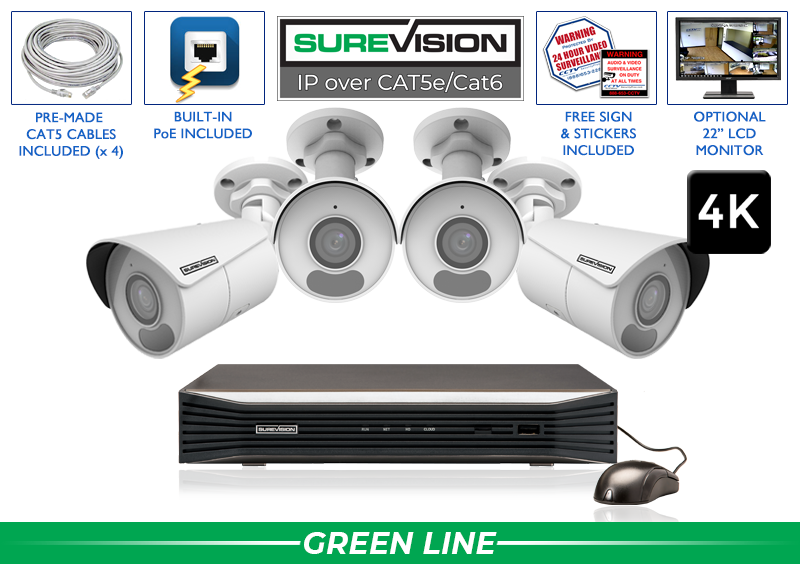
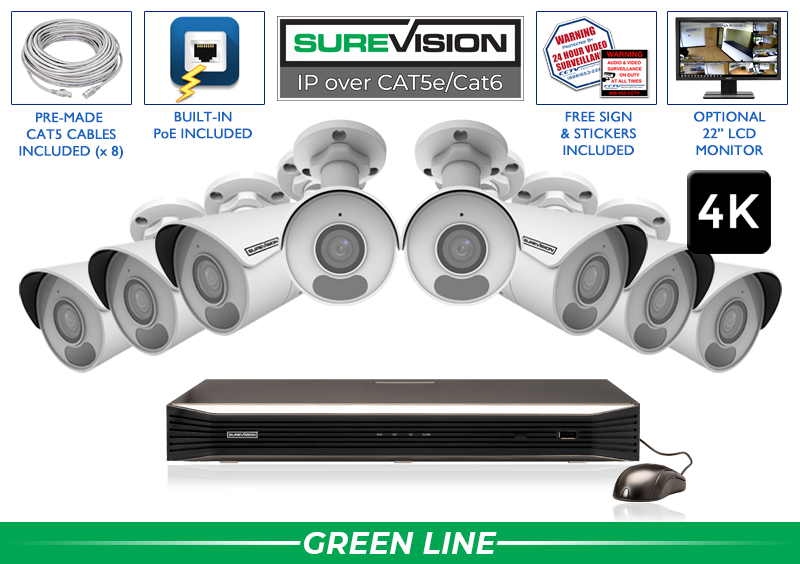
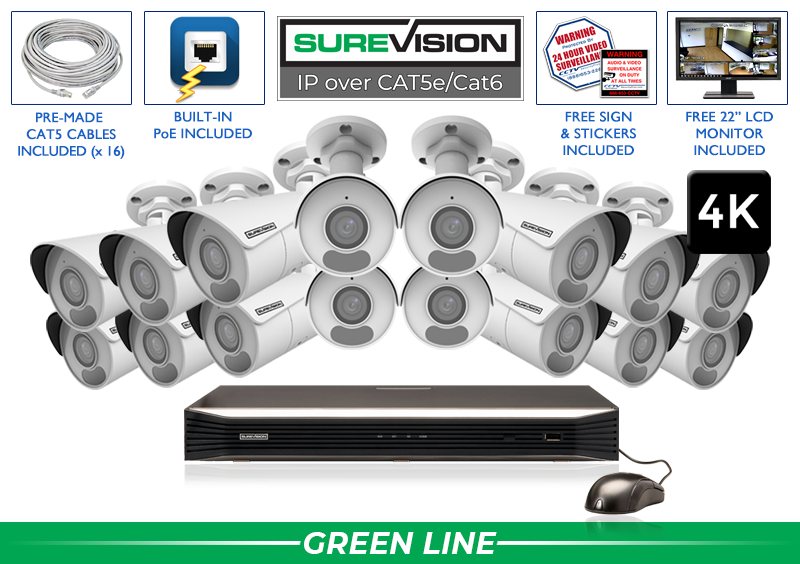
These SureVision systems provide professional 4K PoE cameras, a compatible NVR and local storage. All included cameras are suitable for indoor or outdoor installation. Start with the camera count closest to your needs, then customize camera styles and hard-drive capacity for your home.
Sale pricing: Enter coupon code UPGRADE25 at checkout for the displayed after-coupon price. Promotions, prices and included upgrades can change; confirm current details on each product page.
Where Should Home Security Cameras Be Installed?
Begin with every route a person or vehicle can use to approach the home. Cameras should observe people before they reach a door or pass directly beneath the lens. Prioritize identification at entrances and use wider views for general awareness around the property. Every camera should have a specific job.
Home Area
What the Camera Should Capture
Planning Tip
Front door
Faces, packages and direction of travel
Frame the approach instead of aiming only at the doorstep.
Driveway and garage
Vehicles, people and garage-door activity
Use a visible bullet camera or a tighter lens for longer driveways.
Side gates and paths
Less-visible approaches and fence access
Account for narrow views, nearby walls and nighttime infrared reflection.
Backyard and patio
Doors, activity zones and detached structures
Use an overview camera plus a closer entrance view when needed.
Interior entry routes
Hallways, foyers and movement through the home
Respect household privacy and avoid unnecessarily private spaces.
Home camera placement principle: Use a wide camera to show what happened and a tighter camera where you need to identify a person, vehicle or package. One extremely wide view rarely provides detailed identification across the entire image.
How Many Home Security Cameras Do You Need?
The correct camera count follows the number of important views, not square footage alone. Walk around the property and list every entrance, side passage, driveway, garage, backyard zone and interior route that should be recorded. Then decide whether each area requires an overview, facial detail, vehicle detail or both.
2 CamerasA focused starting point for a front entrance and driveway, small home, condo or selected priority areas.
4 CamerasCommon coverage for the front door, driveway, back door and side gate or backyard.
8 CamerasWell suited to larger homes with multiple exterior zones, garages, yards and selected interior views.
16 CamerasFor estates, multi-building homes, long driveways and properties requiring comprehensive indoor/outdoor coverage.
Choosing Home Camera Styles
A customized home surveillance system can combine different cameras on one compatible recorder. Select each model according to its location and purpose rather than using identical cameras everywhere.
Bullet Cameras
Visible and directional for driveways, garages, side yards, gates and longer exterior views. Bullet cameras make the protected direction easy to recognize.
Use available color detail, spotlights, warning lights or two-way audio at entrances, driveways and other locations where response during an event matters.
PTZ cameras can monitor large yards or estates, while motorized-lens cameras provide tighter views. Pair moving cameras with fixed cameras that always record critical locations.
Wi-Fi cameras are convenient in locations where running data cable is impractical, but wireless does not always mean wire-free. Many Wi-Fi cameras still require a nearby power source, and their performance depends on signal strength, interference, network congestion, walls and distance from the router. Battery cameras may also use sleep or event-triggered behavior to preserve power.
PoE cameras receive continuous power and send video through one Ethernet cable. For a multi-camera home system designed to record around the clock, this wired connection is generally more stable and easier to manage centrally through an NVR. Homeowners who already have usable coaxial camera wiring can consider an HD-over-coax camera system as another dependable wired option.
4K Video, Night Vision and Useful Image Detail
4K home security cameras provide more recorded pixels than 1080p cameras, which can help when reviewing entrances, vehicles, packages and larger scenes. Resolution alone does not guarantee identification. Lens selection, target distance, camera height, lighting, compression and field of view all affect the final result.
Infrared cameras record monochrome video in very dark conditions. Color-night cameras use available lighting or an integrated white light to preserve color information. Test each exterior view after sunset because reflective walls, gutters, soffits, signs, vegetation and spider webs can reduce night clarity. A shorter, properly framed view may provide better evidence than a high-resolution camera covering too much area.
For entrances with bright daylight behind a person, wide dynamic range can help preserve detail across light and dark areas. For long driveways, a motorized lens can provide a tighter viewing angle. If readable plates are required, use a dedicated license-plate camera and design the view around lane width, distance, angle, speed and lighting.
NVR Storage and Recording Options
The network video recorder is the center of a PoE home security camera system. It powers compatible cameras, stores video, manages recording schedules and provides search, playback and export tools. Choose enough channels for the cameras you need now and likely additions. CCTV Security Pros provides a free upgrade to an 8-channel NVR on qualifying four-camera systems and a free upgrade to a 16-channel NVR on qualifying eight-camera systems.
Storage retention depends on camera count, resolution, bitrate, compression, frame rate, recording schedule and scene activity. Continuous recording creates the most complete timeline, while motion or AI-event recording can extend retention. Many homeowners use continuous recording at doors and driveways and event recording in lower-activity areas.
Place the NVR in a secure, ventilated and climate-controlled area with reliable power and network access. Avoid obvious public locations where the recorder could be disconnected or removed. Browse SureVision NVR recorders and storage options.
Smart Motion Alerts and Remote Viewing
Traditional motion detection may react to rain, moving trees, shadows, insects and headlights. Compatible human and vehicle detection helps filter events and makes recorded video easier to search. Other available features may include intrusion zones, line crossing, active deterrence, audio, two-way talk and mobile notifications.
Smart detection works best when a subject is large enough in the image and the camera angle and lighting are appropriate. Exclude busy roads, trees and neighboring property from detection zones where possible. Remote viewing can provide live video and playback from compatible phones, tablets or computers, but user access should be protected with strong passwords and limited to the people who need it.
Home Security Camera Installation Checklist
Map the home: Mark doors, driveway, garage, gates, backyard, detached structures and selected interior routes.
Define every view: Decide whether each camera needs overview, facial identification, vehicle detail or package coverage.
Select cameras and lenses: Match bullet, turret, dome, motorized, color-night or PTZ cameras to their locations.
Choose NVR capacity: Leave unused channels for reasonable expansion.
Calculate storage: Base the hard drive on required retention and recording settings.
Plan cable routes: Confirm distance, access, exterior weather protection and mounting surfaces.
Test day and night: Check detail, glare, infrared reflection, alerts, playback and remote viewing.
Protect privacy: Limit camera views and user access to legitimate household security needs.
Why Homeowners Choose CCTV Security Pros
CCTV Security Pros has helped more than 75,000 customers since 2008. Our home surveillance systems can be customized instead of limiting every location to the same camera. Use visible bullet cameras along a driveway, compact turret cameras near entrances, vandal-resistant domes in reachable areas and specialty cameras where distance or lighting requires them.
Professional systems provide local recording, compatible remote viewing and no required monthly cloud-storage subscription. Equipment is backed by a three-year warranty and lifetime U.S.-based support. Our team can help you compare camera counts, lens options, NVR channels and storage before ordering and can assist with system setup afterward.
The result is a home security camera system designed around your property, not a generic kit. Better planning produces more useful views, easier operation and a clearer path for future expansion.
Privacy and Network Security for Home Cameras
A home surveillance system should protect the household without creating unnecessary privacy risks. Aim cameras at your own entrances, driveway, yard and other legitimate security areas. Avoid recording a neighbor’s windows or private spaces, and think carefully before placing cameras in bedrooms, bathrooms or other sensitive interior locations. If a camera records audio, review the consent and recording laws that apply in your state or community. Local requirements can vary, so homeowners should confirm applicable rules before activating microphones or recording areas beyond their property.
Treat the NVR and remote-viewing account like other important connected equipment. Replace default credentials, use a long unique password, limit administrator access and install compatible firmware updates after reviewing the release information. Give each household member only the access needed, remove old users promptly and do not share one administrator login broadly. Place the recorder where visitors cannot easily reach it, keep it ventilated and consider backup power for short electrical interruptions.
Remote viewing should be configured through the supported application and documented setup process. Homeowners with advanced networking needs may place surveillance equipment on a separate network segment and restrict unnecessary access through their router or firewall. These steps do not replace good physical placement, but together they help keep home security cameras dependable, private and available when recorded evidence is needed.
Answers from Home Surveillance Specialists
Home Security Camera System FAQs
What is the best security camera system for a home?
The best system fits your entrances, exterior areas, interior priorities, lighting, retention and expansion plans. A wired PoE system with local NVR recording is a dependable choice for continuous multi-camera surveillance.
Do home security cameras require monthly fees?
No required monthly subscription is needed for standard local recording and compatible remote viewing. Optional monitoring, third-party services or internet access may have separate charges.
Will home cameras record without internet?
Yes. Compatible wired cameras can continue recording locally to the NVR. Internet service is needed for off-site viewing, remote playback and mobile notifications.
Are four home security cameras enough?
Four cameras can cover common priorities such as the front entrance, driveway, back door and side gate. Larger homes or properties with detached buildings may require eight or more cameras.
Can I mix indoor and outdoor cameras?
Yes. SureVision cameras are designed for indoor or outdoor installation, and compatible bullet, turret, dome, PTZ, audio and specialty models can share one SureVision NVR.
How long is home surveillance video stored?
Retention depends on hard-drive size, camera count, resolution, bitrate, compression, frame rate, recording schedule and activity. Choose storage from the number of days you want to keep footage.
Can I add more home cameras later?
Yes, if the NVR has open channels, enough bandwidth, compatible camera support and sufficient storage. Planning extra recorder capacity initially makes expansion easier.
Should home cameras record continuously or by motion?
Continuous recording creates a complete timeline, while motion or AI events can extend storage. Many homeowners combine continuous recording at critical entrances with event recording elsewhere.
Can I install a wired home camera system myself?
Many homeowners self-install PoE systems with careful planning and basic low-voltage cabling skills. Complex cable routes, elevated work or local requirements may make a qualified professional preferable.
Can I view my home cameras remotely?
Compatible systems support live viewing and recorded playback from supported phones, tablets and computers. Remote access requires suitable internet service and proper configuration.
Explore More Home Surveillance Equipment
Get a Home Security Camera System Designed for Your Property
Tell us about your entrances, driveway, outdoor areas, interior priorities and storage goals. Our U.S.-based team can help select the cameras, NVR capacity and accessories for your home.