



































































































CCTV Security Pros
CCTV Security Pros
"LEVERAGING TODAY'S TECHNOLOGY"


MAJOR SYSTEM INSTALLATION COMPONENTS
Installers agree that if you can run a cable from the back of a Digital Video Recorder to each Security Camera, then you can do it yourself and save thousands! Connecting and installing a security camera system is simple and easy. This section will focus on the main installation of each component in your security camera system.
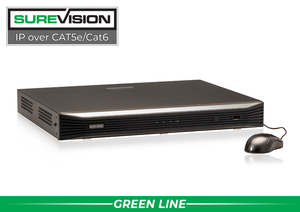
The Digital Video Recorder (DVR) is what records the video cameras. It is often referred to as the “backbone” of a quality digital surveillance system. The DVR is the piece of equipment that records your cameras and also transmits the recording over the Internet via the built-in Web Server. A quality DVR is perhaps the most vital system component. The resolution of the DVR will make new cameras look excellent and older cameras improve recording! Yes, a good DVR can enhance your older existing camera’s resolution.
We offer one of the BEST DVR Units on the market today. Each CCTV Security DVR is quality tested and assembled in the USA. Do not be fooled by inexpensive models marketed as “Professional”. Many feature an inferior quality to ours in terms of reliability, durability, and overall video quality. Without quality playback video, a security camera system is useless.
We take pride in our CCTVSecurityPros exclusive “PRO SERIES”, “EXTREME SERIES” and “ENTERPRISE SERIES” Digital Video Recorders and Security Camera Systems. These series are all compatible with the same software, ease of use, and visual clarity. In addition, they come with an UNPRECEDENTED 3-Year Manufacturer Warranty. They all offer HDMI, High Definition Multimediathat means that you can connect the DVR to any High Definition Television.
The Surveillance Video is stored on the Digital Video Recorder’s Hard Drive. H.264 Compression Technology is the new industry standard that stores 3 timesmore video than the older MPEG and JPEG Compression DVRs. H.264 CCTV DVRs will enable higher video quality both live and when viewing over the Internet. All of our DVRs have remote Internet viewing from any high-speed Internet connection in the world as well as mobile phone viewing from an iPhone, or any phone with the 3G Network, Symbian, and Windows Mobile. Simply hardwire the DVR to your modem or router using an Ethernet cable � exactly like you are plugging in a desktop PC.
Remote Internet and Cell Phone Viewing are FREE. There are NO monthly fees. Simply enter your Dynamic IP address (a free unique IP web address) to access your cctv cameras. Type in your user name and password, and you can view, review, and administer your DVR and your cameras from anywhere in the world. Multiple users can view the cameras remotely at the same time from various locations.
Our Digital Video Recorders have the ability to record your cameras 24/7, on Motion, or on a Schedule. Sophisticated motion detection with object masking is used often, making it easier and more efficient for our customers to review the most important events on each camera. A popular feature that our customers use is called Email Alert. Upon Motion, an Email can be sent to you with a Digital Snapshot, informing you with a visual picture. Our Digital Video Recorders have the ability to record your cameras 24/7, on Motion, or on a Schedule. Sophisticated motion detection with object masking is used often, making it easier and more efficient for our customers to review the most important events on each camera. A popular feature that our customers use is called Email Alert. Upon Motion, an Email can be sent to you with a Digital Snapshot, informing you with a visual picture.
In addition, when you set up your DVR to record on motion, it prolongs the storage of the video on the hard drive. You can imagine how much storage capacity you will have when you utilize the motion detection feature. The ONLY time it will record is when there is motion on that particular security camera.
All of your video channels can be independently identified- such as Camera #1 Lobby, #2 Office, #3 Hallway - choose any name you want. Video is time and date stamped and video is digitally watermarked to prevent video and/or evidence tampering.
When purchasing a DVR, be sure you choose one with H.264 Compression (all of our DVR's use this new technology). Also, it is important to have a good amount of video storage (ex. 500 gigabyte Hard Drive, 1 Terabyte Hard Drive, or even more). Generally speaking, the longer video storage, the better. With our H.264 Compression Digital Video Recorders, you will notice large hard drives are included for plenty of storage time. H.264 Compression will provide you with 3 times more video storage than ever before. And don't worry, when the hard drive is full with surveillance video, the DVR will automatically loop around and start from the beginning � in other words, it records over the oldest archived video first.
When it comes to saving, downloading, and burning video evidence, there are manyways to do it. All of our DVRs have a USB port to burn video to a USB flash drive or memory stick. Some of our DVRs include a built-in DVD R/W (Burner). In addition, you can email video directly as an AVI file. All of our DVRs are networkable with your Windows-based PCs and Macintosh. You can view your camera over an Internet or Cell Phone connection including PC, Macintosh, iPhone, Blackberry, Android, and More!
Be sure to put your DVR is in a safe place, locked area or lock box as you do not want the DVR to be stolen. Remember, because this stores your video, it is imperative to find a very safe place. Some of our customers put it in a lock box, a secured office or closet, or even in attics.
Use our Pre-cut cable available in 50 feet, 100 feet, or 150 feet. If going longer than 150 feet, use our spools of 500 or 1000 foot Combination (RG-59 Siamese Coax) Video / Power Cable-in-one. Basically, all CCTV Security Cameras need both power and video so we use 2 in 1 Cable. Run one cable from the DVR to each camera. You can run each camera a distance up to800 feet without any video loss. Simply connect the video side of the cable to the back of the DVR (labeled BNC), and plug the power into the power supply or a power supply box. View diagrams on our Tech Support tab for your review.
If you purchase our Pre-made Power Video RG-59 cable with the BNC connections already attached, then you would connect it to the DVR. If you purchased a bulk roll of RG59 Siamese Coax Cable, we will automatically supply the BNC twist-on connections free of charge. You may use BNC twist-on (most commonly used), or crimp-on connections to make your own “ends”. We also have directions on how to attach the connections in our Tech Support Tab.
Note that there are two options to supply power to your cameras :
01. You may simply plug in an AC Adapter to the “power” side of the camera and plug it in to an outlet or power strip behind your DVR.
02. When using multiple cameras, you will receive a multiple output central power supply box (shown next). Simply screw in the positive and negative 18/2 thin power wire (black and red) into the power supply one camera at a time. It makes the installation very clean as the camera powers all “feeds” into one multiple output. Then, the multiple output power supply simply plugs directly into the wall.
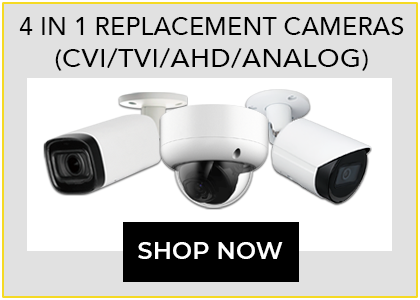
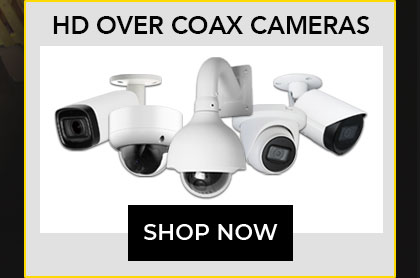
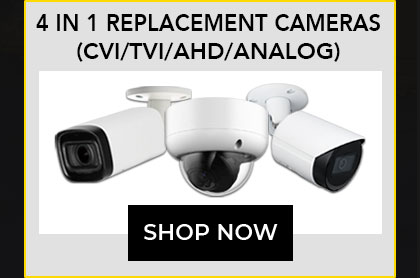
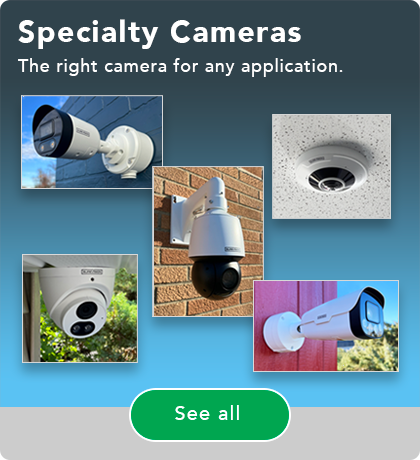
We offer a wide variety of Security Cameras including Infrared, Dome, Pro Box Cameras, PTZ Cameras, Hidden Cameras, IP Cameras and More! You may use any of these cameras in all of our systems.
First, there are two types of lenses available for cameras. Choosing the correct lens will assist you receive the proper angle and zoom for your application.
Fixed Security Cameras :
In general, our customers’ require a wide-angle security camera for most of their camera locations. A wide-angle view is perfect for covering large areas, such as the front of your home or business and/or an entire room or lobby area. Wide Angle Cameras usually come with what is called a fixed 3.6mm Wide Angle Lens. We use Wide Angle cameras in more than 90 percent of our applications. They see both far and wide, like the human eye. Obviously, the closer the image, the better the recognition.
Vari-focal Security Cameras :
The second type of lens is called vari-focal. A vari-focal lens is ideal should you need to focus on a specific area such as a mailbox, a car parked a distance away, a long hallway or aisle in a store. Choose the vari-focal camera for any or all of these applications. A vari-focal camera allows the installer to adjust the angle and zoom when installing, starting from a wide angle, and then making it narrower, until you receive the ideal width, angle, and zoom for your application.
All of our CCTV Security Cameras are Sony Super HAD High Resolution Cameras. Sony CCD Devices are known to have one of the best video quality including excellent digital noise reduction and sensitivity. In choosing your cameras to accompany your system, remember AESTHETICS do matter. In other words, if inside your location (home/office) you prefer a dome over a bullet camera, we are happy to accommodate you.
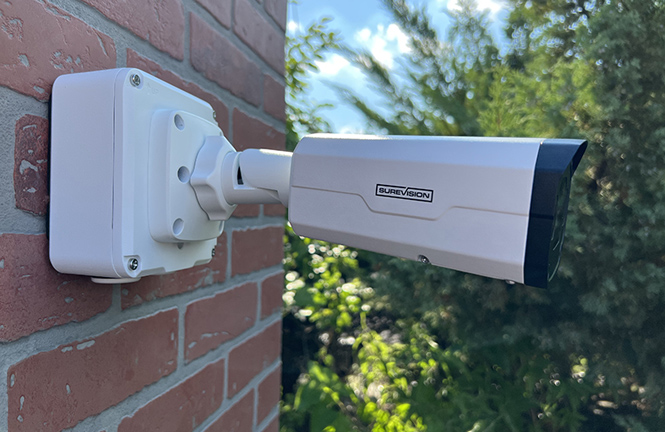
Infrared (IR) Security Cameras are definitely our most popular type of camera for both business and home. Infrared Cameras produce high resolution color video during the day. In low lux (light) or no light, low light, and poor lighting conditions, infrared cameras are the preferred type. Vari-focal Security Cameras are available in both Bullet Camera and Dome Camera Types. Bullet and Dome Infrared Cameras are able to illuminate the area by automatically switching from color to black and white, as black and white is preferred for low light. The infrared illuminators automatically turn on and allow you to see much clearer than the human eye in both low light and no light. Whether being used indoor or outdoor, they provide a huge advantage these situations. Outdoor Infrared and Dome cameras offer a cost-effective solution as they can be weatherproof and withstand hot and cold temperatures without any additional camera housing required. Indoor infrared cameras offer a clear video image in the light and in the dark. Remember, two different styles of infrared cameras are available � Infrared Bullet and Infrared Domes. Choose the one that meets your needs.
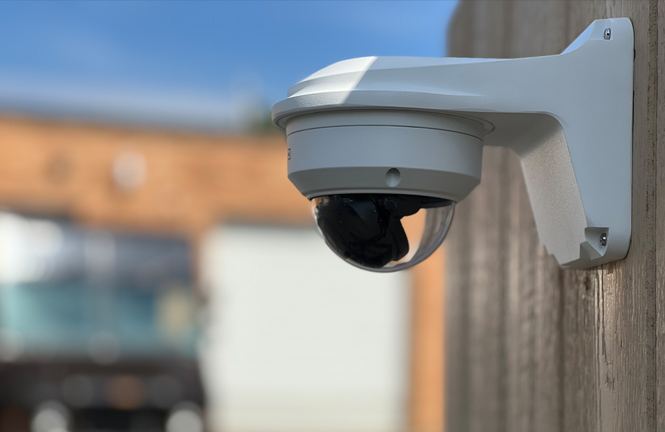
Dome Cameras and Infrared Dome Cameras are one of the most popular indoor cameras that we recommend in many businesses and homes. The different styles of domes include infrared, indoor, outdoor, vandal-proof, and Pan Tilt Zoom controllable domes. Some of our customers like the way domes look aesthetically in their business and home. Classic smoked dome cameras offer an additional degree of surveillance as friends, customers, employees, and burglars have a difficult time seeing where the lens is pointing. The smoked cover does not affect picture quality. Expect a clear color high resolution picture with the dome camera. Most Pan Tilt Zoom Cameras are in a dome-type housing as well.
Professional “Box type” Security Cameras are used both indoor and outdoor with camera housing. Pro box cameras are known for their high video quality. Many times you will see Pro Box Cameras in banks, supermarkets, convenience stores, etc. Lenses can be changed on the Pro Box Cameras based on the viewing angle and zoom that is required. Some Pro Box Cameras are called Day/Night Cameras as they can switch from color during the day, to black and white in the evening or in low lux (light) conditions. The lower the lux, the better the camera can see in complete darkness. Infrared cameras are considered Night Vision cameras and have a 0 Lux rating. Some of our customers prefer a box camera if they do not need or want infrared, and are more concerned with quality daytime video. Most Pro Box Cameras do not come with infrared capability.
Pan Tilt Zoom Cameras are cameras that can be controlled through the DVR, the remote viewing software, and/or a joystick. They can go up, down, left, and right. They also have zoom capability. For example, you can capture a license plate or zoom in on a face from far away. You can also program them to do preset tours where you can have them monitor certain areas while you are away. Airports, casinos, large department stores such as Target or Walmart are examples of places that use Pan Tilt Zoom (PTZ) Cameras.
Pan Tilt Zoom cameras are more expensive, starting at $500. The question is, “Do you NEED a Pan Tilt Zoom camera”, or can you use fixed cameras to get the desired output? Pan Tilt Zoom controllable cameras require one additional cable for operation. A CAT5 Cable is needed in addition to the Power/Video RG-59 Siamese Coax Cable in order to control it live and over the internet. Simply run a CAT5 cable next to the RG-59 to control your Pan Tilt Zoom Camera. One Pan Tilt Zoom Camera can replace several cameras due to the fact that they can be controlled and rotated.
Hidden Security Cameras offer perhaps the highest degree of surveillance. If you do not want someone to know that there is a camera, use a hidden camera. Fake smoke detectors, motion detectors, clocks, sprinklers, EXIT signs are examples of the type of hidden cameras that are used. The main disadvantage is thathidden cameras do not have infrared capabilities which limit its performance in low light. In addition, many hidden cameras are not weatherproof, so they are not the first choice when used outdoors. Pharmacies, hotel hallways, assisted living facilities, and homes are examples of the applications when hidden cameras are used.
Wired vs. Wireless Cameras :
Wired cameras offer a larger selection of cameras and more importantly � much better video quality than wireless cameras.
Wireless cameras can somewhat be misleading as they need to be powered at the camera location. In addition, they require a line of sight withoutobstacles which may often pose an issue.
Reliability, selection, and video quality are the main reasons that you should use WIRED Cameras. Wired Cameras are powered back at the DVR location and only a single cable (RG-59 Siamese Coax Power/Video in One) needs to be run from the DVR to each individual camera. You can run cameras up to 800 feet away with this particular cable. If going over 800 feet you will need to use CAT5 cable with video balunsand/or an amplifier. Expect a much longer lifespan and much higher quality viewing/recording with wired cameras. Plus, obstacles are not an issue with wired cameras. With that in mind, occasionally you may have a location or two that absolutely needs it. In that case, you can plug the transmitter into the back of the DVR.

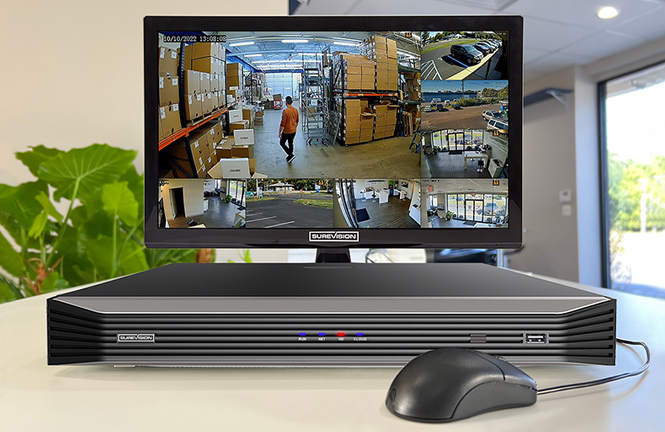
Consider how many monitors that you need. You may use up to 3 monitors directly attached to a DVR. One can be a TV or standard RCA monitor (BNC and RCA are compatible with our connections). All of our DVRs have VGA capability, meaning that you can use a PC LCD monitor if you wish - we even carry VGA extension cords. You may also use a high definition LCD TV as our DVRs have HDMI (High Definition Multimedia). In addition, any desktops of laptops on your local network will be able to view your security cameras. As you can see, many surveillance workstations are possible.
Choose to view your cameras all at one time, but only allow employees and customers to see certain cameras while making others private. You do not have to attach a monitor to a DVR. It will still record and you can view remotely, and on your local computer network.
If you choose to view your cameras on the Internet,only high speed internet access at the DVR's location - hard wired � is required. Simply plug in the DVR like you plug in a PC to the modem or router. You will use a dynamic IP address (which is free) to view your cameras remotely.
Type in your own web address (the Remote Viewing Setup Guide will show how). Enter in your user ID and Password, and start viewing your cameras from anywhere in the world. You can view live cameras, review old video, and do most, if not all the tasks that you can perform directly with the DVR.
Visit our TECH SUPPORT Tab that includes basic information for installation. There you will find diagrams, videos, and answers to some of the most common set up questions in order to install your system by yourself. This information is specifically designed to support our product line and will help make the installation simple and easy for you.


Next, check out our Remote Viewing Instruction Guide for directions on how to set up and view security cameras over your network, Internet, and Cell Phone Devices. Feel free to call us toll-free at (888) 653-2288 with any technical questions you have.
The most important part of choosing a CCTV Security Camera System is selecting a company that offers quality equipment a solid Warranty and Technical Support. In addition, you must have manufacturers with quality, dependable products and quality control. That is really what separates one company from the next. When you work with CCTVSecurityPros.comon your installation, feel confident that you will have a high quality system that will last many years
With a little bit of work, you can take advantage of the technology of today and have it work for you in terms of your business and home security for tomorrow.
Call our Professional Representatives at (888) 653-2288 for any questions, tech support, or advice.
Best of luck with your CCTVSecurityPros Security Camera System.