
Security Camera Reviews Guide (2026) | IP & CCTV Systems
Posted by Gregory Derouanna, MBA on Apr 25, 2026

Why Security Camera Reviews Matter
A specification sheet tells you what a security camera is designed to do. Customer reviews add another layer: whether the equipment arrived as expected, how straightforward the setup felt, whether the recorded image was useful, how remote access worked and what happened when the buyer needed help. Reviews are especially valuable for surveillance equipment because the purchase includes more than cameras. A complete security camera system may involve an NVR or DVR, storage, cabling, mobile software, mounting accessories, networking and long-term support.
The strongest security camera reviews describe the property and the result. A homeowner discussing a front-door camera has different needs from a warehouse manager reviewing a 32-camera system. A restaurant owner may value clear cash-handling views and simple incident export. A church or school may care about wide coverage, multiple authorized users and patient setup assistance. Context helps you determine whether a reviewer’s experience applies to your property.
Reviews are also useful for identifying ownership costs that do not appear in an advertised starting price. Does remote viewing require a subscription? Is local storage included? Can storage be expanded? Does the system use proprietary cameras, or can compatible models be added? Will the seller help confirm compatibility before shipping? A low-cost camera can become expensive if essential features require recurring payments or the entire system must be replaced to add coverage.
CCTV Security Pros’ security camera reviews page displays a 4.8-star Google Store rating and hundreds of customer reviews. Common themes include product quality, fast shipping, knowledgeable assistance, dependable wired equipment and support before and after the sale. One concise review summarizes the combination buyers often seek: “Service, support, product, knowledge and over the top helpfulness.”
What Real Customer Feedback Can—and Cannot—Tell You
A review can tell you whether one customer was satisfied with a particular purchase and interaction. It cannot guarantee that the same equipment is right for every property. Camera performance depends on scene width, distance, lighting, mounting angle, network design, recorder settings and the level of evidence needed. A five-star review of a wide-angle porch camera does not prove that the same model will identify a vehicle across a large parking lot.
Use reviews to evaluate patterns rather than isolated praise or complaints. If many buyers mention clear video, reliable recording or helpful technical support, that repeated theme carries more weight. If a negative review describes a missing feature, verify whether the product was expected to include that feature. A camera with a built-in microphone is not necessarily a two-way-audio camera; an outdoor enclosure rating does not mean exposed connectors can be left unprotected; and “4K” does not guarantee identification at every distance.
The most responsible buying process combines three sources: verified customer experience, official product specifications and advice based on your actual property. Reviews narrow your choices. Specifications confirm capability. A system design determines whether the selected camera, recorder, storage and cabling will work together.
What to Look for in Security Camera System Reviews
A useful review goes beyond “great camera.” Look for comments that reveal the entire ownership experience. The following areas matter most when comparing professional security cameras and systems.
Also pay attention to the product generation and date of the review. Apps, firmware and camera models change. An old complaint about discontinued software may not apply to a current SureVision system, while praise for a legacy product does not automatically describe a new model. Confirm current capabilities on the linked product page before ordering.
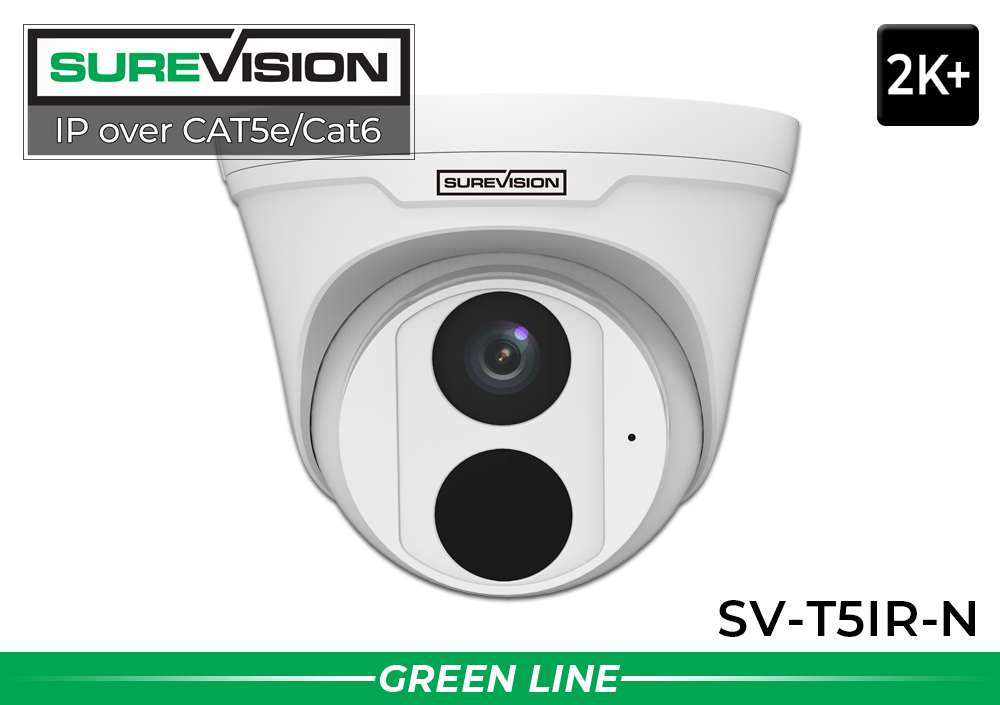
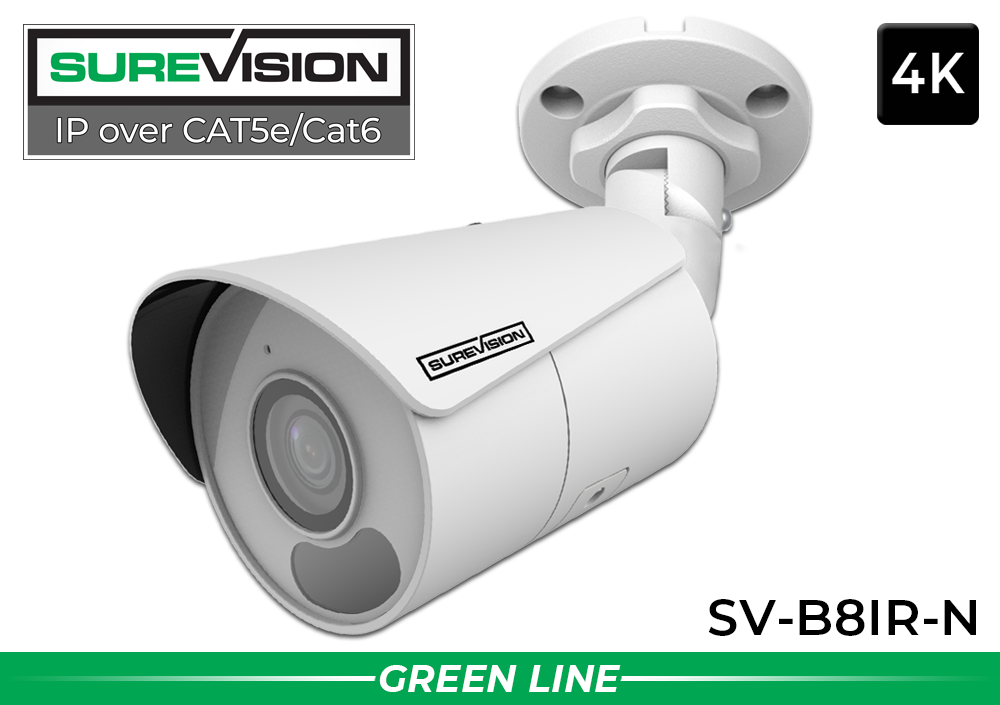
Start with Two Best-Selling Indoor/Outdoor SureVision Cameras
Professional PoE cameras for home, business and exterior surveillance with local NVR recording and no required monthly fees.
What Outdoor Security Camera Reviews Should Discuss
Outdoor security cameras face conditions that are easy to overlook in a showroom image. Rain, dust, temperature changes, glare, deep shadows, headlights, insects and moving vegetation all affect the result. A useful outdoor security camera review should identify the mounting location, approximate distance, lighting and whether the camera was used for overview coverage or closer identification.
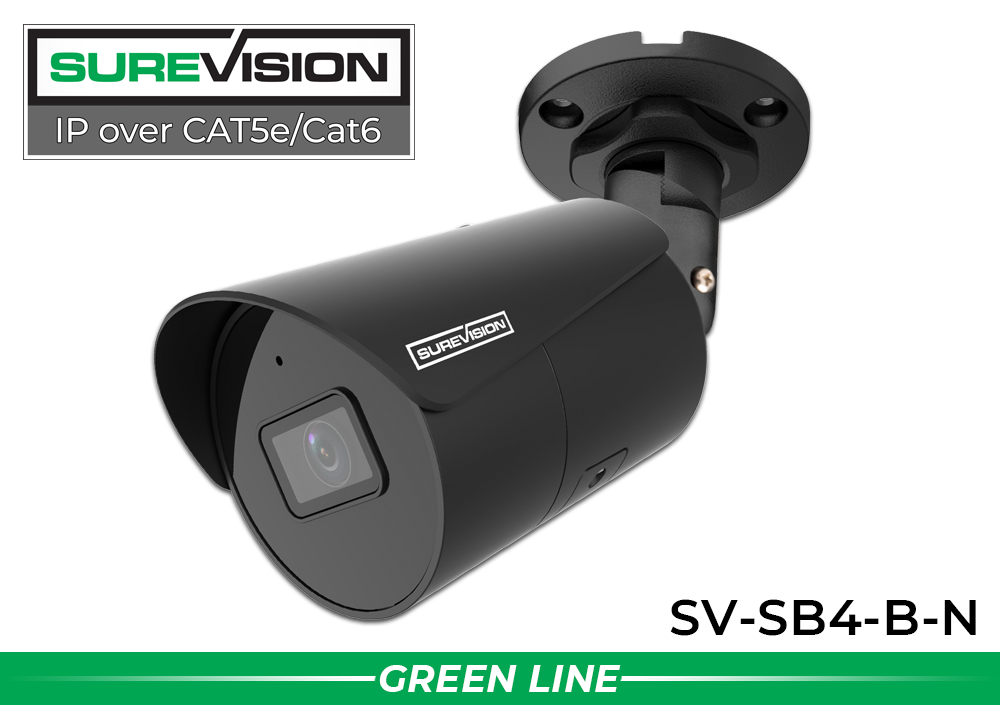
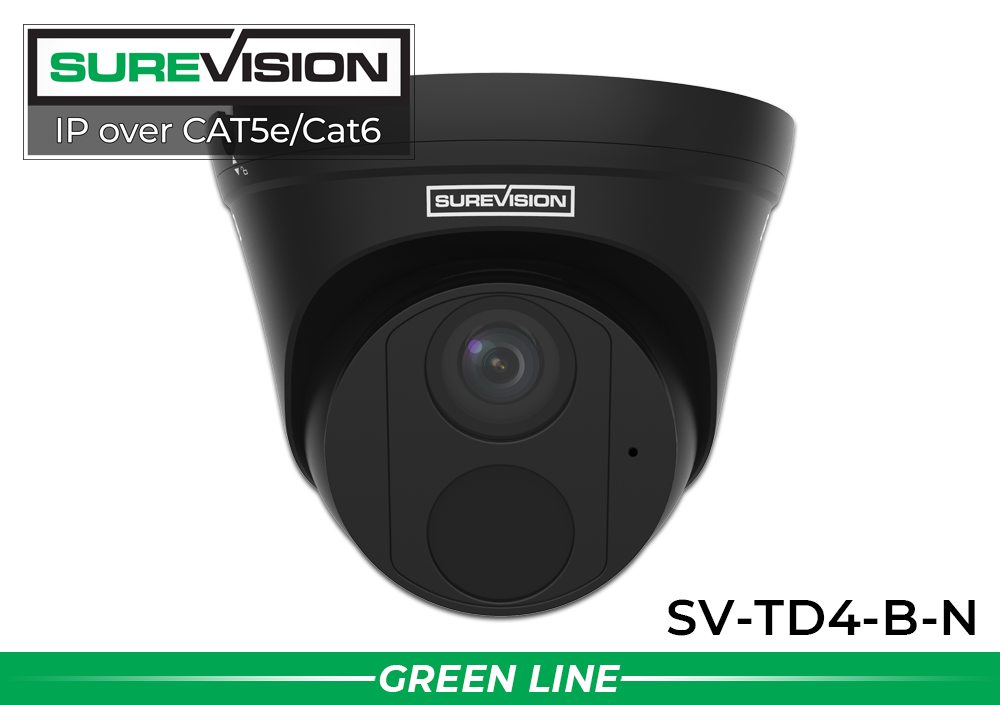
All professional SureVision cameras featured in this guide are designed as indoor/outdoor models. That makes it possible to use one compatible camera platform across building exteriors, entrances, garages, warehouses and interior areas. Even so, the right model varies by scene. A wide turret may work well under a storefront canopy; a visible bullet can watch a driveway or fence line; a vandal-resistant dome may suit exposed public areas; and a PTZ camera can supplement fixed coverage across a large property.
Look for IP66 or IP67 ratings and follow the camera’s specific environmental limits. Weather-rated does not mean that exposed connectors can be left in standing water or that a camera should be installed underwater. Outdoor connections should be protected according to the instructions, wall penetrations sealed correctly and cable routes selected for the environment. A drip loop and a compatible junction box can help protect the connection, while good placement keeps gutters, walls and foliage from reflecting infrared light into the lens.
Nighttime review comments deserve careful interpretation. A camera may produce a bright image of a static yard but still blur a moving person. Published infrared distance describes illumination capability, not guaranteed facial identification. Color night vision can preserve clothing and vehicle color when sufficient ambient or supplemental light is available. Test the installed view in the actual conditions that matter, including rain, porch lights, vehicle headlights and complete darkness.
For a property-wide plan, compare outdoor security camera systems. The best design uses focused cameras at doors, gates and other critical points plus wider cameras that preserve context as people and vehicles move across the property.
PoE Camera Reviews: Why Wired Reliability Gets Attention
A PoE camera is an IP camera that receives power and network data through one Ethernet cable. This creates a cleaner permanent installation than running separate power and data to every camera. A compatible PoE NVR can centralize camera connections and recording, making the system easier to organize and protect with backup power.
PoE security camera reviews frequently praise straightforward camera activation, but buyers should distinguish electronic setup from physical installation. Running cable through finished walls, attics, warehouses, exterior conduit or multiple buildings can require planning and professional help. The cable must be correct for the environment, kept within supported distances and protected from moisture, surge exposure and physical damage.
Wireless cameras can serve specialty locations, but Wi-Fi performance depends on signal strength, interference, building materials, network congestion and power availability. Battery cameras may conserve energy by sleeping between events. For continuous home and business surveillance, wired PoE cameras provide a stable foundation that does not depend on recharging batteries or maintaining strong Wi-Fi at every mounting point.
Read the PoE security camera installation guide before deciding whether a project is suitable for DIY installation. When reviews describe a system as plug-and-play, that generally refers to compatible camera and recorder setup after the cabling is installed correctly.
Compare Outdoor Cameras with Color Night-Vision Options
The same professional platform can support different camera bodies and exterior mounting needs.
IP Camera Reviews vs CCTV Camera Reviews
IP and HD-over-coax cameras can both provide professional wired surveillance, but they use different infrastructure. Reviews are easier to interpret when you understand the system behind the camera.
IP Security Camera Reviews
IP cameras send digital video over a network and pair with an NVR. PoE models receive power and data through one Ethernet cable. Buyers often focus on high resolution, smart human and vehicle detection, flexible camera choices, app access and scalable NVR recording.
For most new professional installations, SureVision IP security cameras provide the stronger path for advanced features and future expansion.
Shop IP Camera SystemsCCTV Camera Reviews
Modern HD-over-coax cameras send high-definition video over coaxial cable and pair with a compatible DVR. Buyers often choose CCTV equipment when a property already has serviceable coax cable and replacing every run with Ethernet would add unnecessary labor.
A professional HD CCTV camera can provide an effective upgrade while preserving existing infrastructure. Confirm camera format, resolution and DVR compatibility before ordering.
Shop HD-Over-Coax SystemsDo not interpret “IP is newer” as “coax is always wrong.” The correct choice depends on existing cable, required features, expansion plans and project budget. IP camera reviews are most relevant to new PoE installations. CCTV camera reviews are especially relevant to DVR upgrades that reuse proven coax runs.
How to Evaluate Resolution and Night-Vision Reviews
Resolution labels such as 1080p, 4MP, 5MP and 4K describe the image dimensions, but the useful result also depends on lens width and distance. A 4K camera aimed across a very large lot may show less identifying detail than a lower-resolution camera positioned closer to a controlled entrance. Wide lenses cover more area but spread available detail across that wider scene. Narrower or adjustable lenses concentrate detail in a smaller target zone.
When a reviewer says the picture is “crystal clear,” ask what the camera was viewing. Was the subject ten feet from a front door or one hundred feet across a yard? Was the image viewed live, or was recorded footage enlarged during playback? Did the scene contain strong backlight or moving vehicles? Reviews with these details are more useful than a generic statement about clarity.
Night vision introduces additional variables. Infrared cameras generally create monochrome images in darkness. Color-at-night models use available light and image processing, while some cameras add visible lighting. A bright stationary image can still lose faces or plate detail when subjects move. Nearby walls, soffits, spiderwebs, rain and dirty lenses can reflect infrared illumination and create haze or white glare.
Use reviews to learn how a model performs in comparable conditions, then verify the official field of view, illumination type and environmental rating. For scenes where color detail is important, compare 4K security cameras and full-color night models. For license plates, use a dedicated license plate recognition camera rather than assuming an overview camera will overcome distance, speed, angle and headlights.
Smart Motion Detection Reviews: Look Beyond the Word “AI”
Basic motion detection reacts to changes in the image. Outdoors, those changes can come from branches, shadows, rain, insects, headlights and other ordinary activity. Supported smart features can classify people and vehicles or apply rules such as line crossing and intrusion zones. This can reduce irrelevant notifications and make recorded events easier to find.
A useful smart-camera review should describe the configuration. Detection region, sensitivity, minimum target size, schedule and camera angle all affect results. A camera facing a public sidewalk may generate constant person events unless the sidewalk is excluded. A driveway camera may need vehicle and person detection but not motion from a nearby road. Smart classification is a tool, not a guarantee that every event will be labeled perfectly.
The strongest workflow combines useful alerts with dependable local recording. Notifications help you locate activity, while the NVR timeline preserves the context before and after the event. Learn more about security cameras with smart motion detection.
Review Specialty Features Against the Job They Must Perform
Full-color 4K and optical-zoom PTZ cameras serve different surveillance goals.


Pricing note: Prices and promotions can change. The coupon price shown requires code UPGRADE25 at checkout while the promotion is active. Confirm the current price, availability and specifications on each linked product page.
NVR Security Camera System Reviews and Local Recording
Camera reviews often concentrate on image quality, but the recorder determines how footage is stored, searched and managed. A network video recorder receives compatible IP camera streams, records them to surveillance hard drives and gives authorized users a central interface for live view, playback, event search and export.
When reading NVR reviews, look for comments about channel capacity, camera compatibility, playback speed, remote access, user permissions and storage expansion. A four-camera installation may benefit from an eight-channel NVR if the property could grow. Bandwidth and PoE port capacity also matter; the number printed on the front is not the only design limit.
Storage duration varies with camera count, resolution, bitrate, frame rate, compression, recording schedule and total drive capacity. Continuous recording consumes space steadily, while motion-based recording can extend retention in low-activity areas. Be cautious with reviews claiming a universal number of days because the same hard drive can produce very different retention in different systems.
Local NVR recording gives the owner direct control of footage and avoids a required cloud-storage subscription. Remote viewing still depends on internet access and secure configuration, but local recording can continue during an internet outage as long as the cameras, recorder and local network remain powered.
Protect the recorder in a ventilated, secure location. Use unique passwords, individual user accounts and current firmware. Periodically test playback and export so the system is ready before an incident. Compare SureVision NVR recorders or select a complete matched system with cameras, storage and recorder capacity planned together.
Why Technical Support Appears So Often in Security System Reviews
A security camera system combines physical installation, networking, video settings, storage and software. Even experienced buyers can need help choosing a lens, confirming recorder compatibility, sizing storage or configuring remote access. This is why customer reviews frequently discuss the people behind the product as much as the camera itself.
Pre-sale guidance helps prevent expensive mismatches. A specialist should ask about property type, camera count, distance, lighting, cable infrastructure, recording goals and future expansion. The most expensive camera is not automatically the best choice. A focused 4MP camera may outperform a wider 4K camera for a specific short view, while a specialty PTZ or license-plate camera may be justified at a large gate.
Post-sale support matters when the cameras are mounted and the buyer needs to verify recording, adjust notifications or add users. A seller that understands the product family can help identify whether a problem is caused by cabling, power, network settings, software or compatibility. Reviews that name the issue and explain how support responded provide more evidence than generic claims about service.
CCTV Security Pros has served business, government and home customers since 2008 and provides lifetime U.S.-based support with its equipment. The goal is not simply to ship a box, but to help the customer select and operate a system designed around the property.
Business Security Camera Reviews vs Home Camera Reviews
Homeowners usually evaluate entrances, driveway, garage, backyard and side access. They may prioritize simple playback, useful person or vehicle notifications, outdoor construction and remote phone viewing. A four- or eight-camera system can often cover the main approaches while leaving channels available for future expansion.
Business reviews should be read through a different lens. Commercial systems may need longer retention, more users, multiple buildings and footage that connects exterior events to interior activity. A retailer may need parking, entrances, sales floor, registers and receiving recorded on one timeline. Warehouses need docks, exterior yards, aisles, shipping points and employee doors. Schools, churches and multifamily properties can require parking, common areas and multiple controlled entrances.
A positive home-camera review does not automatically prove that the product is suitable for a large commercial deployment. Look for business reviews that discuss scalability, wired reliability, system uptime, user management and support. Compare business security camera systems and commercial security cameras chosen for professional recording rather than app-only monitoring.
Security cameras and audio features must be used in accordance with applicable privacy, workplace and recording laws. Avoid private areas and unnecessary views of neighboring property. If audio is enabled, verify consent and notice requirements. Reviews can describe convenience, but they do not replace legal or compliance advice for your jurisdiction.
Common Mistakes When Reading Security Camera Reviews
- Choosing by star rating alone. Read the details and confirm the reviewer used the product in a comparable setting.
- Focusing only on price. Include storage, subscriptions, accessories, replacement batteries, installation, warranty and future expansion.
- Confusing camera setup with cable installation. A plug-and-play PoE connection can still require significant work to route Ethernet properly.
- Assuming every feature applies to every model. Built-in audio, two-way audio, spotlight, siren, smart detection and optical zoom vary by camera.
- Ignoring recorder compatibility. A camera and NVR must support the required resolution, protocol, power and advanced features.
- Believing one camera can do every job. Wide overview, facial identification, plate capture and long-distance zoom usually require different views.
- Taking storage estimates as guarantees. Retention changes with recording settings, activity and total capacity.
- Overlooking support reviews. Help selecting and configuring a multi-camera system can prevent costly mistakes and downtime.
Finally, do not assume that a consumer doorbell or battery-camera review applies to a professional wired surveillance system. The equipment may solve different problems. Compare cameras within the same category and evaluate the complete recording workflow rather than an isolated feature.
A Better Way to Use Reviews Before You Buy
- Map the property. Mark entrances, gates, driveways, parking, loading areas, valuable assets and blind spots.
- Assign a purpose to every camera. Decide whether the view is for detection, observation, recognition or identification.
- Measure distance and scene width. These details guide resolution and lens selection.
- Check day and night conditions. Note direct sun, backlighting, complete darkness, existing lights and headlights.
- Choose the recording platform. Use PoE IP and NVR for most new installations or HD-over-coax and DVR when preserving coax is practical.
- Estimate storage and expansion. Select enough channels, bandwidth and hard-drive capacity for present and future needs.
- Read comparable reviews. Give more weight to customers protecting a similar property with similar equipment.
- Confirm the design with an expert. Verify camera, recorder, power, cabling and feature compatibility before ordering.
This method turns reviews into evidence instead of entertainment. It also prevents a common problem: buying an attractive package before determining whether its cameras can produce the views and retention the property requires.
Security Camera Reviews FAQs
What security camera reviews should I trust?
Prioritize verified reviews with details about the property, equipment, installation, recording, support and length of ownership. Compare recurring patterns rather than relying on one comment.
What should a security camera system review include?
It should discuss camera image quality, nighttime performance, recorder reliability, footage search, remote viewing, installation, compatibility, support and total cost.
Are all SureVision cameras outdoor cameras?
The professional SureVision cameras featured here are indoor/outdoor models. Always check the specific product’s enclosure rating, temperature range and installation instructions.
Are PoE cameras better than Wi-Fi cameras?
PoE cameras generally provide a more dependable permanent connection for professional recording. Wi-Fi cameras can help at specialty locations but depend on wireless signal and local power or batteries.
Are IP cameras better than CCTV cameras?
IP cameras are usually the stronger choice for new PoE systems and advanced features. HD-over-coax CCTV cameras are valuable when upgrading a compatible system and reusing existing coax.
Do professional camera systems require monthly fees?
SureVision NVR and compatible DVR systems support local recording and remote access without a required monthly cloud-storage plan. Internet and optional third-party services are separate.
Is 4K always better?
4K supplies more pixels, but lens width, distance, lighting and placement determine useful detail. A focused lower-resolution view may outperform a very wide 4K overview for a specific target.
How important is night vision?
It is essential wherever incidents may occur after dark. Compare infrared reach, color-at-night options, existing light, movement and glare—not just a bright still image.
Can cameras record when the internet is down?
A properly configured local NVR system can keep recording on the local network if the equipment has power. Remote viewing generally returns when internet service is restored.
How much storage do I need?
Storage depends on camera count, resolution, frame rate, bitrate, compression, schedule and desired retention. Calculate using realistic settings for the planned system.
Can one camera cover an entire property?
One camera may provide an overview, but critical entrances and distant targets generally need focused views. Layer wide context with close evidence cameras.
Should I buy a PTZ camera?
PTZ cameras add pan, tilt and optical zoom for active monitoring of large areas. Keep fixed cameras on critical views because a PTZ can face only one direction at a time.
Do all cameras include two-way audio?
No. Some include a microphone, some support two-way audio and others have no audio. Review the exact model and applicable audio-recording laws.
Can I mix camera styles on one system?
Compatible bullet, turret, dome, wide-angle and PTZ cameras can be mixed around different views. Confirm recorder, power and advanced-feature compatibility first.
Why are support reviews important?
Surveillance combines hardware, cabling, networking, storage and software. Knowledgeable support can help prevent compatibility mistakes and reduce setup time.
How many cameras should I buy?
Map entrances, vehicle routes, valuable areas and blind spots. Assign a clear purpose to each camera and choose an NVR with reasonable room for expansion.
