
64-Camera Surveillance Systems: Enterprise Planning Guide
Posted by CCTV Security Pros on Oct 30, 2026
Plan the Infrastructure Behind a 64-Camera System
A large surveillance project needs more than enough recorder channels. Coordinate the camera layout, network, power, storage and review process so the finished system supports the way the property operates.
Updated October 7, 2026 · CCTV Security Pros
What makes a 64-camera project different?
At this scale, recording bandwidth, distributed power, network links and storage need explicit planning. A 64-channel recorder does not necessarily have 64 powered camera ports or enough storage for your preferred retention period. Check the complete design and final equipment list.
Build a camera schedule for the whole property
Divide the site into buildings and operating zones, then list each required view. Record the purpose, mounting position, target distance, lighting and appropriate camera type. A numbered camera schedule connects the site plan to the quote and makes changes easier to track.
Use fixed views for locations that need continuous coverage. Add PTZ or other specialized cameras only where their functions serve a defined need. A gate requiring plate capture should be designed separately from a broad yard overview.
Map switches, power and the recording path
Large sites may distribute cameras across several PoE switches and network links. Identify where each camera receives power, which switch carries its traffic and how that switch reaches the recorder. Confirm the total number of powered ports as well as each switch's power budget.
Check peak power requirements for the chosen cameras, including illumination or motorized functions. Plan inter-building links and longer routes with the responsible network and electrical teams. Cable distance, outdoor protection and power availability may determine the layout as much as camera placement does.
Document the final configuration rather than assuming a package contains every switch or port required by a customized installation. Record spare capacity for planned additions.
Calculate recording and viewing capacity separately
Camera-channel count is only one recorder limit. Add the expected recording bitrates and compare the total with the NVR's incoming bandwidth. Confirm supported resolutions and frame rates for the settings you plan to use.
Also check live display, decoding and simultaneous playback capabilities. Recording many cameras does not mean every stream can be displayed or played back at maximum resolution at once. Define what operators need on their screens and test that workflow before accepting the system.
Use real recording rates to plan retention
Even modest per-camera recording rates add up across 64 cameras. As a simple planning illustration, 64 cameras averaging 4 megabits per second each produce an aggregate 256 megabits per second. That is roughly 2.76 terabytes per day before overhead in decimal units.
This example is not a recommended bitrate or a prediction for every system. It shows why an included drive capacity should not be treated as a promise of weeks of continuous recording. Estimate the actual workload, select compatible drive capacity and verify retention after commissioning.
Set procedures for preserving important events before routine overwrite. If redundancy or off-site copies are needed, verify the selected recorder's supported functions and a practical backup workflow.
Plan access, maintenance and acceptance testing
Name cameras by location, synchronize timestamps and give staff access appropriate to their responsibilities. Decide who checks recording health, handles footage requests and approves changes. Protect the recorder and network equipment physically and through the organization's account and network controls.
Test each view in the conditions that matter, including moving subjects and nighttime lighting. Then test the complete workload: normal recording, operator viewing, remote access and exports. Include backup power for the full required recording path.
Keep the camera schedule, network map and final equipment list available for maintenance. A clear handover reduces the chance that a future change disconnects a camera or leaves an important area unrecorded.
Your planning priorities
SureVision equipment for enterprise planning
These products are available from CCTV Security Pros. Match each model to the viewing task and confirm the final recorder, power, mounting and storage configuration before ordering.
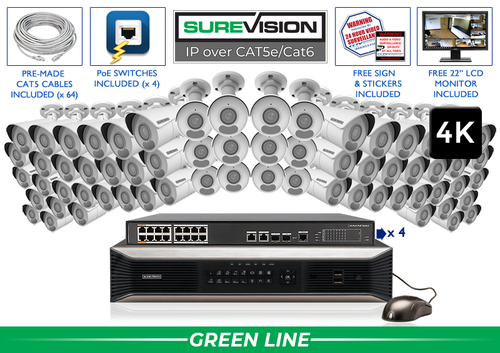
SureVision SV-64IPBIR8-N 64-Camera 4K System
This 64-camera package is a starting point for a large fixed-camera layout with local NVR recording. Review the current configuration and confirm the full camera, switch, power-port, cable and storage requirements for the final design. Included storage does not establish a universal retention period.
View product details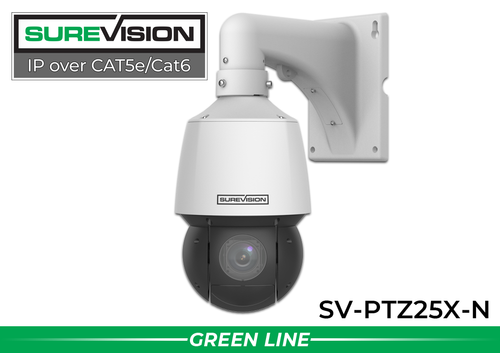
SureVision SV-PTZ25X-N 4MP 25X PTZ Camera
This model adds controllable direction and 25X optical zoom for a selected yard, gate or open area. Confirm recorder compatibility and power requirements, and maintain fixed coverage where a continuous view is essential.
View product details64-camera system questions
Does a 64-channel NVR power 64 cameras directly?
Not necessarily. Channel count describes supported camera inputs. PoE port count and total power are separate specifications, and larger systems may use external switches.
How long will the included drives store video?
Retention depends on the combined recording rate and usable capacity. Calculate the planned workload and verify real retention rather than relying only on the number of terabytes.
Can I combine camera styles?
A compatible system can use different supported cameras, but verify power, recording and required features for every selected model. Plan the mix around the actual views needed.
Plan a Large System Before Choosing the Final Package
Share the site layout, camera schedule, network routes and retention requirements. CCTV Security Pros can help you compare equipment and build a clear final configuration.
Get a Free System Quote Shop SureVision CamerasBuild the 64-camera system as a documented network
Start with a camera schedule that assigns each view a name, location, purpose and network connection. Group cameras around the real cable routes and equipment rooms. A 64-channel recorder defines recording capacity; it does not by itself supply 64 powered Ethernet ports or establish that every planned stream fits within the recorder’s bandwidth limit.
| Design item | Question to resolve |
|---|---|
| Camera channels | How many views are needed now, and how many are reserved for growth? |
| PoE ports | Where will every camera obtain compatible power? |
| Switch power budget | Can the switch power its connected cameras at their stated maximum loads? |
| Uplinks | How does video travel from each switch to the recorder? |
| Recorder performance | What limits apply to recording, display, playback and decoding? |
| Storage | What retention is expected at the selected recording settings? |
Compare the hardware lists in 64-camera IP systems against that design. The NVR selection guide provides the recorder questions, and PoE and power accessories can help identify supporting hardware.
Test capacity and procedures before the project closes
Commission the system with all planned cameras recording at the selected settings. Check playback while authorized users perform the normal viewing workload. Look for missing recordings, unexpected frame-rate changes, saturated connections and storage consumption that differs from the estimate. A partial setup with only a few active cameras does not exercise the finished system.
Use measured bitrates for retention planning. For example, 64 cameras averaging 4 Mbps each produce approximately 2.76 TB of video per day in decimal units, before filesystem overhead and other reserve capacity. Actual rates vary with scene activity, codec and settings. Use this as a planning calculation, then confirm the result using the installed system’s storage behavior.
Assign responsibility for updates, drive-health alerts, account changes and evidence exports. Document the response to a switch or recorder outage. Send the camera schedule and network assumptions with a system quote request so the proposed equipment can be checked as a complete design.
What to record at the final system check
Keep the acceptance check simple enough that the owner can repeat it later. Use the final camera positions and recording settings, and include the lighting and activity that make the important views difficult. A recorded test gives a useful baseline for future troubleshooting.
- Confirm that each camera name matches its actual location and purpose.
- Review a saved daytime event and, where relevant, a nighttime event with a moving subject.
- Check the recording history against the agreed retention goal after a representative operating period.
- Test the permissions and playback functions of an ordinary user account.
- Export a short sample and check it on the device that will be used for review.
- Record any unresolved issue and the person responsible for correcting it.
Repeat the relevant checks after a camera is moved, a major display or obstruction changes, or recording settings are adjusted. This keeps the system aligned with the property’s current needs and makes maintenance more predictable.
Turn the plan into a complete equipment list
After defining the required views, compare 64-camera IP systems. Match each camera to a recorder channel, a compatible power connection and a documented cable route. Keep the installation materials, storage assumptions and required user functions on the same list so a missing component is easier to spot before ordering.
Use our NVR selection guide for the next planning decision and the commercial camera planning guide for the related technical detail. These guides provide background for comparing the actual equipment rather than choosing solely by a camera count or a resolution label.
Bring the list together in the custom security camera system builder, or send the property layout and viewing goals with a free system quote request. Include the mounting locations, approximate subject distances and any existing equipment you want to keep. That information makes the proposed configuration more specific to the property.
Before accepting the installation, practice the tasks the owner will perform: checking a live view, finding a recorded event and preserving a usable export. Save the camera schedule, equipment model numbers and support information with the project records. Use the technical support center for model-specific setup resources and ask for help when a required function needs clarification.
