
Best Wired Outdoor Security Cameras and Systems for Business and Home
Posted by Gregory Derouanna, MBA on Aug 13, 2024
Why Wired Outdoor Security Cameras Beat Wi-Fi for Professional Surveillance
Outdoor security is where connection reliability matters most. Exterior cameras are often mounted farther from the router, separated by masonry, metal siding, insulated walls or several floors. A Wi-Fi camera may work well during an initial test and then become inconsistent because of distance, interference, network congestion or changes to the wireless environment. A wired PoE security camera uses Ethernet for its primary connection, giving video a stable path back to the network video recorder.
Power over Ethernet carries power and data through one compatible cable. The camera does not need a nearby electrical outlet, rechargeable battery or solar panel. When connected to a compatible PoE NVR, each camera can record continuously, on a schedule or according to supported motion events. This makes wired outdoor cameras a strong choice for entrances, vehicle approaches, loading docks, fenced areas, cash-handling locations and other views that cannot depend on occasional clips.
Wireless and battery cameras still have a role. They can help at temporary locations or places where cabling is not practical. However, many wireless cameras save power by sleeping between events, and many cloud-first systems place longer retention or advanced features behind a subscription. A professional wired system is designed around continuous local ownership: the cameras send video to an NVR with installed hard-drive storage, and authorized users can access live and recorded video remotely without a required cloud-storage plan.
| Feature | Wired PoE Outdoor System | Typical Wi-Fi/Battery System |
|---|---|---|
| Connection | Dedicated Ethernet cable | Depends on wireless signal |
| Power | PoE through the same cable | Battery or nearby outlet |
| Recording | Continuous, scheduled or event-based NVR recording | Often event clips or cloud-dependent features |
| Storage | Private local surveillance hard drives | Cloud, memory card or hub varies |
| Best Use | Permanent home, business and commercial systems | Temporary or difficult-to-wire locations |
A wired system requires cable installation, so the initial planning is more involved. Once installed correctly, that cabling becomes a dependable surveillance infrastructure that can support years of recording and compatible camera upgrades.
Best Wired Outdoor Security Cameras by Application
There is no single outdoor camera that is best for every view. The strongest system mixes compatible cameras around the evidence each location requires.
| Recommended Use | SureVision Camera | Key Advantage | Resolution |
|---|---|---|---|
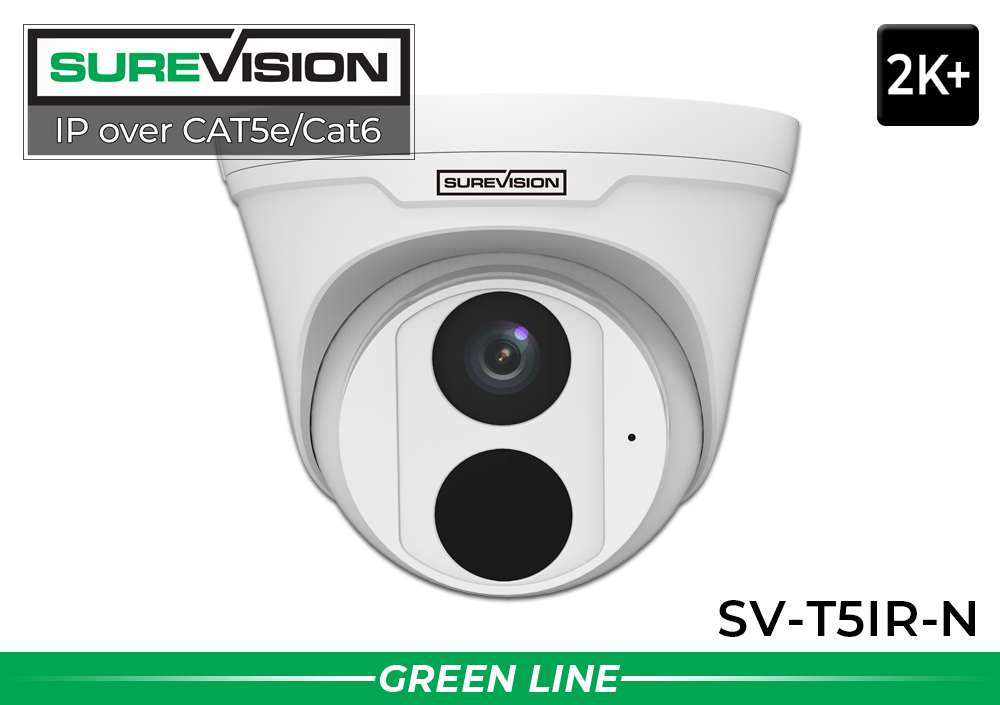
| Best Value Entrance Camera | SV-T5IR-N Dome | Compact wide view with audio and IR | 5MP / 2K+ |
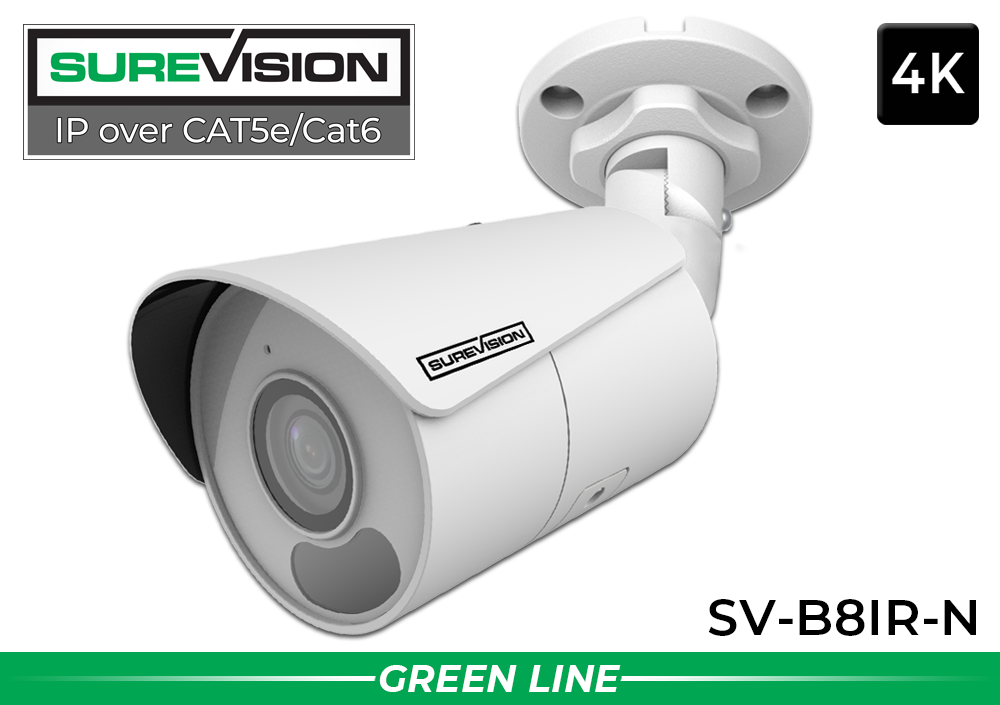
| Best 4K General Exterior Camera | SV-B8IR-N Bullet | 4K detail, WDR, audio and IR | 8MP / 4K |
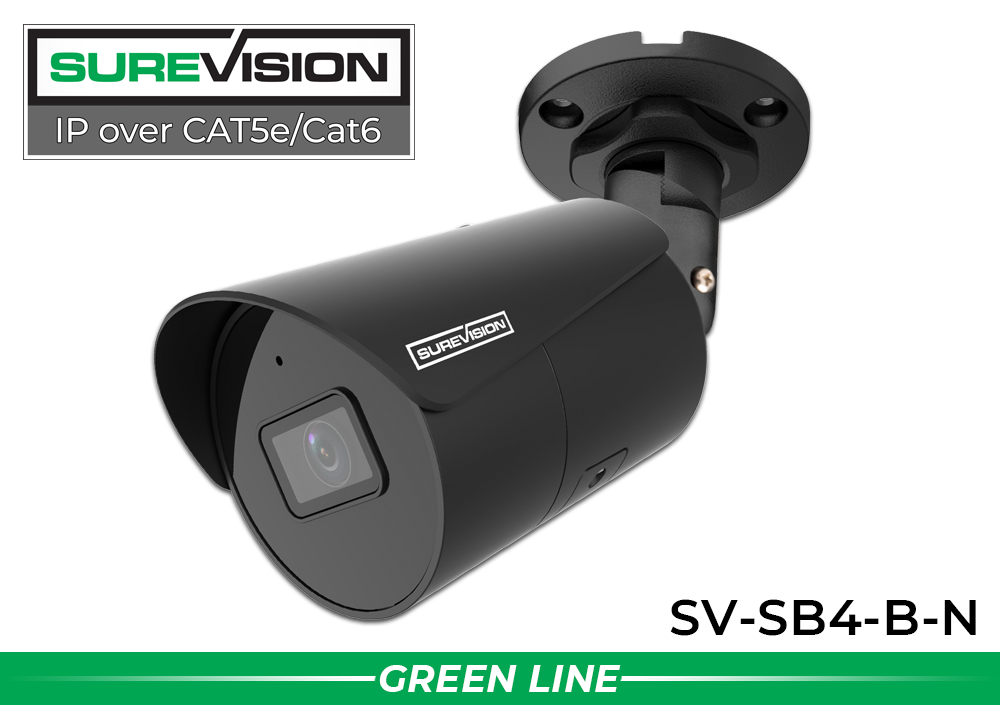
| Best Long-Range Fixed Bullet | SV-SB4-B-N Bullet | Longer IR reach and color-at-night capability | 4MP / 2K |
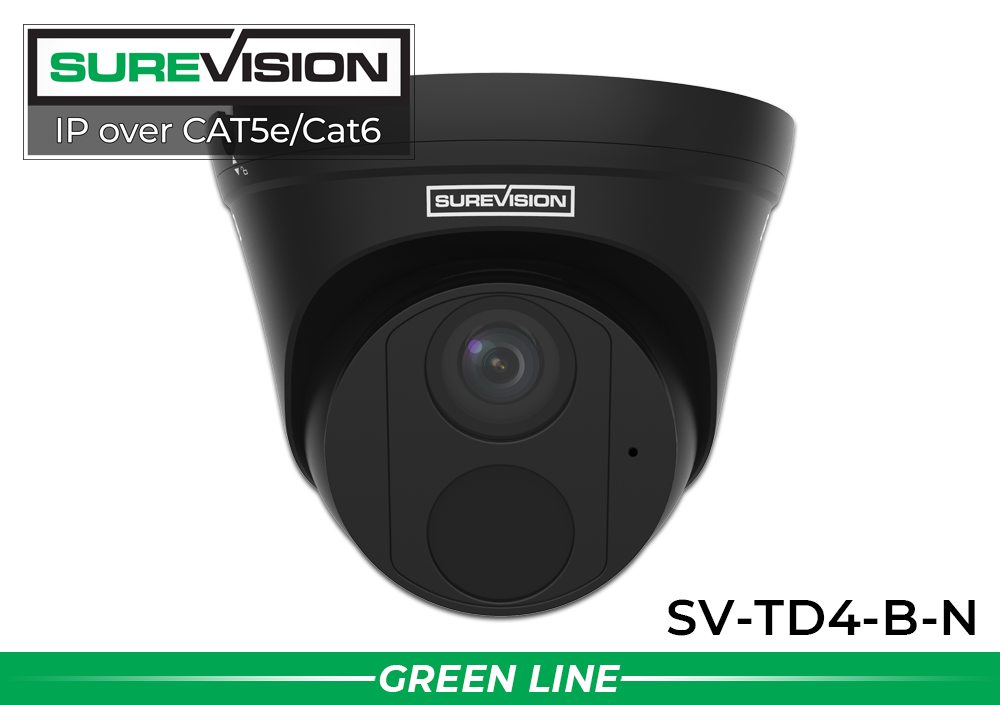
| Best Compact Color-Night Turret | SV-TD4-B-N Turret | Flexible turret body with audio | 4MP / 2K |
| Best Full-Color 4K Camera | SV-TL8-N Turret | Spotlight-supported full-color day/night video | 8MP / 4K |
| Best Active Large-Area Camera | SV-PTZ10X-N PTZ | 10X optical zoom and auto tracking | 4MP / 2K |
Best-Selling Wired Outdoor Cameras for Everyday Coverage
Two professional IP67 PoE models for entrances, driveways, storefronts and building exteriors.
Complete 4K Wired Outdoor Security Camera Systems
A complete system combines cameras, a compatible recorder, local storage, cables and remote viewing. These professional 4K SureVision systems use indoor/outdoor SV-B8IR-N bullet cameras with built-in microphones, wide-angle lenses and infrared night vision. The packages can be customized with compatible camera styles so every location does not need to use the same camera.
Choose the camera count from the number of important views, not square footage alone. Four cameras can protect essential approaches to a smaller property. Eight cameras provide stronger coverage and room to separate overview from identification views. Sixteen- and 32-camera systems support larger businesses, warehouses, schools, apartment communities and multi-building properties.
Best for Smaller Properties
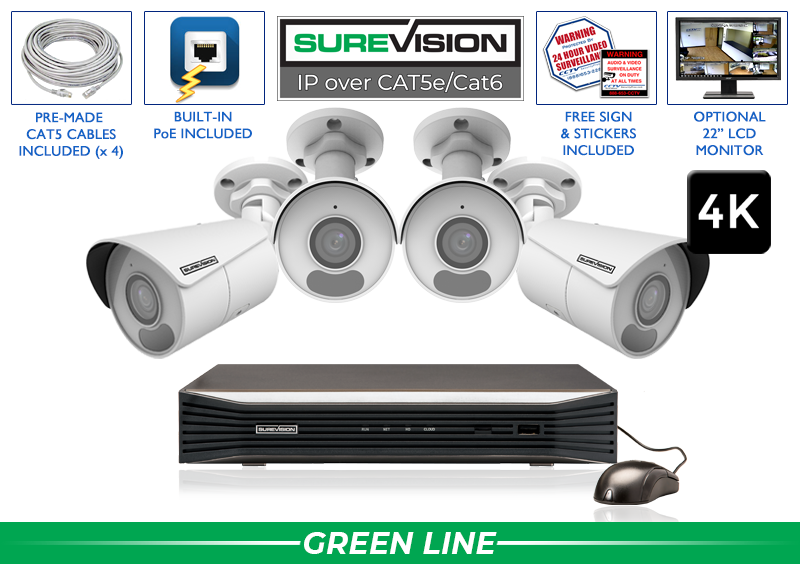
4-Camera 4K PoE System
Four 4K cameras, free upgrade to an 8-channel NVR and 2TB storage.
Regular: $1,599.99
$1,199.99
View System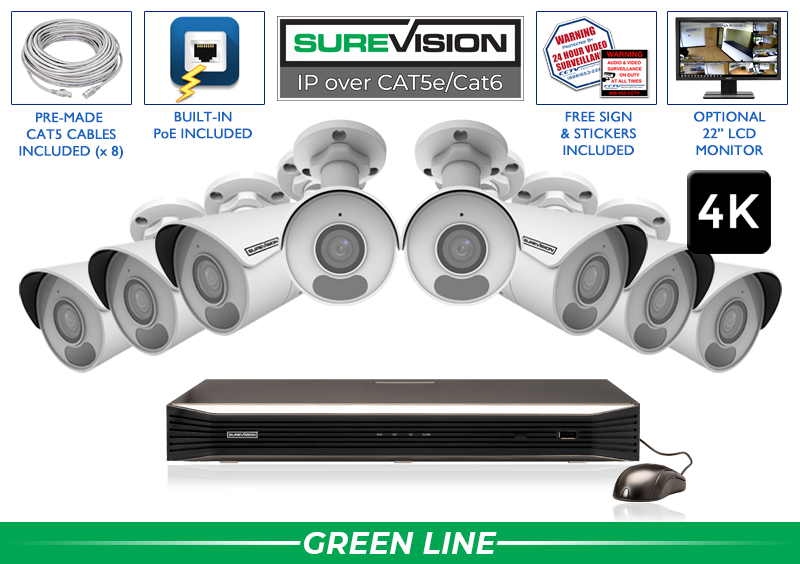
Best for Homes & Businesses
8-Camera 4K PoE System
Eight 4K cameras, free upgrade to a 16-channel NVR and 2TB storage.
Regular: $2,665.65
$1,999.99
View System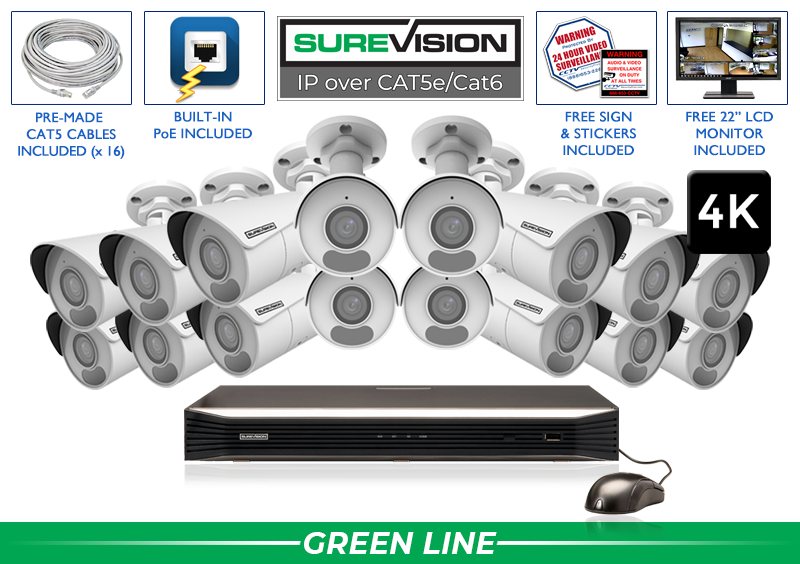
Best for Commercial Sites
16-Camera 4K PoE System
Sixteen 4K cameras, 16-channel NVR, 4TB storage and free 22-inch monitor.
Regular: $5,066.65
$3,799.99
View System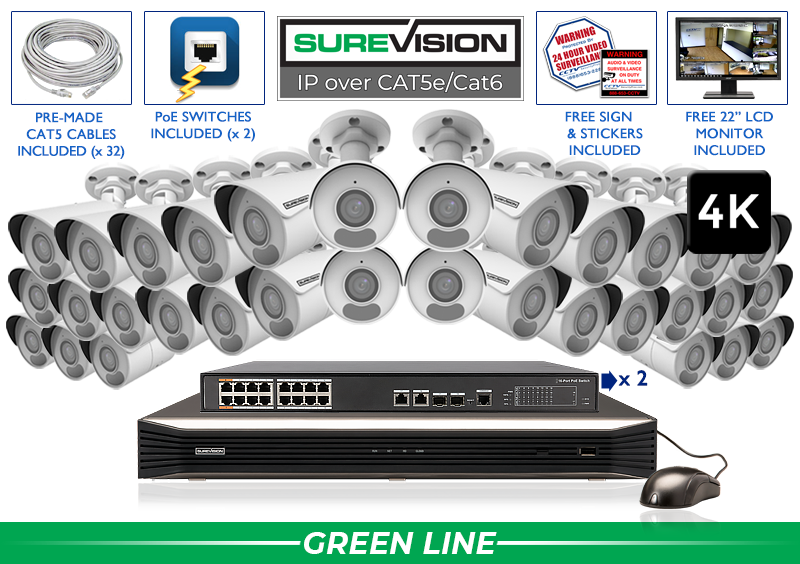
Best for Large Properties
32-Camera 4K PoE System
Thirty-two 4K cameras, 32-channel NVR, 6TB storage and free 22-inch monitor.
Regular: $9,779.99
$7,334.99
View SystemPricing note: Coupon prices require code UPGRADE25 while the promotion is active. Prices, configurations and availability can change; confirm current details on the linked product page.
What to Look for in a Wired Outdoor Security Camera System
Weather Protection and Operating Environment
Professional outdoor cameras commonly use IP66 or IP67 enclosures. These ratings describe resistance to dust and water under defined test conditions. They do not mean a camera should be submerged indefinitely or installed with exposed connectors. Protect Ethernet connections according to the instructions, use compatible junction boxes when appropriate, seal building penetrations and create drip loops so water does not travel along the cable toward a connection.
Resolution, Lens and Useful Detail
Resolution alone does not determine whether video is useful. A wide 4K view can provide excellent context but may show a distant face as a small part of the image. Lens width, mounting position, subject distance and lighting all affect evidence. Use wide cameras for entrances, garages and general awareness. Use focused or adjustable views when identification at distance matters.
Wide Dynamic Range and Difficult Lighting
Entrances often combine deep shade with bright sunlight. Driveways and parking lots introduce headlights. Wide dynamic range and highlight control can improve challenging scenes, but placement remains critical. Avoid aiming directly into the sun when possible and test every view during the actual conditions that matter.
Smart Human and Vehicle Detection
Supported smart detection can classify people and vehicles or apply perimeter rules such as line crossing and intrusion zones. This helps reduce alerts caused by ordinary motion, but configuration matters. Exclude public roads, trees and other unnecessary activity from important zones, and combine alerts with continuous or scheduled NVR recording.
Audio and Deterrence Features
Features vary. Some cameras include a microphone, some support two-way audio, and certain models add spotlights or sirens. Do not assume built-in audio means two-way communication. Verify the exact product and comply with applicable audio-recording and privacy laws.
Infrared vs Color Night Vision for Outdoor Security
Infrared outdoor cameras illuminate dark scenes with IR light and generally produce monochrome video. They are reliable for perimeters with little ambient light. Published IR distance describes approximate illumination range, not guaranteed identification distance. Subject movement, lens width, reflectivity and scene depth all influence the recorded result.
Color night vision uses available light, low-light imaging and, on some models, visible supplemental lighting. Color can add useful evidence about clothing and vehicles. A spotlight-supported camera may also create visible deterrence. Use visible illumination responsibly so it does not disturb neighboring properties or drivers.
Avoid placing close walls, gutters, soffits, leaves or spiderwebs in front of the infrared LEDs. Those surfaces reflect light into the lens and can create a foggy image. Clean lenses periodically and test after dark. A camera that looks excellent during the day may need a different angle or illumination plan at night.
For the strongest property coverage, mix infrared and color-at-night cameras according to each scene. Read more about outdoor night-vision security cameras.
Outdoor PoE Cameras with Color-Night Options
Choose a visible bullet profile or a compact turret profile for different mounting locations.
NVR Recording, Storage and Remote Viewing
The NVR is the center of a wired IP security camera system. It receives camera streams, stores footage on surveillance hard drives and provides tools for live view, playback, event search and evidence export. Compatible mobile and desktop software lets authorized users view cameras remotely without requiring a paid cloud-storage subscription.
Storage duration depends on camera count, resolution, frame rate, bitrate, compression, recording schedule and installed capacity. Continuous recording uses space steadily. Motion or event recording may extend retention in lower-activity scenes. There is no universal promise that a certain drive records a fixed number of days under every configuration.
Select enough channels, PoE ports, bandwidth and drive bays for the current design and reasonable expansion. Four-camera systems receive an 8-channel NVR upgrade, and eight-camera systems receive a 16-channel NVR upgrade on the featured packages. Sixteen- and 32-camera configurations include larger storage and a monitor.
Protect the recorder in a secure, ventilated location. Use strong unique passwords, individual user accounts and current firmware. Check recording health and export a test clip before an incident. Remote access is convenient, but the most important feature is dependable local recording.
Shop SureVision NVRsWhere to Install Wired Outdoor Security Cameras
Start with the routes people and vehicles must use. Front and rear doors, driveways, gates, parking entrances, loading docks, service doors and paths between buildings are usually more important than open areas with no controlled activity. Assign a purpose to every camera: detection, observation, recognition or identification.
Home Outdoor Camera Placement
A home system should typically cover the front door, driveway, garage, rear entrance and concealed side access. Avoid mounting every camera so high that it records only the tops of heads. A focused entrance camera can show people more clearly, while a wider camera provides context for packages, vehicles and movement across the property.
Business and Commercial Placement
Businesses should connect exterior events to interior activity. Cover parking, gates, employee doors, public entrances, receiving areas and loading zones, then maintain continuity through lobbies, sales floors, registers, warehouses and restricted rooms. A wide overview helps explain what happened, while focused cameras at critical points preserve identifying detail.
Driveways, Parking Lots and Vehicle Gates
Use separate cameras for general vehicle movement and close evidence when possible. A wide parking-lot view may not reliably capture plates or faces at the far edge. If license plates matter, use a dedicated license plate camera aimed at a controlled lane where vehicles slow.
Keep cameras away from unnecessary views of neighboring property and areas where people expect privacy. Verify applicable workplace, residential and audio-recording laws before enabling audio or monitoring employees and shared spaces.
Specialty Wired Cameras for Full Color and Large Areas
Add specialty models where a standard fixed infrared camera is not enough.


Wired Outdoor Camera Installation Tips
- Test the view before drilling. Confirm subject size, glare, obstructions and nighttime conditions from a temporary position.
- Use the correct cable. Match indoor, outdoor, plenum, underground or conduit-rated cable to the route and applicable requirements.
- Protect connections. Use recommended weatherproofing, junction boxes and drip loops.
- Respect cable distance limits. Plan network equipment or approved extension solutions for long runs.
- Consider surge exposure. Outdoor and between-building routes may need professional grounding, surge protection or fiber isolation.
- Label every cable. Mark both ends with the camera name and location to simplify service.
- Verify recording. Check live view, playback, alerts, time settings and evidence export after installation.
Many buyers install PoE cameras themselves, but professional routing is appropriate for high elevations, difficult wall access, multiple buildings or regulated facilities. Review the complete PoE security camera installation guide.
How Many Outdoor Security Cameras Do You Need?
Map doors, windows, gates, vehicle routes, parking, loading areas, valuable assets and concealed approaches. Then decide what each camera must show. If a proposed camera is expected to cover an entire yard and identify a face at the far edge, split the job into an overview and a focused view.
- 2–4 cameras: Essential entrances and approaches for smaller homes or offices.
- 8 cameras: Broader home, retail, office or small-business coverage.
- 16 cameras: Warehouses, schools, churches and commercial properties with multiple zones.
- 24–64 cameras: Large facilities, campuses, multi-building sites and extensive parking or perimeter coverage.
Leave reasonable NVR capacity for expansion. A missed blind spot, new building or specialty camera should not require replacing the recorder. CCTV Security Pros can help determine camera count, camera styles, NVR capacity and storage from a property plan.
Choosing a Wired Outdoor Camera System for Business vs Home
The same professional PoE technology can protect a house, retail store, office, warehouse or government facility, but the design priorities are different. A home system usually concentrates on a limited number of predictable approaches. The front door, driveway, garage, backyard and side gates are natural starting points. Homeowners often value simple phone viewing, useful person or vehicle notifications and enough recorder capacity to add a camera later.
A four-camera system can cover the essential approaches to a smaller home when each camera has one clear job. An eight-camera system allows stronger layering: a focused entrance view, wider driveway context, backyard coverage, garage or side-yard cameras and one or two indoor views. The free recorder upgrades on the featured four- and eight-camera systems provide unused channels for future expansion.
Business security camera systems often need more cameras, more users and longer retention. Outdoor cameras must connect parking-lot or loading activity to interior events. A retailer may need exterior arrival, public entrances, sales-floor context, registers and receiving recorded on a shared timeline. A warehouse may need gates, yards, dock doors, staging areas, aisles and employee access. Schools, churches and multifamily properties can require several buildings, common areas and parking zones.
For commercial properties, calculate the recorder around total incoming video, simultaneous playback, storage and future cameras—not only the number of ports. Larger systems may use PoE switches, multiple cable pathways and additional hard-drive bays. Access should be divided by role so employees, managers and administrators see only the cameras and functions they need.
The ability to customize is important for both audiences. A property rarely needs identical cameras everywhere. Mix wide fixed cameras for context with focused entrance cameras, long-range bullets, vandal-resistant domes, full-color night models, PTZ cameras or dedicated plate-capture equipment. Explore business security camera systems or request a system recommendation based on a floor plan or property map.
Maintaining and Securing a Wired Outdoor Surveillance System
Wired cameras require less day-to-day attention than battery devices, but they are not maintenance-free. Inspect exterior cameras periodically and after severe weather. Remove spiderwebs, clean water spots and dust from the lens, trim vegetation and confirm that mounts remain tight. Recheck nighttime video because a new web, growing branch or shifted light can create infrared reflection that is not visible during the day.
Review the NVR status as part of the same schedule. Confirm that every camera is recording, the system clock is correct and the hard drive reports normal operation. Play footage from several dates and export a short test clip. Live video alone does not prove that usable recordings are being stored. Businesses should document these checks and keep camera names consistent with property locations.
Network security is also part of physical security. Replace default credentials, use strong unique passwords, create individual user accounts and remove access when an employee or contractor no longer needs it. Keep NVR, camera and app software current using supported updates. Restrict permissions so ordinary viewers cannot change recording or network settings.
Consider a properly sized uninterruptible power supply for the recorder and essential network equipment. A UPS cannot maintain a large system indefinitely, but it can help through short interruptions and protect against abrupt shutdowns. For high-risk properties, evaluate surge protection, recorder security and backup procedures with a qualified professional.
Wired Outdoor Security Camera FAQs
Are wired outdoor cameras better than wireless?
For permanent 24/7 surveillance, PoE is generally more stable and avoids depending on Wi-Fi strength or battery charging.
What is a PoE security camera?
A PoE IP camera receives power and network data through one Ethernet cable from a compatible PoE source.
Do wired cameras need internet?
Internet is generally needed for remote viewing, but local NVR recording can continue on the local network if the equipment has power.
Do outdoor systems require monthly fees?
SureVision NVR systems record locally and provide compatible remote viewing without a required monthly cloud-storage plan.
Are all SureVision cameras outdoor cameras?
The professional SureVision cameras featured here are indoor/outdoor models. Confirm the exact rating and environmental limits for each product.
Is IP67 waterproof?
IP67 indicates dust and water resistance under defined tests. It does not justify underwater use or exposed, unprotected connections.
Is 4K necessary outdoors?
4K adds pixels, but lens, distance, lighting and placement determine useful detail. A focused 4MP camera may suit some views better.
Can outdoor cameras see in complete darkness?
Infrared models can produce monochrome video in darkness. Full-color night video may require ambient or visible supplemental light.
How long does an NVR store video?
Retention depends on cameras, resolution, bitrate, recording schedule, activity and hard-drive capacity.
Can I view wired cameras on my phone?
Yes. Compatible SureVision apps support authorized remote live view and playback when the system is configured for internet access.
Can I mix camera styles?
Compatible bullet, dome, turret, PTZ and specialty cameras can be mixed around the property. Confirm NVR and feature compatibility.
How high should an outdoor camera be?
High enough to discourage easy tampering but low enough to preserve the facial or vehicle angle needed. No single height fits every scene.
Can one camera cover an entire yard?
It may provide an overview, but focused cameras are usually needed at doors, gates or distant identification points.
Should I choose a PTZ camera?
PTZ cameras add active movement and optical zoom for large areas. Keep fixed cameras on critical views because PTZs face one direction at a time.
Is DIY PoE installation possible?
Yes for many properties, but difficult cable paths, multiple buildings, high elevations and surge exposure may require professional routing help.
How often should outdoor cameras be maintained?
Inspect them periodically and after severe weather. Clean lenses, remove webs, check mounts and connections, and verify NVR recording.
