
Smart Motion Detection Security Cameras: Complete Guide for 2026
Jun 20, 2024
Security cameras have always been valuable because they create a visual record of what happens around a property. Traditional video surveillance, however, often required the user to watch live screens or manually search through long periods of recorded footage. Basic motion recording improved that process by recording when pixels changed in the image, but it also introduced a familiar problem: too many unimportant alerts.
A conventional motion sensor can react to wind-blown landscaping, moving shadows, rain, headlights, insects near the lens or rapid lighting changes. When a security camera sends too many notifications, users may start ignoring them. Smart motion detection is designed to make surveillance more practical. Instead of treating every visual change as equally important, compatible security cameras and recorders analyze an event and classify likely human or vehicle activity.
This does not mean a camera can understand every situation perfectly or replace sensible security planning. It means the system has a more useful way to organize motion events. When properly selected, positioned and configured, smart security cameras can reduce avoidable notifications, improve the quality of event searches and help users respond to meaningful activity sooner.
What Is Smart Motion Detection in Security Cameras?
Smart motion detection is a video-analytics function that evaluates movement inside a camera’s view and attempts to identify specific object types. In professional security cameras, the most common classifications are people and motor vehicles. Some models and recorder platforms also support intrusion zones, line-crossing rules, tampering detection, audio detection or other event types.
The important difference is context. Basic motion detection mainly asks, “Did part of the picture change?” Smart detection asks a more useful question: “Does this movement resemble the type of activity the owner wants to know about?” A person walking toward a locked door may deserve an alert. Leaves moving in the same scene probably do not. A vehicle entering a restricted driveway may be important. A small brightness change caused by a cloud may not be.
Smart detection normally begins at the security camera, the compatible network video recorder, or a combination of both. Video analytics examine characteristics such as shape, movement, size and direction. The event can then be marked in the recording timeline, used to trigger a notification or associated with an intrusion or line-crossing rule. With a compatible SureVision NVR, users can record video locally, review footage and manage multiple IP security cameras from one system.
Professional recommendation: Smart motion detection works best when it is treated as one part of the complete surveillance design. Camera height, viewing angle, lens selection, nighttime lighting, detection-zone placement and recorder settings all influence performance. A well-positioned 4MP camera can produce more useful detection than a poorly aimed 4K camera.
It is also helpful to distinguish smart motion detection from facial recognition. Human detection generally identifies that a person-shaped object is present; it does not necessarily identify who that person is. Vehicle detection generally classifies a moving object as a vehicle; it is not the same as reading a license plate. If plate capture is a priority, use a purpose-built license plate security camera selected for the expected distance, angle, speed and lighting.
See SureVision Smart Motion Detection in Action
Traditional Motion Detection vs. Smart Security Camera Detection
Traditional motion detection remains useful. It can tell a security camera or recorder to begin recording when movement occurs, saving storage compared with continuous recording. The weakness is that it usually evaluates general image change rather than the importance of the object creating that change. Outdoors, that can produce many recordings that contain no person, vehicle or genuine security concern.
Smart motion detection adds classification. If the goal is to know when a person approaches a warehouse entrance, users can focus on human activity instead of every moving object in the scene. If the goal is to monitor vehicles entering a business lot after hours, a vehicle rule can make the event list more relevant. Depending on the camera and recorder combination, the user may still preserve general motion recording while using smart classifications for alerts and searches.
| Security Camera Feature | Traditional Motion Detection | Smart Motion Detection |
|---|---|---|
| Primary trigger | General pixel or scene change | Analyzed activity associated with selected object types or rules |
| Common outdoor triggers | People, cars, leaves, shadows, rain, insects and lighting changes | Can prioritize likely human or vehicle activity |
| Notifications | May become frequent in busy scenes | Can provide a more focused event list when configured correctly |
| Video review | User may need to inspect many generic motion clips | Classified events can make searches faster and more targeted |
| Best use | Simple recording triggers and controlled scenes | Entrances, parking areas, perimeters, driveways and other priority zones |
Neither method guarantees that every event will be classified perfectly. Detection performance can change with object size, distance, backlighting, weather, nighttime conditions and camera angle. The goal is not to promise zero false alerts. The goal is to build a security camera system that produces a more manageable and useful stream of information.
Why Smart Motion Detection Makes Security Cameras More Useful
1. More Relevant Security Camera Notifications
A notification is valuable only when the user is willing to pay attention to it. If a security camera sends an alert every time a branch moves, alert fatigue can develop quickly. Human and vehicle filtering helps concentrate attention on events more likely to matter, such as a person entering a restricted walkway or a vehicle arriving after normal business hours.
Users can often adjust schedules and detection zones so the rules match the property. A loading dock may require vehicle notifications overnight but not throughout the working day. A home driveway may need vehicle alerts at all times while a backyard camera prioritizes human activity. Thoughtful configuration allows different security cameras to serve different purposes.
2. Faster Review of Recorded Surveillance Video
When an incident is discovered hours or days later, the user needs to find the relevant video quickly. Smart classifications can place searchable events on the recorder timeline. Instead of watching several uninterrupted hours, the user can review segments associated with people, vehicles or configured perimeter events. This is especially useful for multi-camera systems where reviewing every channel manually would take too long.
3. Better Use of Local NVR Storage
Professional PoE security cameras can be configured for continuous recording, motion recording or scheduled combinations, depending on the recorder and the security objective. Smart events do not eliminate the need for adequate hard-drive capacity, but they can help users locate meaningful footage inside the stored archive. Local NVR storage also keeps recording under the owner’s control without requiring a cloud subscription for basic video retention.
4. Stronger Perimeter Awareness
Intrusion and line-crossing rules can make outdoor security cameras more purposeful. A line can be placed across a driveway or a virtual region can be drawn around a restricted door, equipment area or rear service entrance. When a qualifying target enters or crosses the configured area, the system can flag the event. These rules work best when the camera has a stable view and the detection target remains large enough in the image.
5. Scalable Protection for Multiple Property Types
Smart motion technology is valuable for a small home, but it becomes even more important as camera count grows. A warehouse, school, retail center or multi-building property may use many security cameras. Event classification helps operators concentrate on specific activity rather than treating every camera equally at every moment. The same platform can combine fixed bullet cameras, lower-profile turret cameras, 4K cameras and controllable PTZ security cameras.
Security Cameras for Everyday Entrances, Offices and Exteriors
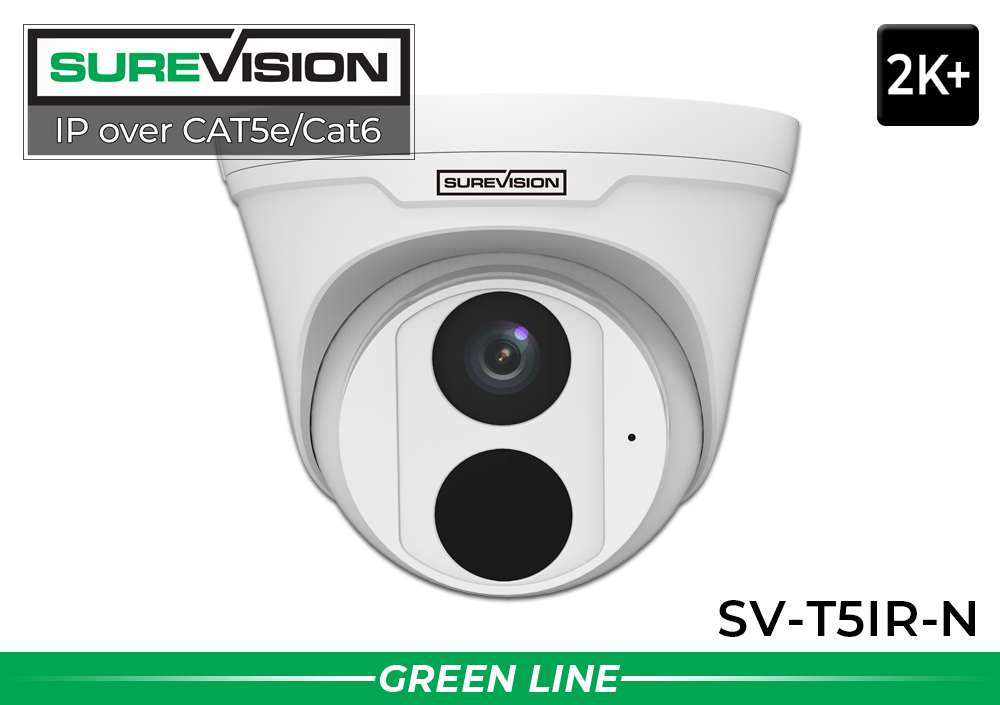
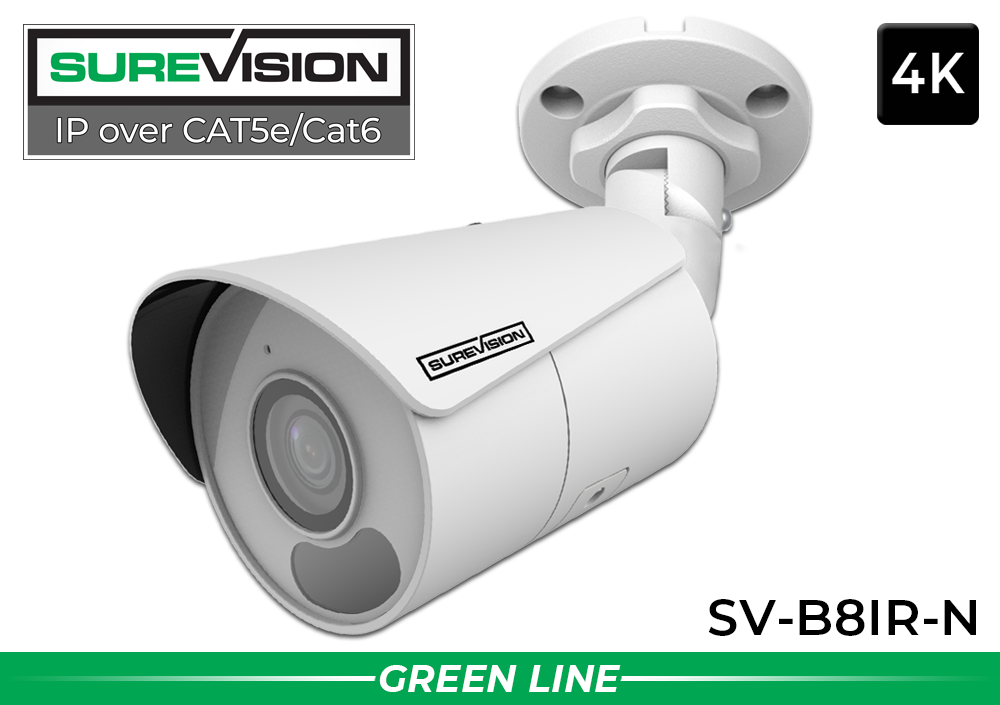
Two practical starting points for professional wired surveillance with audio and night viewing.
How Camera Placement Improves Smart Motion Detection
The quality of smart detection begins with the image. If a person appears as only a few pixels at the far edge of the scene, classification becomes difficult. If a vehicle is blocked by landscaping or the camera is aimed into direct glare, performance can suffer. Good security camera placement creates a stable, useful picture before analytics are configured.
Mount Cameras at a Useful Height and Angle
A camera mounted extremely high may provide a broad overview but lose the facial and clothing detail needed for identification. A camera mounted too low can be easier to obstruct or tamper with. The correct height depends on the location, lens and security goal. For entrances, position the camera so approaching people occupy a meaningful portion of the image. For driveways and parking lanes, avoid angles where vehicles remain very small until they have already passed the important area.
Do Not Ask One Security Camera to Cover Everything
Wide views are useful for general awareness, but every additional foot of scene width spreads the available image detail across a larger area. A single security camera pointed across an entire parking lot may show that activity occurred without providing the close detail needed for identification. A better design often combines an overview camera with additional cameras focused on entrances, payment areas, gates or other critical points.
Create Detection Zones Around Meaningful Areas
A detection zone should cover the location where activity matters. If the concern is a rear employee door, exclude the public sidewalk in the distance. If the concern is vehicles entering a private lot, focus the rule on the driveway rather than the entire street. Restricting the detection area helps the system avoid activity that is real but irrelevant.
Account for Nighttime Lighting
Security cameras need usable contrast after dark. Infrared cameras can produce clear monochrome video in low light, while color night vision cameras may use warm supplemental light or available ambient illumination. Make sure reflective walls, low ceilings, spider webs or nearby objects do not overwhelm the camera’s night illumination. Review the image after dark rather than assuming a daytime view will perform the same way at night.
Keep Lenses and Housings Clean
Dust, water spots, insects and spider webs can reduce image quality and create distracting nighttime reflections. Periodically inspect outdoor security cameras, especially after storms or seasonal changes. A clean lens produces better video for both human viewers and intelligent analytics.
For a new wired installation, review our guide to installing a PoE security camera system. PoE carries power and video data over one Ethernet cable, reducing the need for a separate power outlet beside every camera. A compatible NVR can supply PoE, record footage and provide centralized configuration for the complete system.
Color Night Vision Security Cameras for Priority Areas
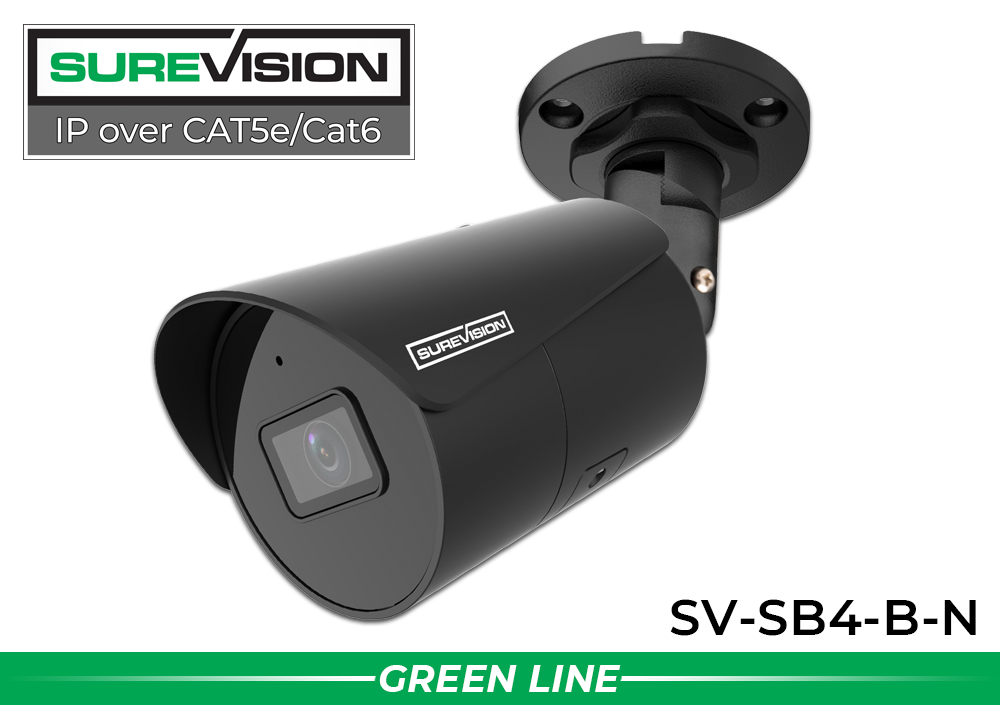
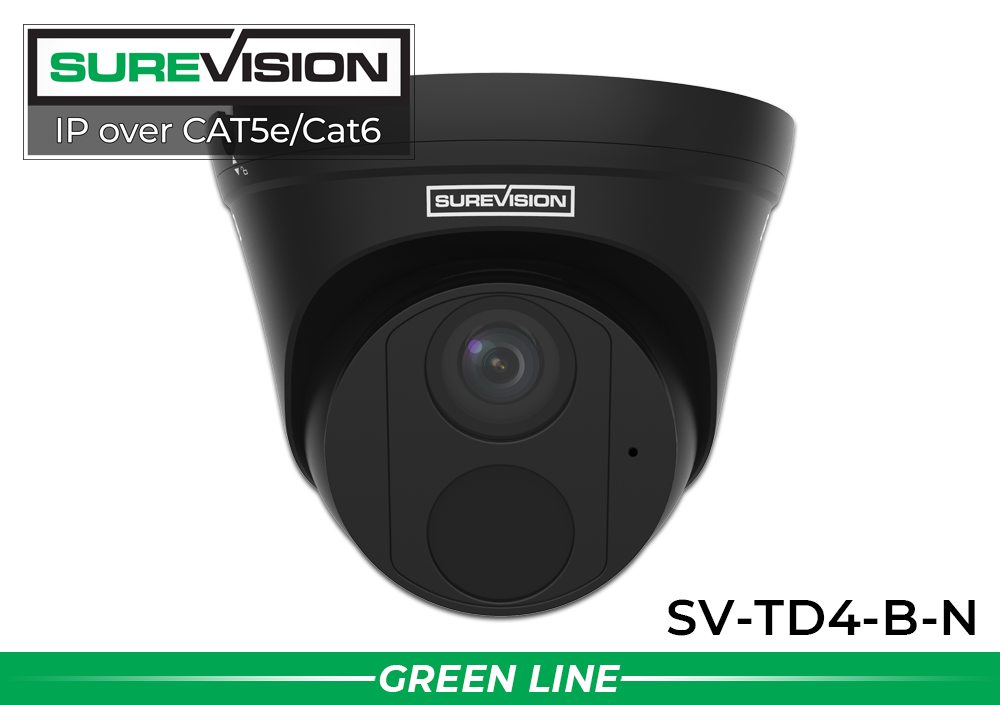
Professional fixed cameras for entrances, storefronts, driveways and building exteriors.
Smart Motion Detection Security Cameras for Businesses
Commercial properties usually contain several areas with different levels of risk. A retail store may need wide coverage of the sales floor, tighter views of entrances and cash-handling areas, and outdoor cameras facing delivery zones. A warehouse may prioritize loading docks, employee doors, fenced storage and vehicle lanes. Smart motion detection allows each security camera to be configured around its actual role.
Retail Stores and Restaurants
Security cameras can monitor customer entrances, registers, stock rooms, back doors and parking approaches. Human-detection events can make it easier to review activity around a closed entrance after hours. Cameras with built-in audio may provide additional context where local laws and company policies permit audio recording. A combination of visible bullet cameras outside and less obtrusive turret or dome cameras inside creates balanced coverage.
Warehouses and Distribution Facilities
Large buildings need layered surveillance. Overview cameras show general movement, while dedicated cameras cover loading doors, inventory aisles, employee entrances and equipment areas. Vehicle detection can be useful at gates and loading approaches. Long-range or motorized-lens cameras may be preferable where the target is farther away than a standard wide-angle camera can capture clearly.
Offices and Professional Buildings
Office security cameras are commonly placed at primary entrances, reception areas, hallways, server rooms and exterior access points. Smart alerts can be scheduled around closed hours to identify unexpected human activity without creating constant notifications during the workday. Lower-profile camera designs help maintain a professional appearance.
Schools, Municipal Buildings and Government Facilities
These properties may require extensive coverage, user permissions, retention planning and compliance review. System design should begin with camera-location priorities and recorder capacity rather than simply selecting a camera count. CCTV Security Pros offers business security camera systems and customized assistance for organizations that need a scalable wired platform, local recording and multiple camera styles.
Parking Lots and Vehicle Entrances
Vehicle detection can help identify arrivals and departures, but general vehicle classification is not the same as license plate capture. If readable plates are important, use a dedicated LPR camera focused on a controlled lane. A PTZ camera may supplement fixed cameras by providing controllable optical zoom and the ability to inspect different parts of a large area, but fixed cameras should maintain continuous views of the most critical locations.
Smart Security Cameras for Homes and Residential Properties
Home security cameras benefit from the same intelligent features used in commercial surveillance. Human detection can help distinguish a person approaching a side gate from ordinary yard movement. Vehicle detection can flag activity in the driveway. Local NVR recording provides a continuous archive without making basic video storage dependent on a recurring cloud plan.
Begin with entry points: front doors, driveways, garage doors, side gates and rear approaches. Position outdoor security cameras so they view the path a person or vehicle must follow. Avoid aiming directly at a public sidewalk or neighboring property when that area is not part of the security objective. Privacy masking and carefully drawn detection zones can help keep the camera focused on the owner’s property.
For residential installations, wired PoE cameras offer a stable connection and do not depend on the same wireless conditions as battery-powered consumer cameras. The network cable carries both power and data, and the NVR stores footage locally. Homeowners can still use free mobile and computer viewing to check live cameras or review recorded events when the system is connected and configured for remote access.
A mix of cameras is often better than using the same style everywhere. A visible bullet camera can discourage unwanted activity at a driveway, while a turret camera may fit better near a porch or patio. A 4K security camera can provide additional scene detail at a primary entrance or other important view. The correct design depends on distance, lighting and the amount of area each camera must cover.
How NVR Recording Makes Smart Security Cameras More Powerful
An IP security camera creates the video, but the recorder turns multiple cameras into a manageable surveillance system. A network video recorder receives compatible IP camera streams, stores footage on internal surveillance hard drives and provides centralized live viewing, playback, search and user management. A PoE NVR can also power connected cameras through the network cable.
Local Video Storage Without Required Monthly Fees
With a properly sized NVR, footage records to local hard drives. Storage duration depends on camera count, resolution, frame rate, bitrate, recording schedule and available hard-drive capacity. Higher-resolution security cameras generally require more storage than lower-resolution models at comparable settings. Continuous recording uses more space than motion-only recording, but it provides the most complete timeline.
Event Markers and Targeted Search
Compatible smart events can make the recording timeline easier to navigate. If the user needs to know when a person entered a rear hall, the recorder can help narrow the search to classified activity rather than every generic motion event. If the concern involves a vehicle, the user can review vehicle-associated events from the relevant cameras and time range.
Remote Viewing for Multiple Security Cameras
A complete NVR system lets authorized users view several cameras from a phone, tablet or computer. Remote access is useful for checking a business after an alert, confirming a delivery, reviewing a residential driveway or monitoring a multi-location operation. Strong passwords, current firmware and controlled user permissions should be part of every remote-viewing deployment.
Match Recorder Capacity to Future Growth
Choose an NVR with enough channels for the cameras installed today and reasonable room for expansion. A four-camera property may benefit from an eight-channel recorder if additional views are likely. Storage should also be planned around the organization’s retention needs. CCTV Security Pros can help determine camera count, NVR channel capacity and hard-drive size before equipment is purchased.
Advanced Security Cameras for Larger or High-Priority Views
Choose controllable optical zoom for active monitoring or 4K full-color detail for critical fixed views.


How to Choose the Right Smart Motion Detection Security Cameras
The best security camera is not automatically the model with the highest resolution or longest feature list. It is the camera that produces usable evidence at the intended location. Before buying equipment, define what each camera must accomplish and match its resolution, lens, housing and night capability to that objective.
Choose Resolution Based on Required Detail
Professional cameras are available in 4MP, 5MP/2K+ and 8MP/4K resolutions. A 4MP camera can provide strong everyday surveillance for entrances and general property views. A 5MP camera adds detail beyond standard 4MP. A 4K security camera can be valuable where the scene is wider or finer detail matters. Resolution does not replace correct lens selection, lighting or placement.
Select the Camera Housing for the Location
Bullet security cameras are visible and work well on exteriors, driveways and perimeters. Turret cameras offer a clean profile and flexible aiming for indoor or outdoor locations. Vandal-resistant domes are useful where the housing may be within reach or needs added protection. PTZ cameras provide remote movement and optical zoom for larger areas, while fisheye cameras create broad panoramic views for open interiors.
Compare Fixed and Motorized Lenses
A fixed wide-angle lens is convenient for entrances, rooms and general coverage. A motorized zoom lens allows the installer to narrow the field of view and bring a farther target closer without physically changing the lens. Optical zoom on a PTZ camera provides controllable magnification for active monitoring. Digital zoom enlarges recorded pixels and cannot create detail the camera did not capture.
Plan for Night Performance
Infrared security cameras provide dependable monochrome night video. Color night vision can preserve useful color information when the camera has suitable low-light capability, ambient illumination or built-in supplemental light. Consider how visible light may affect neighbors, employees and the property appearance. For critical areas, test the actual nighttime image before finalizing settings.
Confirm Camera and NVR Compatibility
Smart features are most reliable when cameras and recorders are selected as a compatible platform. Basic video may work between many ONVIF devices, but advanced analytics, audio, event search and configuration options can vary. If human and vehicle classification is important, confirm that the exact camera, NVR and firmware combination supports the desired function.
Decide Between Individual Cameras and a Complete System
Individual cameras are useful for expanding an existing compatible NVR or replacing a camera at a specific location. A complete SureVision security camera system includes cameras, an NVR and storage selected to work together. Complete systems simplify compatibility planning and can be customized with different camera styles instead of forcing every location to use the same camera.
Avoid the “one camera model everywhere” mistake. A front entrance, warehouse aisle, parking lot and vehicle gate are different surveillance problems. Mix and match compatible security cameras so each location gets the lens, housing, resolution and night performance it actually needs.
Smart Security Cameras, Privacy and Cybersecurity
Any network-connected surveillance system should be installed with privacy and cybersecurity in mind. Change default passwords, use strong unique credentials, keep authorized user accounts limited and install firmware updates from trusted sources. Avoid exposing recorder services directly to the internet when a safer supported remote-access method is available.
Camera placement should respect neighboring properties, employee expectations and applicable laws. Privacy masking can block areas that should not be recorded. Audio laws vary by location, so buyers should review local requirements before enabling microphone recording. Businesses should create clear policies covering who can view footage, how long recordings are retained and how video is exported.
Local recording offers meaningful control because the primary archive remains on the owner’s NVR. Remote viewing can still be enabled for authorized users, but the system does not require a monthly cloud-storage plan for ordinary local recording. That makes professional wired security cameras appealing to buyers who value predictable ownership costs and direct control of their footage.
Frequently Asked Questions About Smart Motion Detection Security Cameras
What are smart motion detection security cameras?
Smart motion detection security cameras analyze movement and attempt to classify selected activity, commonly people and vehicles. This can help users receive more relevant notifications and search recorded video more efficiently than relying only on general pixel-change motion detection.
Do smart security cameras eliminate all false alerts?
No. Intelligent analytics can reduce many avoidable events, but no surveillance camera can guarantee perfect classification in every environment. Distance, weather, backlighting, object size, camera angle, insects and nighttime image quality can affect performance. Proper placement and configuration remain essential.
Can security cameras detect both people and vehicles?
Many professional IP security cameras and compatible NVRs support human and vehicle classification. Available functions differ by model. Some cameras also support intrusion zones and line-crossing events based on human or vehicle targets. Confirm compatibility before purchasing if a particular analytic is required.
Is vehicle detection the same as license plate recognition?
No. Vehicle detection classifies an object as a likely vehicle. License plate recognition requires specialized camera positioning, optics, exposure control and scene planning to capture readable plates. Use a purpose-built LPR camera for gates, drive lanes and parking entrances where plate evidence is important.
Do smart motion detection security cameras require monthly fees?
SureVision security cameras can be used with compatible local NVR recording and supported remote viewing without required monthly fees. The recorder stores video on internal hard drives. Optional third-party services, internet service and other outside costs are separate, but basic local recording does not require a cloud-storage subscription.
Can I receive security camera alerts on my phone?
Compatible systems support mobile viewing and event notifications when the recorder, cameras, network and app are properly configured. Users should create focused detection zones and schedules before enabling frequent alerts. Remote access also requires a reliable internet connection at the monitored property.
Should security cameras record continuously or only on motion?
Continuous recording creates the most complete timeline, while motion recording uses less storage. Many properties use continuous recording on critical cameras and motion-based schedules elsewhere. Smart event markers can help locate people or vehicles within continuous recordings. The best approach depends on risk, retention requirements and hard-drive capacity.
Are 4K security cameras better for smart motion detection?
4K resolution provides more image detail, but detection quality also depends on target size, lens, angle, light and camera processing. A properly aimed 4MP or 5MP camera may outperform a poorly positioned 4K camera. Choose 4K where extra detail benefits the scene rather than assuming resolution solves every design problem.
What is the best place to install a smart security camera?
Install cameras where people and vehicles pass through predictable paths: entrances, driveways, gates, loading docks, walkways and restricted doors. The target should become large enough in the image for useful classification. Avoid unnecessary sky, distant public roads and moving landscaping inside the detection zone.
Do PoE security cameras need a separate power cable?
No separate local power cable is normally required when a compatible PoE source is used. Power over Ethernet carries electrical power and video data through one Ethernet cable between the camera and PoE NVR or network switch. This creates a cleaner and more dependable wired installation.
Can different security camera styles work on the same NVR?
Yes, compatible systems can combine bullet, turret, dome, PTZ, wide-angle and specialty cameras. Compatibility should be confirmed for video, resolution, audio and intelligent events. Mixing camera styles is often the best way to give every location the correct coverage.
How far can smart motion detection work?
There is no single distance that applies to every security camera. Detection depends on the model, lens, resolution, mounting angle, target size and lighting. Published infrared range describes illumination, not guaranteed identification or analytics distance. Plan around the actual width and depth of the scene.
Can I add smart security cameras to an existing system?
Possibly. The existing NVR must support the camera’s video format, resolution and desired smart events. Advanced analytics may not pass correctly between unrelated brands even when basic ONVIF video works. Check the exact recorder model and available channels before adding cameras.
What happens when a person or vehicle is detected?
Depending on configuration, the system may mark the event in recorded video, trigger recording, send a notification or activate an available alarm action. Users decide which rules are active, when they operate and which cameras are associated with alerts. Testing is important before depending on any event response.
How many security cameras does my property need?
Camera count should be based on the number of critical views rather than building square footage alone. List entrances, driveways, parking areas, cash-handling points, loading zones, hallways and restricted rooms. Each location may require an overview camera, an identification camera or both. A free system consultation can help turn that list into a practical design.
Build a Smarter Professional Security Camera System
Smart motion detection can make security cameras more useful by reducing unimportant activity, organizing people and vehicle events and helping users find recorded footage faster. The strongest results come from combining compatible cameras, a properly sized NVR, thoughtful placement, local storage and settings tailored to the property—not simply enabling every alert at its default level.
CCTV Security Pros has helped more than 75,000 customers choose professional surveillance equipment for businesses, government facilities and homes. Explore individual SureVision IP security cameras, compare complete systems or call for a customized recommendation covering camera styles, NVR capacity, storage and accessories.
