
What Is a PoE Security Camera System? (Power over Ethernet Explained)
Posted by Gregory Derouanna, MBA on Jan 15, 2026
What Is a PoE Security Camera System? Complete 2026 Guide
A PoE security camera system is a professional wired surveillance system that sends electrical power and digital video data through one Ethernet cable connected to each camera. PoE stands for Power over Ethernet. Instead of installing a separate power adapter beside every camera or depending on Wi-Fi, each compatible IP camera connects to a PoE network video recorder or PoE switch with Cat5e or Cat6 cable.
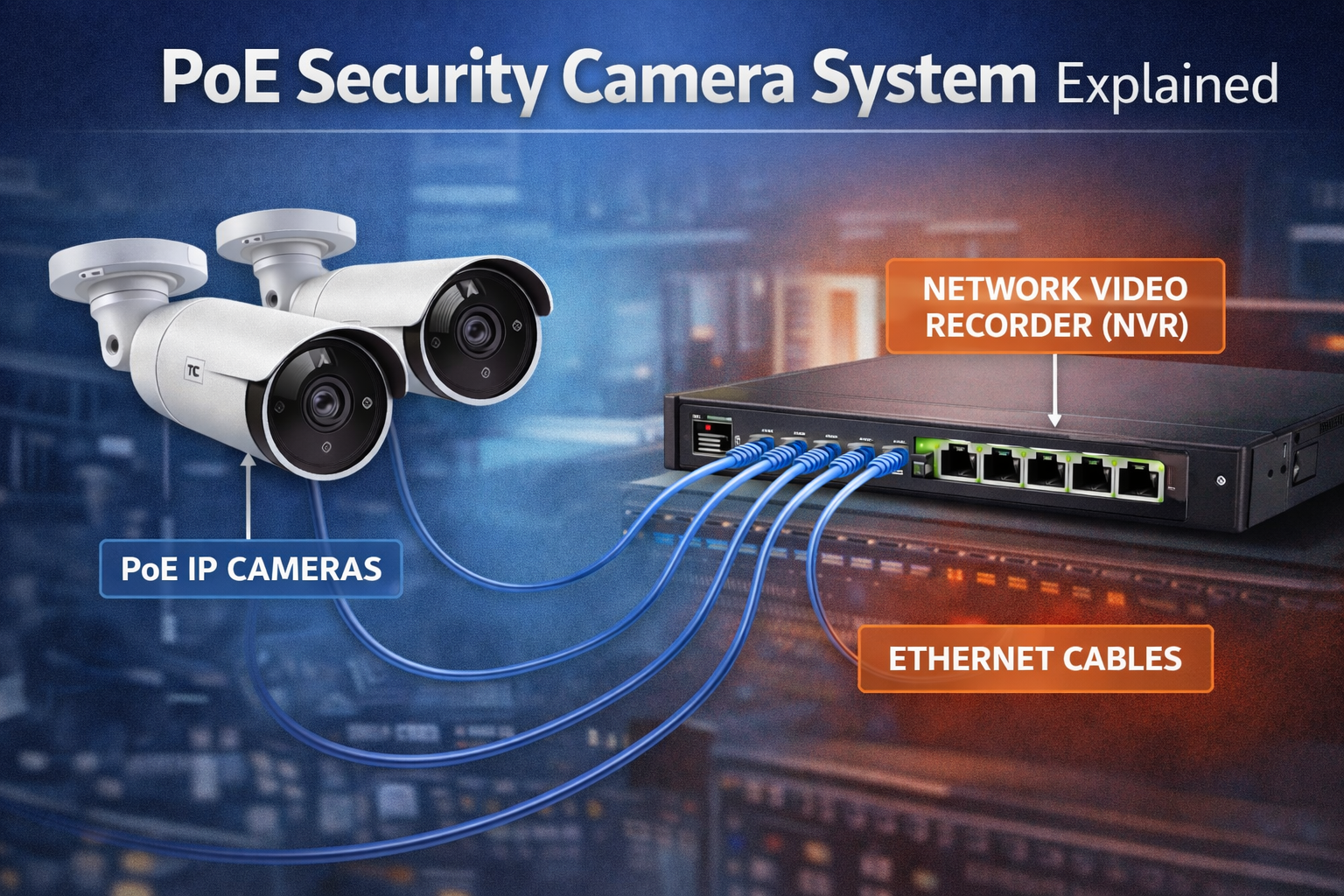
The result is a stable, scalable system that can record continuously to a local hard drive, provide live and recorded remote viewing, support professional analytics, and keep recording when the internet is unavailable. This is why wired PoE surveillance is widely used by businesses, government facilities, schools, warehouses, offices, retail stores and serious homeowners who want long-term protection without required cloud subscriptions.
This guide explains exactly how PoE camera systems work, what equipment they require, how they compare with Wi-Fi and traditional coax systems, how to select 2K+ or 4K resolution, and how to choose the correct camera count. It also includes eight of the current best-selling SureVision systems featured on the CCTV Security Pros homepage, with direct product links and pricing. For a broader comparison of professional surveillance options, also read the Best Security Camera Systems Expert Guide.
How Does a PoE Security Camera System Work?
Every camera in a PoE system is an IP camera with a network connection. A cable runs from the camera back to a PoE port on the NVR or to a compatible PoE network switch. That cable carries low-voltage electrical power to the camera and returns encoded digital video, audio and event information to the recorder and network.
When a camera is connected, the PoE equipment identifies that a compatible powered device is present and supplies the appropriate power. The camera starts, joins the surveillance network and sends its video stream to the NVR. The recorder can then display live images, store video on its internal hard drive, organize playback, process supported events and provide secure remote access to authorized users.
The internet is not the recording path. Video moves across the local wired network to the recorder even when outside internet service is down. Internet access is typically needed only when someone wants to view the system from another location, receive certain external notifications or use other remote network functions. For a detailed explanation of terminology, see the difference between PoE cameras and IP cameras.
The Main Components of a Complete PoE Camera System
1. PoE IP Security Cameras
The cameras capture video and encode it into a digital network stream. Professional SureVision PoE security cameras are available in bullet, turret, dome, vandal-resistant, varifocal, panoramic, PTZ, active-deterrence and specialty configurations. Resolution is important, but lens choice, field of view, night performance, mounting location, audio, weather rating and viewing distance are equally important.
2. Network Video Recorder
The NVR is the central recorder and management point. It receives video from the cameras, stores footage on surveillance hard drives and provides live view, recorded playback, search, export, user management and supported remote access. A recorder must have enough camera channels, incoming bandwidth, decoding ability, storage capacity and feature compatibility for the planned system. Compare SureVision NVR recorders or read the complete NVR buying guide before selecting a recorder separately.
3. Cat5e or Cat6 Ethernet Cable
One Ethernet cable connects each camera to the system. Cable quality, conductor material, terminations, distance, routing and environmental rating all affect reliability. Outdoor, underground and plenum installations may require specialized cable. Avoid low-quality copper-clad aluminum cable for professional surveillance runs. Browse security camera cables and connections when planning the installation.
4. Surveillance Hard Drives
Surveillance-grade hard drives are designed for continuous video workloads. Storage requirements change with the number of cameras, resolution, bit rate, frame rate, compression, scene activity, recording schedule and desired retention time. Higher resolution and longer retention generally require more storage. A properly sized system balances video quality with the number of days you want available for review.
5. PoE Switches, Monitor and Network Equipment
Smaller recorders often have built-in PoE ports for direct camera connections. Larger systems may use separate PoE switches to distribute cameras across a building or property. A local monitor is useful for setup, live viewing and playback, while a router provides controlled remote connectivity. Battery backup, surge protection and secure equipment placement can improve system resilience.
PoE Security Cameras vs Wi-Fi Cameras
Wi-Fi cameras are convenient when a buyer wants a small number of consumer cameras and cannot run data cable. However, wireless video still requires power, shares limited radio bandwidth and can be affected by distance, walls, interference, router changes and network congestion. A professional PoE system uses dedicated wired connections for predictable performance.
| Feature | PoE Camera System | Typical Wi-Fi Camera Setup |
|---|---|---|
| Video connection | Dedicated Ethernet cable | Shared wireless network |
| Power | Delivered through Ethernet | Outlet, adapter or battery usually required |
| Local recording | Professional NVR hard-drive recording | Often cloud-centered or limited local storage |
| Internet outage | Local recording normally continues | Cloud access and some features may stop |
| Scalability | Designed for multi-camera systems | Performance depends heavily on Wi-Fi capacity |
| Monthly fees | No required fee for local NVR recording | Cloud plans are common |
PoE is not automatically perfect simply because it is wired. Cable must be installed correctly, the NVR and cameras must be compatible, passwords must be secured and storage must be planned. But when those fundamentals are handled properly, PoE provides the consistency, image quality and ownership that most professional users expect.
PoE IP Systems vs Traditional HD-Over-Coax CCTV
Both PoE IP and HD-over-coax systems can deliver dependable wired recording. The difference is the cabling and recorder technology. PoE IP cameras transmit network video over Ethernet to an NVR. HD-over-coax cameras transmit video over coaxial cable to a DVR and often use separate low-voltage power conductors.
For most new installations, PoE is the preferred path because it supports flexible network architecture, broad camera choices, straightforward expansion and advanced features. However, an existing property with good coax wiring may be upgraded economically with a modern HD-over-coax security camera system. Reusing suitable cable can reduce installation work while still improving image quality and recording.
The correct choice depends on whether the project is new construction, a retrofit or a mixed property with existing infrastructure. Do not replace usable coax automatically, and do not select coax for a new project simply because it is familiar. Compare cable condition, distances, camera features, future growth, labor and total system cost.
Eight Best-Selling PoE Security Camera Systems
The best system is the one that matches the property, not simply the package with the most cameras. CCTV Security Pros systems are customizable, so compatible bullet, turret, dome, PTZ and specialty cameras can be mixed to fit entrances, interiors, parking areas, gates and longer-range views. The eight systems below are current homepage best sellers organized by camera count and resolution.
Four-Camera PoE Systems for Focused Coverage
Four cameras can cover a small office, shop, workshop or home when the priority locations are well defined. A common plan uses cameras at the front entrance, rear entrance, primary interior area and driveway or parking approach. These four-camera systems include a free upgrade to an 8-channel NVR, leaving room to add compatible cameras later.
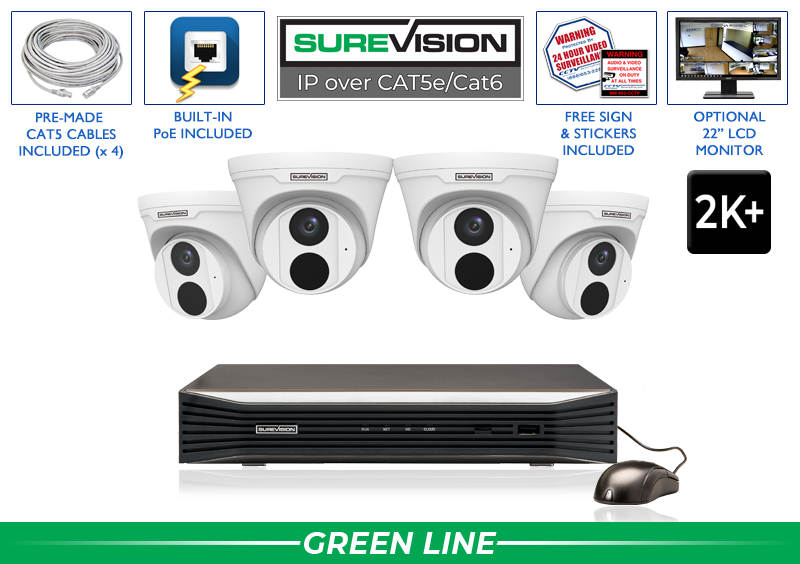
Professional 2K+ Security Camera System with 4 Cameras
Includes four 5MP/2K+ SureVision turret cameras with built-in audio, a 2.8mm wide-angle lens and infrared night vision up to approximately 100 feet. The package includes 2TB of storage and a free upgrade to an 8-channel 4K NVR, making it a strong value for smaller properties that may expand.
Price with UPGRADE25: $1,064.99
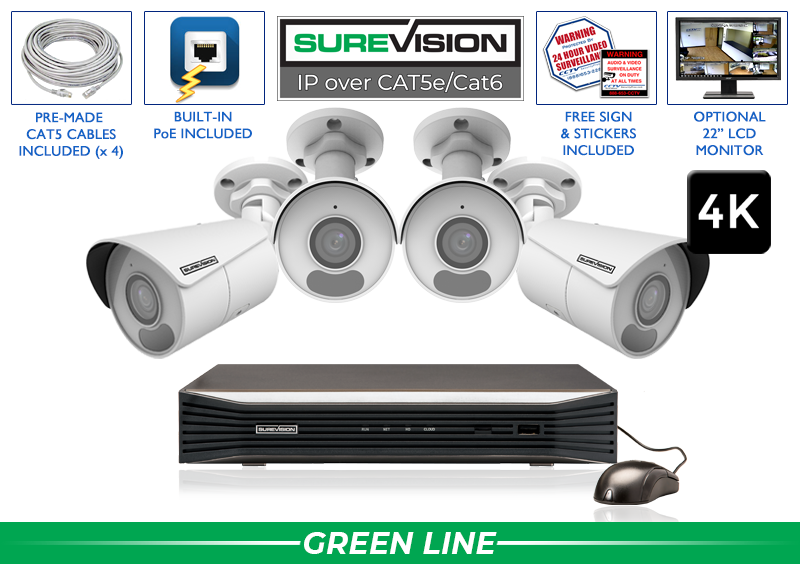
Professional 4K Security Camera System with 4 Cameras
Includes four 8MP/4K SureVision bullet cameras with built-in microphones, a wide 2.8mm lens and infrared night vision up to approximately 100 feet. It includes 2TB of local storage and a free 8-channel NVR upgrade, providing higher-resolution evidence with room for four more compatible cameras.
Price with UPGRADE25: $1,199.99
Eight-Camera PoE Systems for Complete Small-Property Coverage
Eight cameras are a popular choice for homes and small businesses because the count can cover multiple entrances, two or three interior zones, a stock room, driveway and parking area without forcing one camera to do too much. Both eight-camera homepage systems include a free upgrade to a 16-channel NVR, allowing the system to double in size later.
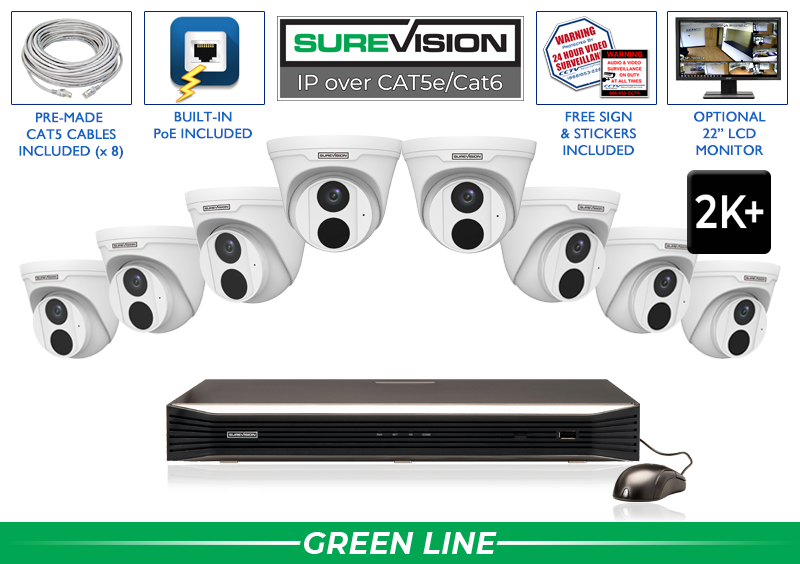
Professional 2K+ Security Camera System with 8 Cameras
Eight 5MP/2K+ turret cameras provide built-in audio, broad general-purpose coverage and approximately 100 feet of infrared night vision. The package includes a 2TB hard drive and free upgrade to a 16-channel 4K NVR, giving offices, restaurants, stores and larger homes eight open channels for future growth.
Price with UPGRADE25: $1,799.99
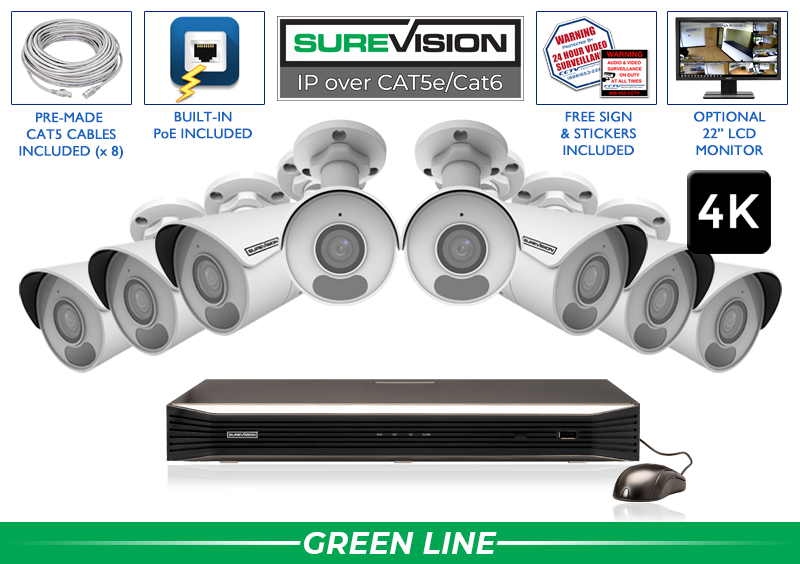
Professional 4K Security Camera System with 8 Cameras
Eight 8MP/4K bullet cameras capture detailed video with built-in audio, wide-angle coverage and infrared night vision. The system includes 2TB of local storage and a free upgrade to a 16-channel NVR. It is a strong fit when sharper identification and digital-zoom detail matter across several indoor and outdoor zones.
Price with UPGRADE25: $1,999.99
Sixteen-Camera PoE Systems for Larger Properties
Sixteen cameras support broader coverage for warehouses, schools, churches, apartment properties, multi-entrance businesses and larger homes. At this size, camera placement, cable routing and storage retention deserve careful planning. The featured sixteen-camera systems include 4TB of storage and a free 22-inch monitor for dedicated local viewing.

Professional 2K+ Security Camera System with 16 Cameras
Includes sixteen 5MP/2K+ SureVision turret cameras with built-in audio, wide-angle lenses and infrared night vision up to approximately 100 feet. A 16-channel 4K NVR, 4TB hard drive and free 22-inch monitor create a complete local-recording package for larger properties that need broad, dependable coverage.
Price with UPGRADE25: $3,299.99
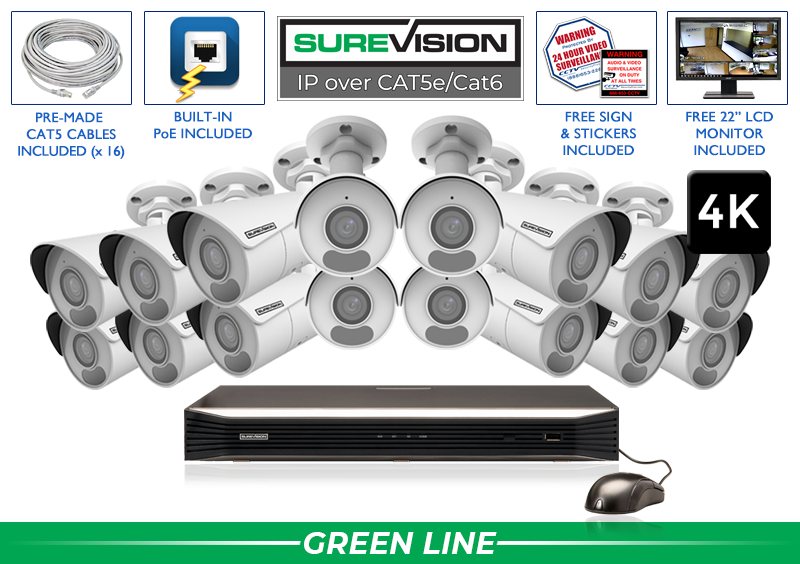
Professional 4K Security Camera System with 16 Cameras
Sixteen 8MP/4K bullet cameras provide ultra-high-definition video, built-in audio, broad 2.8mm views and approximately 100 feet of infrared night vision. The package includes a 16-channel NVR, 4TB of storage and a free 22-inch monitor for businesses and properties that need higher detail across many important areas.
Price with UPGRADE25: $3,799.99
Thirty-Two-Camera PoE Systems for Commercial Facilities
Thirty-two cameras are appropriate for warehouses, campuses, schools, apartment communities, industrial facilities, larger retail properties and multi-building sites. These projects require a map of camera locations, viewing goals, cable paths, switch placement, bandwidth and storage. The featured thirty-two-camera systems include a 32-channel NVR, 6TB storage and a free 22-inch monitor.
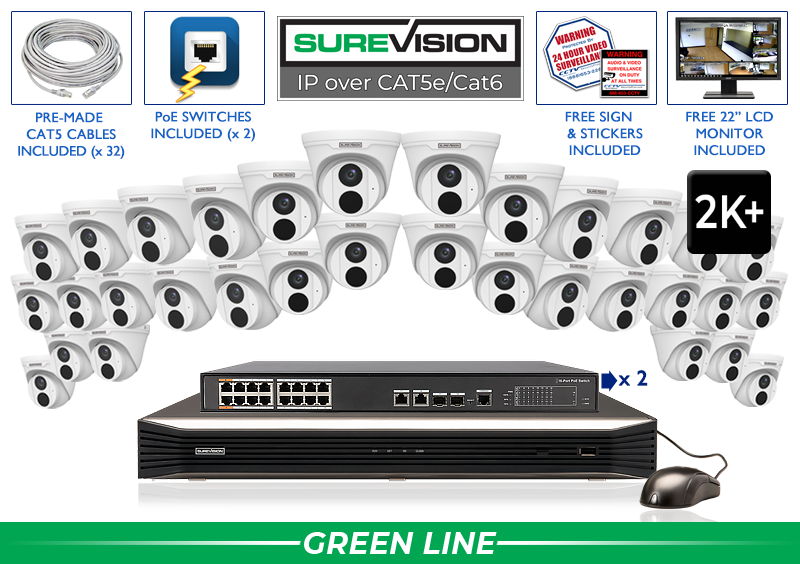
Professional 2K+ Security Camera System with 32 Cameras
Includes thirty-two 5MP/2K+ turret cameras with built-in audio, wide-angle viewing and approximately 100 feet of infrared night vision. A 32-channel 4K NVR, 6TB surveillance hard drive and free 22-inch monitor support broad professional coverage at a lower cost than an equivalent 4K package.
Price with UPGRADE25: $6,712.49
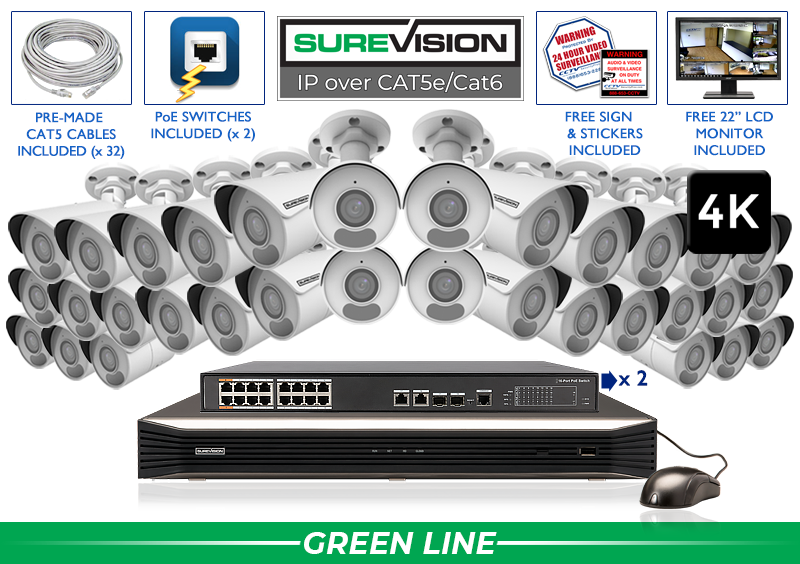
Professional 4K Security Camera System with 32 Cameras
Thirty-two 8MP/4K bullet cameras provide detailed video, built-in audio and wide-angle day-and-night coverage. The package includes a 32-channel NVR, two 16-port PoE switches, 6TB storage and a free 22-inch monitor. It is designed for demanding commercial properties that need 4K evidence across many zones.
Price with UPGRADE25: $7,334.99
Should You Choose a 2K+ or 4K PoE Camera System?
Resolution affects how much visual detail a camera can record, but it should not be the only buying factor. The 5MP/2K+ systems above offer strong everyday detail at a lower system cost and require less storage than comparable 4K systems. They work well for entrances, offices, halls, retail areas, restaurants, warehouses and general property coverage.
The 8MP/4K systems record more pixels and can preserve more detail for digital zoom and evidence review when the subject occupies a useful part of the scene. They are attractive for cash-handling areas, larger indoor spaces, parking approaches and other locations where added image detail matters. However, 4K cannot compensate for poor placement, excessive distance, bad lighting or the wrong lens.
A customized system can mix resolutions and camera styles. Use 4K where the additional detail earns its cost and use another compatible model where field of view, zoom, color-night performance, active deterrence or form factor matters more. That approach is often stronger than installing one identical camera at every location.
How Many PoE Cameras Do You Need?
Count important views, not merely rooms or square footage. Every public entrance, employee entrance, register, reception point, stock room, hallway, loading area, parking approach and high-value zone may require a dedicated view. Large rooms may need multiple cameras, while a well-positioned wide-angle camera may cover a small open area.
- Four-camera systems suit focused coverage for smaller properties.
- Eight-camera systems are a common complete-coverage starting point for homes and small businesses.
- Sixteen-camera systems support larger homes, businesses, warehouses, schools and multi-entrance properties.
- Thirty-two-camera systems cover larger commercial and institutional sites.
Leave sensible room to expand. A four-camera package with an 8-channel recorder and an eight-camera package with a 16-channel recorder make future additions easier. For larger projects, build a camera schedule that records the purpose, location, mounting height, viewing direction, cable distance, lens requirement, lighting and storage priority for every camera.
Camera Types You Can Use in a PoE System
Bullet cameras are visible and directional, making them useful on building exteriors, driveways, loading areas and parking perimeters. Their presence can also provide a deterrent effect.
Turret and dome cameras provide a lower-profile appearance for offices, stores, restaurants, halls, entrances and covered exterior areas. Vandal-resistant domes are useful where physical protection is important.
Varifocal cameras use adjustable lenses to narrow or widen the scene. They are valuable for gates, long halls, loading points and views where a fixed wide-angle lens would make the subject too small.
PTZ cameras can pan, tilt and optically zoom. They are powerful for actively monitoring large open areas, but a PTZ looks in only one direction at a time. Fixed cameras should still protect critical entrances and evidence points.
Active-deterrence, panoramic and specialty cameras solve particular problems such as wide open areas, two-way communication, white-light illumination, sirens, plate capture or extended viewing distance. The advantage of a customizable SureVision system is the ability to match the camera to the location rather than accept a system in a box.
How to Install a PoE Security Camera System
- Create a coverage plan. Mark entrances, transaction points, interior travel routes, high-value areas, parking, loading and blind spots.
- Choose the camera for each view. Match resolution, lens, night vision, housing and special features to the distance and lighting.
- Select the recorder and storage. Confirm camera channels, PoE ports, bandwidth, resolution support, hard-drive capacity and expansion room.
- Plan cable routes. Measure every run, avoid electrical hazards, protect outdoor cable and follow applicable building and fire codes.
- Mount and aim cameras. Capture useful faces and activity rather than excessive ceiling, sky or empty ground.
- Connect cameras to the NVR or PoE switch. Label cables and verify each camera appears on the intended channel.
- Configure recording and users. Set time, recording schedules, motion or smart events, retention priorities and unique authorized accounts.
- Test day and night. Review live and recorded images, remote viewing, playback, alerts and evidence export before considering the job complete.
Many systems are plug-and-play at the equipment level, but professional results still depend on good planning and installation. Long distances, separate buildings, underground cable, lightning exposure, complex networks and code requirements may justify a qualified low-voltage professional. CCTV Security Pros provides equipment and support but does not provide installation services.
Do PoE Cameras Work Without Internet?
Yes. A correctly configured PoE camera system records locally to the NVR over the internal wired network. If internet service goes down, cameras can continue sending video to the recorder, and the NVR can continue storing footage. A locally connected monitor can still be used for live view and playback.
Remote access from outside the property will normally be unavailable until internet service returns. Push notifications, email alerts, cloud-connected integrations and remote time synchronization may also be affected. This separation between local recording and internet access is one of the strongest advantages of a professional NVR system.
Are PoE Systems Good for Homes and Businesses?
PoE systems are well suited to both. Homeowners benefit from private local storage, consistent wired connections, exterior coverage, remote viewing and freedom from required monthly recording fees. A four- or eight-camera system can protect entrances, driveway, garage, side yard and primary interior areas while leaving room to expand.
Businesses often require more cameras, longer retention, multiple user accounts, continuous recording and coverage designed around incidents, transactions and liability. Offices, stores, restaurants, warehouses, schools, apartment properties and industrial sites benefit from the centralized management and scalability of PoE. Explore business security camera systems for commercial planning and system options.
Government and institutional buyers should also confirm procurement requirements, NDAA compliance, network policies, cybersecurity standards, retention requirements and installation rules. SureVision systems provide professional options for organizations that need dependable wired surveillance and expert product guidance.
Security and Privacy Best Practices
- Change default passwords and use a long, unique password for every administrator account.
- Create individual user accounts with only the permissions each person needs.
- Keep recorder and camera firmware current using approved updates and instructions.
- Place the NVR in a secure, ventilated location with controlled physical access.
- Use secure router settings and avoid exposing recorder ports directly to the internet unless a qualified network professional requires and protects that configuration.
- Review active users and remove accounts promptly when employees, vendors or tenants no longer need access.
- Protect critical equipment with appropriate surge protection and battery backup.
- Confirm local video and audio recording laws before enabling microphones or recording public and employee areas.
Privacy is partly a technical issue and partly a policy issue. Do not install cameras in restrooms, changing areas or other locations with a strong expectation of privacy. Establish clear rules for who can view, export and share recordings, and keep evidence only as long as business, legal and retention requirements justify.
Common PoE Camera System Mistakes
- Buying by camera count alone: eight wrong cameras do not create a strong eight-camera plan.
- Mounting cameras too high: extreme height often records the tops of heads instead of useful faces.
- Using a wide-angle camera for a distant target: the scene may be visible while the person or plate remains too small.
- Ignoring nighttime conditions: walls, soffits, headlights and reflective surfaces can damage night images.
- Underestimating storage: higher resolution, frame rate and continuous recording increase retention requirements.
- Filling every NVR channel immediately: leaving expansion room can prevent an unnecessary recorder replacement.
- Using low-quality cable: poor conductors and terminations cause intermittent power, dropped video and difficult troubleshooting.
- Skipping playback tests: verify that users can find and export recorded evidence before an incident occurs.
- Depending on one PTZ camera: a PTZ cannot record every direction simultaneously; protect critical areas with fixed views.
- Choosing unsupported combinations: confirm NVR, camera, resolution, analytics, audio and ONVIF compatibility before purchase.
PoE Security Camera System Buying Checklist
- How many important views need dedicated cameras?
- Which locations require 2K+, 4K, zoom, panoramic or specialty cameras?
- How far is the subject from each camera, and how much identification detail is needed?
- What are the daytime, nighttime and backlighting conditions?
- How many NVR channels and PoE connections are required now and later?
- How many days of recordings should the hard drive retain?
- Will recording be continuous, scheduled, motion-based or a combination?
- Do cameras need microphones, two-way audio, active deterrence or color-night capability?
- Are cable runs indoor, outdoor, underground, plenum-rated or between buildings?
- Who needs local and remote access, and what permissions should each user receive?
- Are NDAA, ONVIF, procurement or network-security requirements important?
- Does the project require an installer, lift, conduit, trenching or electrical coordination?
Frequently Asked Questions About PoE Security Camera Systems
Audio and video surveillance laws vary by location. Confirm applicable consent, notice, privacy, employee-monitoring and audio-recording requirements before installation or activation.
