
How to Upgrade an Old CCTV Camera System to HD or 4K Without Rewiring
Aug 25, 2026
CCTV System Upgrade Guide
How to Upgrade an Old CCTV Camera System to HD or 4K Without Rewiring
An older analog security camera system may already contain one of the most expensive and disruptive parts of a surveillance installation: cable running through walls, ceilings, attics, warehouses, offices, and outdoor conduit. If those coaxial runs are still in good condition, you may be able to replace the cameras and DVR while leaving much of the existing wiring in place.
This guide explains how to evaluate an existing BNC camera system, choose between 1080p and 4K, match cameras to a compatible recorder, and recognize the situations in which new cable is the safer choice. The goal is a practical upgrade with clearer video, remote viewing, local recording, and no required monthly cloud fee.
The Short Answer: Can an Old CCTV System Be Upgraded Without New Wiring?
Often, yes. A system that uses serviceable RG59 or comparable 75-ohm coax with BNC connectors may be a candidate for modern HD-over-coax cameras and a compatible DVR. However, “without rewiring” is not an automatic guarantee. Cable type, run length, connector quality, interference, camera power, recorder format support, and the desired resolution all matter. Test at least one representative cable run with the intended camera and DVR before purchasing an entire replacement system.
What Parts of an Existing CCTV System Can Potentially Be Reused?
A traditional CCTV system has four basic layers: cameras, signal cable, power, and a recorder with storage and display connections. An upgrade does not always require replacing every layer at once. The existing coaxial video cable is the most common component to preserve because pulling new cable can involve lifts, ceiling access, wall repair, conduit work, or temporarily closing part of a business.
Camera mounting locations may also be reused if they still provide the right field of view. Existing camera power supplies can sometimes remain, but only when their voltage, polarity, current capacity, and condition match the new equipment. Monitors may stay if they accept an output offered by the replacement DVR, such as HDMI or VGA. The old DVR is less likely to remain when the purpose of the project is to move from standard definition to 1080p or 4K because the recorder must understand the new camera signal and resolution.
This modular approach is one advantage of professional wired surveillance. You can often improve the recorder first, replace the weakest cameras first, or install a complete matched system while preserving proven cable routes. For a broader overview of camera counts, storage, features, and system design, read the CCTV camera systems buying guide.
Often Reusable
Good-quality coax runs, secure BNC terminations, suitable mounting positions, compatible monitors, and properly rated power infrastructure.
Usually Replaced
Low-resolution cameras and a DVR that cannot decode or record the chosen HD-over-coax format and resolution.
Must Be Tested
Long runs, spliced cable, thin premade leads, aged connectors, power supplies, audio paths, and cables near electrical interference.
How to Inspect Existing Coax Before an HD or 4K Upgrade
Start at both ends of each camera run. A common professional installation uses RG59 Siamese cable: one portion carries the video signal and the paired conductors carry power. The video side terminates in a twist-on, compression, or crimp BNC connector. Other installations may use RG6, thin premade camera leads, or network cable with video baluns. These are not interchangeable assumptions, so document what is actually installed.
Look for physical damage and questionable terminations
Inspect accessible cable for crushing, sharp bends, corrosion, water intrusion, exposed shielding, damaged jackets, and unnecessary couplers. Gently check BNC connectors for looseness. A connector that produced an acceptable standard-definition image may still create noise, intermittent video, or signal loss at higher resolution. Re-terminating one or both ends is inexpensive compared with troubleshooting an unstable system after installation.
Record cable length and routing conditions
Signal performance depends on cable construction, length, connector quality, camera format, and surrounding electrical conditions. Note the shortest, longest, and most difficult runs. Pay special attention to cables that share a pathway with high-voltage wiring, fluorescent-light ballasts, large motors, elevators, compressors, or other sources of interference. The longest or noisiest route is an excellent candidate for a real-world test.
Test a representative run before buying every camera
Connect the intended DVR and one intended camera to a cable that represents the more demanding parts of the installation. Check live video, recorded playback, nighttime performance, and stability over time. Test audio too if the camera includes a microphone and the recorder supports audio over coax. A short bench test beside the recorder proves camera compatibility; a test through the installed cable proves far more.
If connectors or patch leads need replacement, browse CCTV cables and connections. If you are unsure what cable you have, call 888-653-2288 before ordering.
The Compatibility Check That Prevents Most Upgrade Problems
A BNC connector tells you how a camera physically connects; it does not by itself guarantee that the camera and DVR can communicate. Modern HD-over-coax equipment can use formats such as TVI, AHD, CVI, and traditional CVBS analog video. A multi-format DVR offers flexibility, but you still need to verify the exact resolution and frame-rate support on the channels you plan to use.
| Compatibility Item | What to Verify | Why It Matters |
|---|---|---|
| Video format | TVI, AHD, CVI, or CVBS support on both camera and DVR | A physical BNC connection can still produce no picture if signal formats do not match. |
| Resolution | Recorder input and recording support for 1080p or 8MP/4K | A camera can only deliver useful detail when the recorder can accept and store its signal. |
| Channel count | Current cameras plus realistic expansion capacity | Buying exactly enough channels today can force another recorder change later. |
| Power | Voltage, polarity, amperage, connector size, and voltage drop | Insufficient or incorrect power causes failure, resets, or unreliable night vision. |
| Audio | Built-in mic, audio over coax, recorder support, and local law | Audio capability and legal consent requirements vary by location and use. |
| Storage | Drive capacity, number of cameras, resolution, frame rate, and retention target | Higher-resolution video generally consumes more storage at comparable settings. |
Do not overlook remote viewing. A new recorder normally connects to your local network for phone, tablet, or computer access, while the cameras continue connecting to the DVR over coax. This gives an older wired installation a modern viewing experience without turning every camera cable into Ethernet. For a deeper comparison of recorder architectures, see NVR vs. DVR.
Should You Upgrade an Old CCTV System to 1080p or 4K?
More resolution can reveal more useful detail, but the best choice depends on the scene, lens, distance, lighting, cable condition, storage plan, monitor, and budget. A wide 4K image is not a substitute for placing a camera close enough to the target. Likewise, a thoughtfully positioned 1080p camera may outperform a poorly placed higher-resolution camera for a specific doorway or short corridor.
| Decision Factor | 1080p CCTV | 4K CCTV |
|---|---|---|
| Best fit | General monitoring, entrances, offices, smaller spaces, and budget-conscious upgrades | Larger scenes and applications where added recorded detail is important |
| Storage demand | Typically lower at comparable compression, frame rate, and retention settings | Typically higher; plan recorder storage and retention intentionally |
| Existing cable | Often a practical first target for serviceable coax | Places greater importance on good cable, connectors, and real-world testing |
| Budget | Lower entry cost can make more complete camera replacement possible | Higher equipment and storage cost, with greater image detail potential |
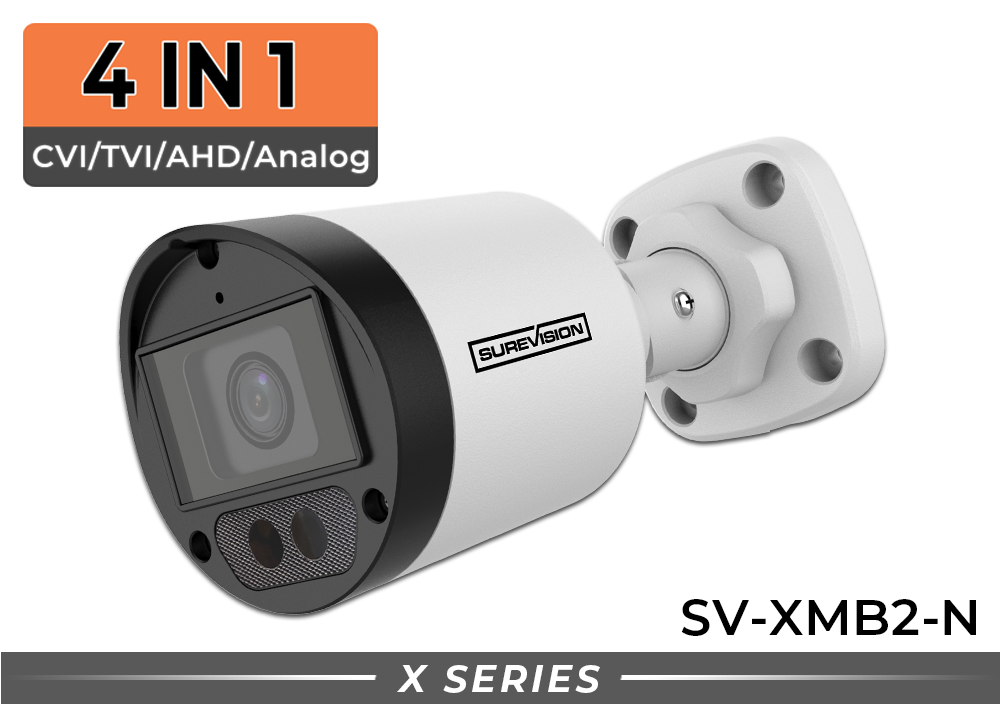
1080p Upgrade Camera
1080p CCTV Bullet Camera with Color Night Vision
Model SV-XMB2-N includes a 2.8mm wide-angle lens, built-in microphone, IP67 weather rating, and TVI/AHD/CVI/CVBS video options.
$129.99
View 1080p Camera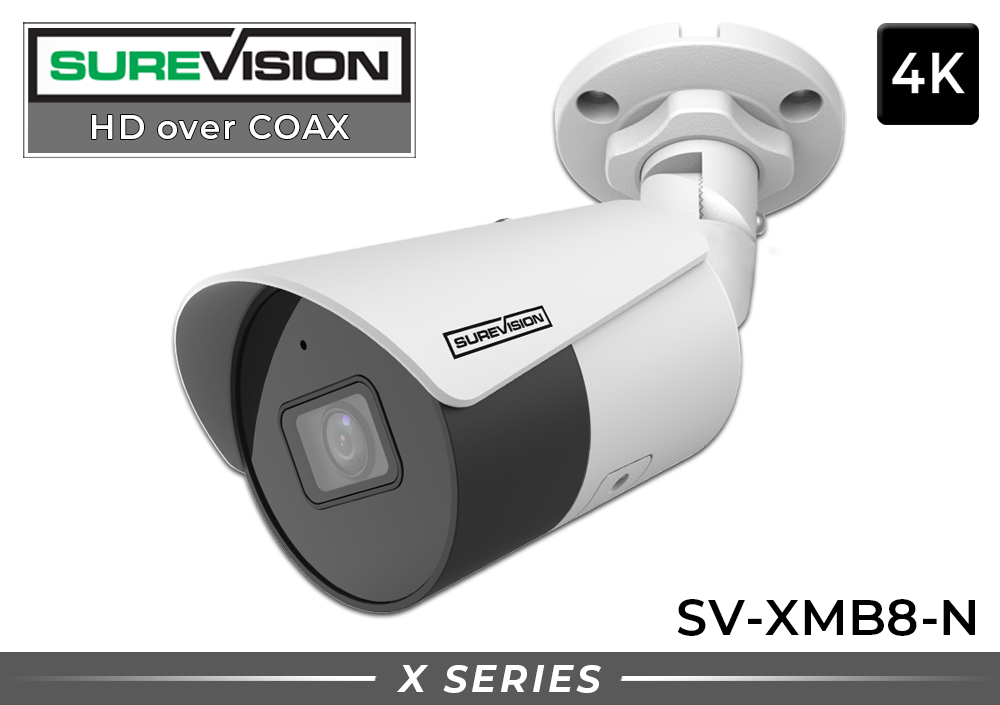
4K Upgrade Camera
4K Bullet CCTV Camera with Audio
Model SV-XMB8-N delivers 8MP/4K video with a 2.8mm wide-angle lens, built-in audio, night vision, and multi-format BNC output.
$199.99
View 4K CameraPrices checked August 25, 2026. Product pricing, promotions, specifications, and availability may change. Verify compatibility before ordering. Follow all applicable laws before recording audio.
Three Practical Ways to Upgrade an Older CCTV System
Path 1: Replace the DVR and keep compatible cameras temporarily
This staged approach can restore reliable recording, add modern remote access, and create a foundation for later camera replacement. It only works when the new DVR accepts the existing camera signal. A multi-format recorder may support legacy CVBS cameras alongside newer HD-over-coax cameras, allowing upgrades by priority area. Confirm mixed-resolution and mixed-format behavior with the exact models before relying on it.
Path 2: Replace selected cameras and the DVR
Many businesses do not need the same detail everywhere. Upgrade entrances, cash-handling points, shipping doors, parking access, and other critical views first. Less important overview cameras can remain until the next phase if the new recorder supports them. This directs the first investment toward scenes where better evidence and faster review have the greatest operational value.
Path 3: Install a matched HD-over-coax system on existing cable
Replacing all cameras and the recorder together minimizes compatibility guesswork and creates consistent image quality, settings, warranty coverage, and support. This is often the cleanest path when the old cameras have already exceeded their useful life. Complete systems also make it easier to plan camera count, channel capacity, and storage as one design rather than a collection of unrelated replacements.
4K DVR Options for Existing BNC Camera Cabling
The recorder is the compatibility center of a coax-based upgrade. These SureVision DVRs accept BNC camera inputs and support common analog and HD-over-coax formats. Choose enough channels for every current camera plus planned growth, and size storage for the desired retention period.

4-Channel 4K CCTV DVR
Four BNC camera inputs, multi-format support, 4K HDMI output, local storage options, and remote viewing.
$533.32
View 4-Channel DVR
8-Channel 4K CCTV DVR
Eight BNC camera inputs with 4K HDMI, flexible HD-over-coax support, local recording, and remote access.
$799.99
View 8-Channel DVR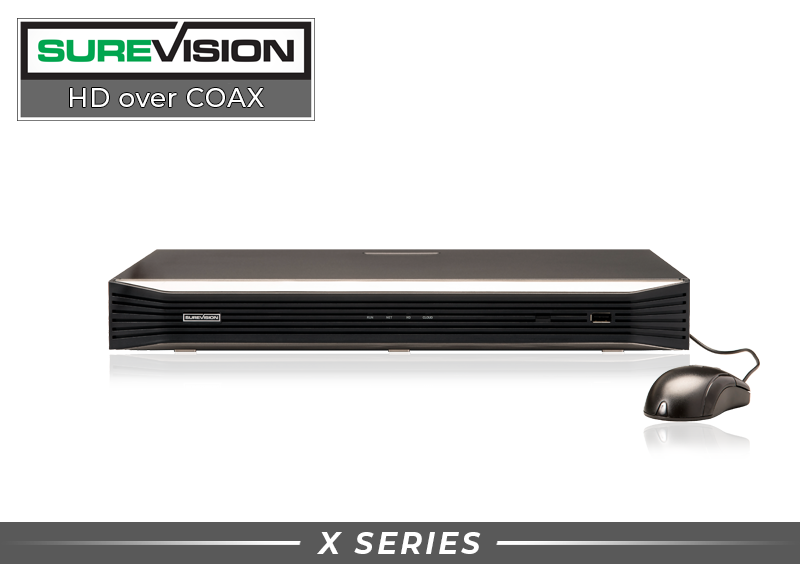
16-Channel 4K CCTV DVR
Sixteen BNC inputs, two SATA bays, 4K HDMI, remote viewing, and smart event and search tools.
$1,133.32
View 16-Channel DVRPrices checked August 25, 2026. Hard drive configuration can affect the final recorder price. Confirm the selected storage, camera format, resolution, and audio requirements before purchase.
Step-by-Step Plan for Upgrading Without Rewiring
- Inventory the current system. Record the DVR brand and model, number of used and open channels, camera models where visible, cable type, power arrangement, monitor connection, network connection, and approximate storage retention. Photograph the recorder labels and cable terminations before disconnecting anything.
- Define what the upgrade must improve. “Better video” is too broad. Identify the scenes where you need clearer faces, transaction review, package activity, vehicle description, a wider overview, nighttime color, audio, or faster remote access. This determines whether 1080p is sufficient or 4K is justified.
- Inspect and label every cable. Give each camera and DVR lead the same location name. Check connectors, visible cable condition, splices, and power connections. Labeling reduces downtime and prevents channel confusion during the swap.
- Verify camera-to-DVR format support. Confirm the selected recorder accepts the camera output format and target resolution. If old and new cameras will operate together, verify support for every format in the temporary mixed system.
- Bench-test first. Connect one new camera to the DVR using a short known-good lead. Set the camera output and DVR input correctly, verify live video, make a recording, play it back, and confirm audio if used. This isolates equipment configuration from installed-cable conditions.
- Test the installed cable. Move the test camera to one of the longest or most challenging existing runs. Evaluate daytime and nighttime video, image stability, color, audio, and recorded playback. Repeat on any run with different cable or routing conditions.
- Plan storage and retention. Decide how many days of video should be retained and whether recording will be continuous, scheduled, or event-based. Camera count, resolution, frame rate, compression, scene activity, and recording mode all affect storage. Leave capacity for real operating conditions rather than relying on a best-case estimate.
- Replace equipment in a controlled order. Export any old footage that must be retained. Photograph original connections, shut down the recorder properly, replace or re-terminate questionable connectors, mount the new cameras, and connect one channel at a time. Do not discard working equipment until the new system has passed acceptance testing.
- Aim and focus for evidence, not decoration. Review the field of view on the actual recording monitor. Avoid excessive sky, blank wall, ceiling, or floor. Test where a face or important object will appear and at the lighting conditions that matter. A correct angle can add more practical value than resolution alone.
- Secure and document the completed system. Change default credentials, use strong unique passwords, apply available updates, restrict user permissions, and protect the recorder physically. Save a channel map, camera names, network settings, equipment models, and installation date for future service.
Common CCTV Upgrade Mistakes to Avoid
Assuming every BNC camera works with every DVR: connector type and signal compatibility are different questions.
Replacing cameras but keeping an unsupported recorder: the DVR may show no image or record below the camera’s potential.
Ignoring old connectors and power: intermittent video and nighttime resets are frequently mistaken for camera failure.
Choosing resolution without considering storage: calculate retention before finalizing drive capacity.
Judging only by the live view: test recorded playback, export, nighttime scenes, remote access, and recovery after a power interruption.
When You Should Replace the Cable or Move to an IP Camera System
Reusing coax makes sense when the cable is reliable and the existing routes still serve the surveillance plan. It becomes less attractive when the cable is damaged, water-contaminated, excessively spliced, poorly shielded, or too inconsistent for the selected signal. New cable may also be necessary when camera locations are changing substantially or when the building is already being renovated and cable access is open.
An IP camera system is worth considering when you want a new PoE network infrastructure, higher design flexibility, easier expansion across network switches, or IP-specific camera and analytics options. In a new building, pulling Cat5e or Cat6 may provide a cleaner long-term foundation. In an occupied building with proven coax, an HD-over-coax upgrade may achieve the needed image improvement with less disruption.
The decision does not need to be ideological. Choose the architecture that best fits the site, cable condition, desired features, installation access, and support plan. Explore professional IP security cameras when new Ethernet cabling or PoE is the better direction, or compare HD-over-coax CCTV systems when preserving BNC camera runs is a priority.
Complete 4K CCTV Systems for a Coordinated Upgrade
A complete system is the straightforward choice when you want matching 4K cameras, a compatible DVR, included storage, and one support path. The systems below are designed for local recording and remote viewing without a required monthly surveillance fee. Existing cable reuse still depends on cable inspection and testing.

4-Camera 4K CCTV System
Four 4K bullet cameras with audio and an 8-channel 4K DVR with 2TB storage, leaving room for expansion.
$1,549.99
View 4-Camera System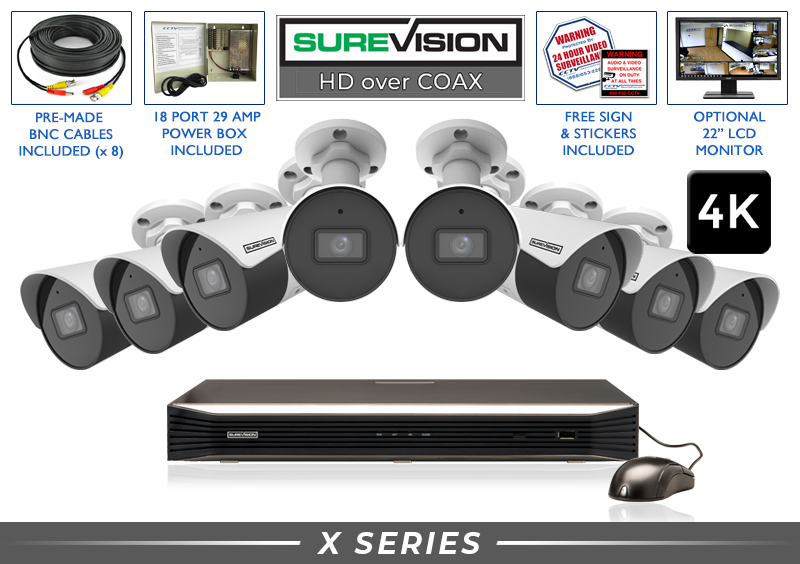
8-Camera 4K CCTV System
Eight 4K bullet cameras with audio and a 16-channel 4K DVR with 2TB storage for future growth.
$2,799.99
View 8-Camera System
16-Camera 4K CCTV System
Sixteen 4K bullet cameras with audio and a 16-channel 4K DVR upgraded to 4TB storage.
$4,599.99
View 16-Camera SystemPrices checked August 25, 2026. Pricing, included storage, promotions, specifications, and availability may change. Review the current product page before purchasing.
How to Get the Best Value From the Upgrade
The lowest equipment price is not always the lowest project cost. Reusing verified cable can save labor and reduce disruption, while buying a recorder with spare channels can prevent a second replacement when the property expands. Standardizing cameras can simplify spare inventory and troubleshooting. Adequate storage can prevent the expensive discovery that important footage was overwritten a day before it was requested.
Prioritize coverage before quantity. Create a site map with camera purpose, target area, approximate distance, lighting, and mounting height. Separate identification views from overview views. A camera covering a broad parking area serves a different purpose from a camera positioned to capture people entering a doorway. If a critical target occupies only a small part of the frame, adding pixels may not solve the underlying placement problem.
Also compare ongoing ownership costs. A locally recording DVR-based system can provide remote viewing without making a monthly cloud subscription mandatory. That makes long-term cost more predictable, but it also makes local storage protection important. Place the recorder in a secure, ventilated location and consider backup power appropriate to the site.
For a business-focused selection framework, review the guide to the best CCTV camera systems for business. You can also browse professional security camera systems for complete solutions.
Frequently Asked Questions About Upgrading an Old CCTV System
Can I connect a 4K CCTV camera to old coax cable?
Potentially. Good-quality, properly terminated coax may carry a compatible 4K HD-over-coax signal, but cable construction, distance, splices, interference, and connector condition matter. Test the chosen 4K camera and DVR through a representative installed run before converting the whole system.
Will a new HD camera work with my old DVR?
Only if the DVR supports the camera’s signal format and resolution. Many old standard-definition recorders cannot accept modern 1080p or 4K HD-over-coax video. Check the recorder model specifications rather than relying on the BNC connector alone.
Can I use old and new cameras on the same DVR?
A multi-format DVR may support a mix of legacy CVBS and newer HD-over-coax cameras, making a phased upgrade possible. Confirm the exact formats, resolutions, channel limitations, and recording behavior with the chosen recorder before installation.
Do 4K security cameras require more storage than 1080p cameras?
They generally require more storage when other settings are comparable. Actual retention also depends on compression, frame rate, recording schedule, scene activity, bitrate settings, and number of cameras. Size the drive around a realistic retention goal.
Can I add remote viewing to an old wired camera installation?
Yes, replacing the recorder with a compatible network-connected DVR can add modern remote viewing while cameras remain wired to the DVR through coax. Internet and local network configuration are required, and remote access should be protected with strong credentials.
Do I need to replace the old camera power supply?
Not automatically, but it must match the new cameras’ voltage, polarity, connector, and current requirements and remain in safe condition. Account for voltage drop on longer runs and increased nighttime power demand. When in doubt, use the power equipment recommended for the new cameras.
Is 4K always better than 1080p for CCTV?
4K can provide more image detail, but it is not automatically the best value for every view. Camera placement, target distance, lens, lighting, cable quality, recorder support, and storage all affect results. Use 4K where the additional detail serves a clear purpose.
Can I record audio through the same coax cable?
Some cameras and DVRs support audio over coax, but both devices and the selected format must support it. Confirm compatibility and follow federal, state, and local laws regarding notice and consent before enabling audio recording.
When is a complete system better than individual replacement parts?
A complete system is usually better when most old cameras need replacement, you want consistent specifications, or you prefer one matched recorder, camera, storage, warranty, and support package. Individual parts can be useful for a carefully planned phased upgrade.
How many DVR channels should I buy?
Choose enough inputs for every current camera and foreseeable expansion. If you have four cameras but expect additional coverage, an eight-channel recorder may prevent another recorder replacement. Channel count and storage capacity are separate decisions, so plan both.
Get Help Planning Your CCTV Camera System Upgrade
CCTV Security Pros has helped more than 75,000 customers protect businesses, homes, and properties with professional wired surveillance. Our systems are designed for dependable local recording, remote viewing, no required monthly fees, a three-year warranty, and free U.S.-based support.
Before you replace working cable, let an expert help confirm your camera format, DVR, power, storage, and upgrade path. Call 888-653-2288 or request a free system recommendation.
